

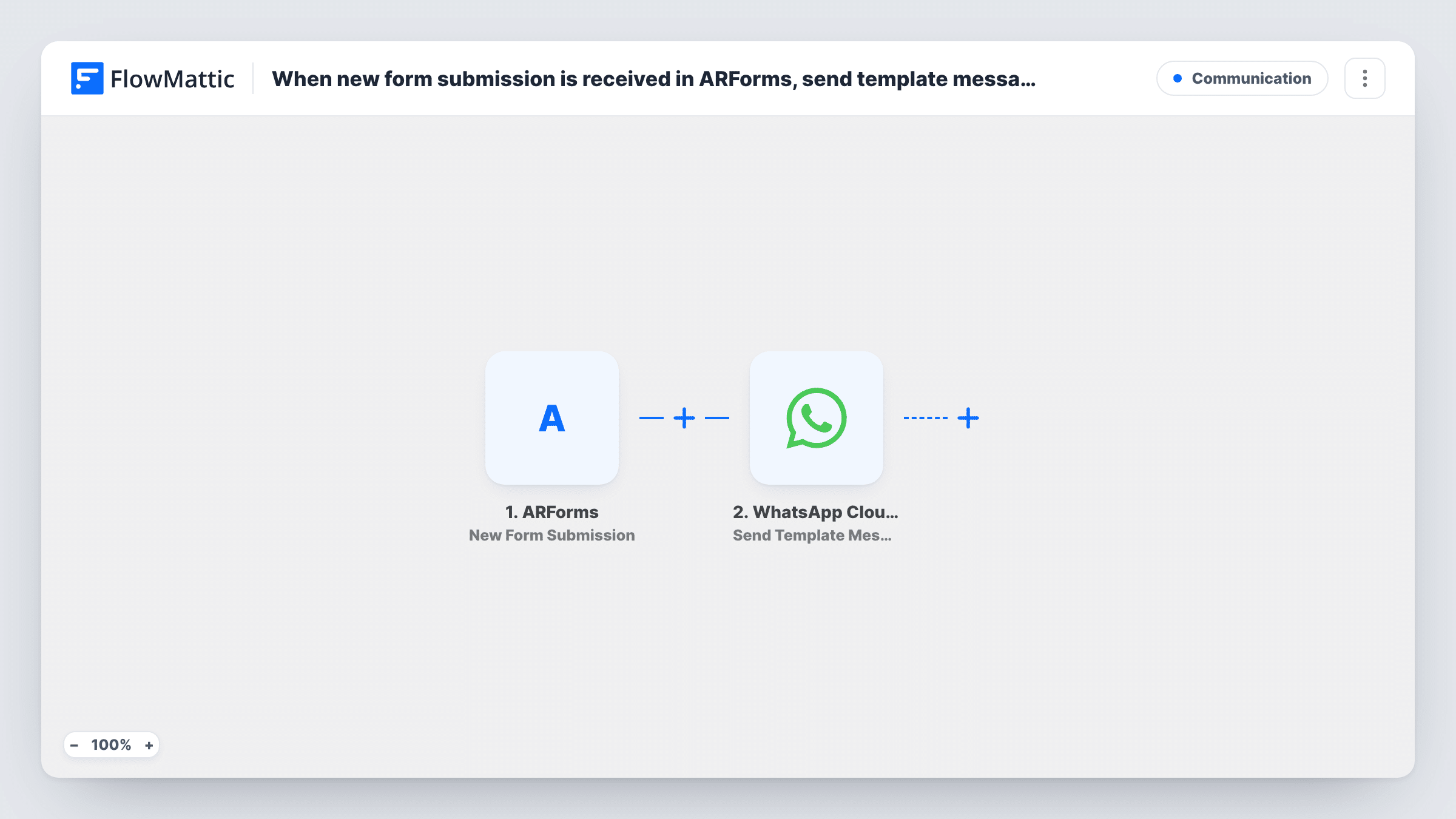
When new form submission is received in ARForms, send template message in WhatsApp using WhatsApp Cloud API
When someone submits an ARForms form on your WordPress site, this workflow sends them a WhatsApp template message through the WhatsApp Cloud API, using the phone number they entered.
 ARForms
 WhatsApp Cloud API
2 steps Setup ~5 min Used on 2.5k sites Free to import
What this workflow does
People who fill in a form often check WhatsApp before they check email. If you want to confirm a booking, acknowledge an enquiry or share next steps there, this workflow sends the message the moment the form is submitted, with no copying of phone numbers by hand.
The ARForms trigger runs on each new form submission. Every answer, including the phone number field, becomes data you can map. The second step uses the WhatsApp Cloud API Send Template Message action to message that number from your WhatsApp Business account.
A business can open a WhatsApp conversation with a template, which is why this flow uses one rather than plain text. The template has to exist in your WhatsApp Business account and be approved by Meta before the step can use it. Every submission sends one message, since there is no Filter in the template. Task History shows each run and the response from WhatsApp, which is where you look if a number was rejected.
Appointment request confirmations
A clinic or salon takes booking requests through an ARForms form. Each person receives a WhatsApp template telling them the request arrived and when to expect a call.
Quote enquiries for a service business
Visitors ask for a quote with an ARForms form. A WhatsApp message tells them their enquiry was received and gives them a business number they can reply to.
Event registration receipts
Registrants fill in an ARForms sign-up form and get a WhatsApp template with the event date, so the details sit in a chat they already use.
How this workflow runs
What happens at each step once the workflow is on, and what you need before you import it.
 ARForms New Form Submission
Runs on every new ARForms form submission. All submitted answers, including the phone number, are available to map in the WhatsApp step.
- WhatsApp Cloud API Send Template Message
Sends an approved WhatsApp template message from your WhatsApp Business account through the Cloud API. Map the form's phone number as the recipient and fill any template variables with form answers.
What you need
- FlowMatticCore
- ARForms PluginPlugin
- WhatsApp Cloud API AccountAccount
After importing, map your own data. To keep the template universal, not every step is pre-filled. Open each step in the builder and connect your accounts and fields (channels, lists, sheets, recipients) before you switch the workflow on.
Make it yours
Changes worth making after you import it.
- Ask for the phone number with its country code in your ARForms form, or add help text that says so. WhatsApp needs the full international number to reach the right person.
- Add a Filter after the trigger that continues only when a consent checkbox is ticked, so the template goes only to people who agreed to WhatsApp contact.
- Running several ARForms forms? Submit a test entry, see what the trigger reports about which form it came from, and add a Filter so only the intended form sends this template.
Questions about this workflow
Why does this use a template message instead of plain text?
Plain text reaches a person only inside the 24 hours after they last wrote to your business number. Someone who just filled in a form usually hasn't, so an approved template is the message type that can reach them.
Do I need a WhatsApp Business account to send from ARForms?
Yes. The step sends through the WhatsApp Cloud API, so you need a WhatsApp Business account set up with Meta, a business phone number and at least one approved template.
What happens if the phone number on the form is wrong?
WhatsApp can't deliver the message, and the run's entry in Task History shows the error it returned. ARForms still stores the entry as usual.
Can the WhatsApp message include the person's name from the ARForms entry?
Yes, if your approved template has variables. Map the name field, or any other answer, into those variables in the WhatsApp step.
More Communication workflows
Other ready-to-import templates from the same category.




Import this workflow into your WordPress site
Download the JSON, import it from the Workflows screen and connect your accounts. Every run stays on your server, with no per-task fees.
30-day money-back guarantee Unlimited workflows and runs Self-hosted