

When new form submission is received in WSForms, create a new user in WordPress, and add a new subscriber in Sendinblue
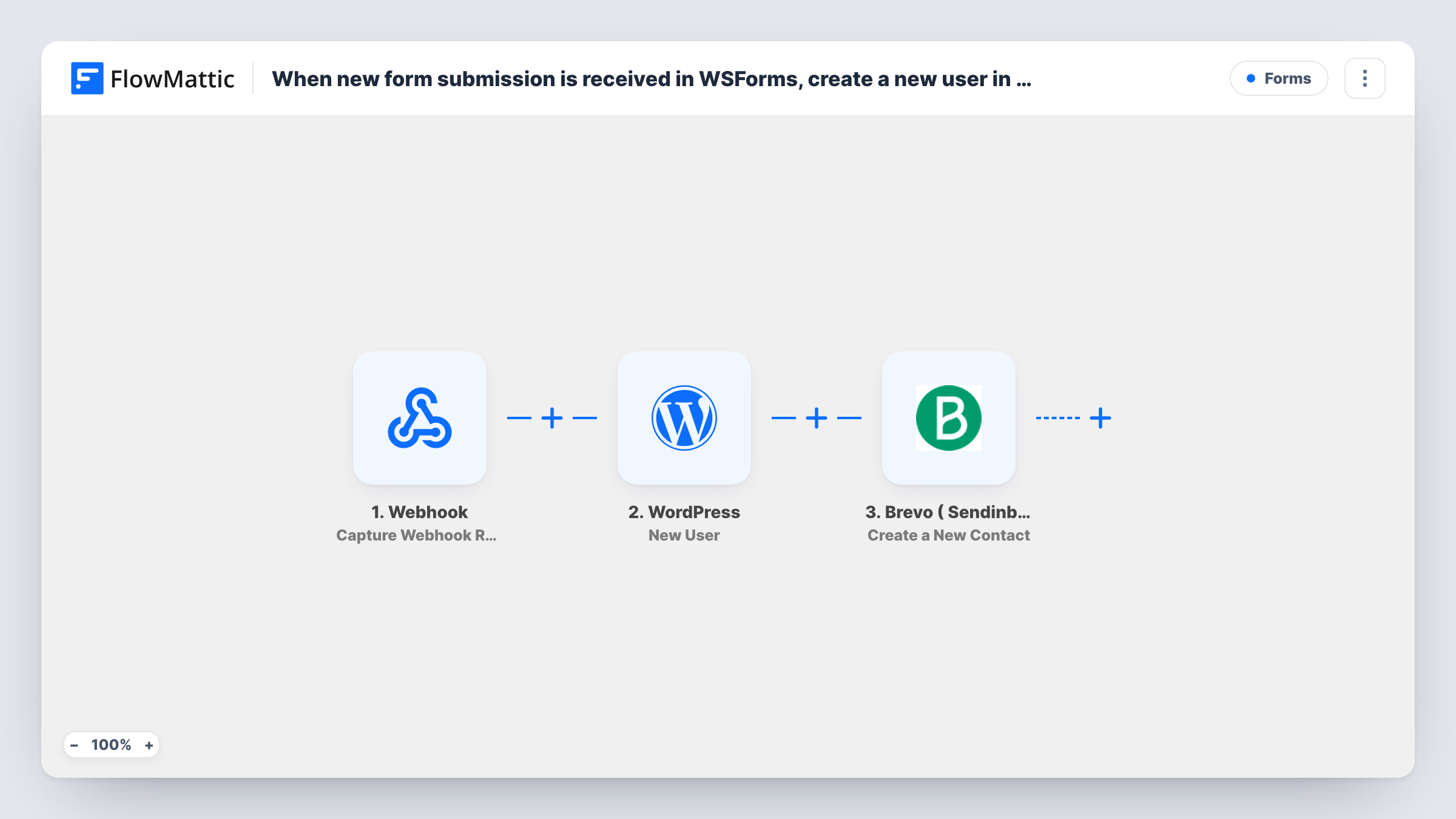
Each WS Form submission creates a WordPress user account for the person and then adds them as a contact in Brevo (Sendinblue), so a single form handles both registration and your mailing list.
 WSForms
 WordPress
 Brevo ( Sendinblue )
3 steps Setup ~5 min Used on 1.6k sites Free to import
What this workflow does
A custom registration form often has two jobs: give the person an account on your site and put them on your email list. With WS Form handling the form, this workflow does both from the same submission, without a separate membership plugin or a manual export to Brevo.
The WSForms trigger runs when a form submission comes in, carrying every field the person filled in. The WordPress New User step then creates a user from those details. It ships unmapped, so after import you map at least the email and a username, plus a name and role if you want them set.
If the email on the form is already registered, WordPress keeps the one account it has rather than adding another; open the run in Task History to see the user ID the New User step reported. If you map a role, an existing account with that email would also get that role, so pick it with care.
The last step, Brevo ( Sendinblue ) Create a New Contact, adds the person to Brevo. Map the email and name from the form into it. How Brevo treats an email it already has is decided by Brevo, so test with a known address. Submit the form once with a fresh email to see both the new user and the new contact appear.
Member registration with a newsletter
A membership site's WS Form sign-up page creates each member's WordPress login and adds them to the Brevo list for member updates.
Course student accounts
A tutor uses a WS Form to register students, who get a WordPress account for the course area and land in Brevo for lesson reminders.
Partner portal sign-ups
A supplier lets resellers apply through a WS Form, creating their portal account and a Brevo contact for partner announcements.
How this workflow runs
What happens at each step once the workflow is on, and what you need before you import it.
 WSForms New Form Submission
Starts a run for each WS Form submission. Every field the person entered, such as email, name and any extra details, is passed to the WordPress and Brevo steps.
- WordPress New User
Creates a WordPress user from the form data. Ships unmapped: map the email, a username and any name or role. For an email that's already registered, WordPress doesn't create a second account.
- Brevo ( Sendinblue ) Create a New Contact
Adds the person to Brevo ( Sendinblue ) as a contact. Unmapped in the template: connect Brevo and map the email and name from the form, then test with a new address.
What you need
- FlowMatticCore
- WSForms PluginPlugin
- Brevo ( Sendinblue ) AccountAccount
After importing, map your own data. To keep the template universal, not every step is pre-filled. Open each step in the builder and connect your accounts and fields (channels, lists, sheets, recipients) before you switch the workflow on.
Make it yours
Changes worth making after you import it.
- Map a fixed, low-level role such as Subscriber in the New User step, so form sign-ups never get editing rights on your site.
- Add a consent checkbox to the WS Form and put a Filter between the WordPress step and the Brevo step that continues only when it is ticked, so every person still gets an account.
- Map the form's first and last name into Brevo's contact attributes, so your Brevo emails can greet people by name.
- Run a test with an email that already has a WordPress account and check Task History to see which user ID the New User step returned.
Questions about this workflow
What if someone uses an email that already has a WordPress account?
WordPress keeps its existing account for that address and doesn't add a duplicate. The run's Task History entry lists the user ID that came back. A role mapped in the step would also be added to that existing account.
Do new users get a password from this workflow?
That depends on what you map in the New User step. Run a test submission and check the new account in WordPress to see how its login is set up.
Which WS Form fields end up on the Brevo contact?
Just the ones you map into Create a New Contact. Start with the email, then add the name and any other answers you keep in Brevo attributes.
Does this need the WS Form plugin and a Brevo account?
Yes. The trigger listens to WS Form submissions on your site, and the last step connects to your Brevo (formerly Sendinblue) account.
More Forms workflows
Other ready-to-import templates from the same category.






Import this workflow into your WordPress site
Download the JSON, import it from the Workflows screen and connect your accounts. Every run stays on your server, with no per-task fees.
30-day money-back guarantee Unlimited workflows and runs Self-hosted