

When new meeting notes are available in Read AI, create or update a contact in ActiveCampaign
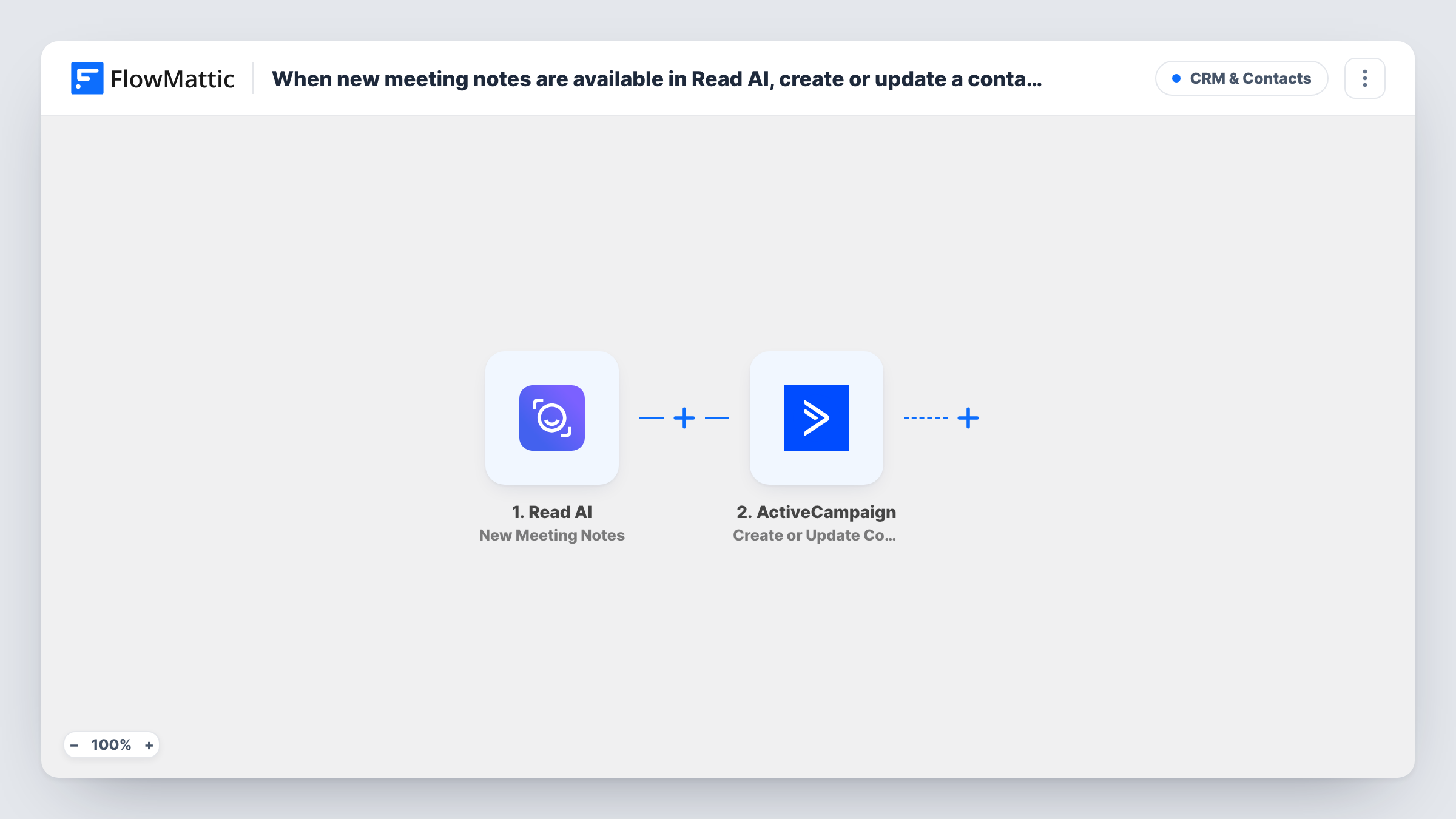
When Read AI has notes ready for a new meeting, this workflow creates or updates a contact in ActiveCampaign from the meeting data you map, so your CRM keeps up with the people you meet.
 Read AI
 ActiveCampaign
2 steps Setup ~5 min Used on 391 sites Free to import
What this workflow does
After a call, the person you spoke with should be in your CRM, ideally with a note of what was discussed. Adding them by hand is easy to put off. Read AI already produces the meeting summary and action items, so this workflow uses that moment to create or update the contact in ActiveCampaign.
The Read AI trigger is New Meeting Notes. It fires when notes, such as the summary and action items, are available for a new meeting. FlowMattic passes the meeting data to ActiveCampaign, where Create or Update Contact creates a new contact or updates an existing one. You map the email and other values into the contact.
Each meeting runs the workflow once and sends one contact to ActiveCampaign. If a meeting has several attendees, you choose which value to map, and the others are not added. Run a test meeting first and check which attendee details Read AI sends before you rely on it.
Consultant logging discovery calls
After each discovery call, the prospect's contact in ActiveCampaign is created or updated, ready for the consultant's follow-up sequence.
Customer success check-ins
A success manager meets clients monthly. The contact is updated after each meeting, and the summary can be mapped into a custom field.
Recruiter keeping candidates in the CRM
Interview calls run through Read AI. The candidate is created or updated in ActiveCampaign so the recruiter can email them about next steps.
How this workflow runs
What happens at each step once the workflow is on, and what you need before you import it.
 Read AI New Meeting Notes
Runs when Read AI has notes ready for a new meeting, such as the summary and action items. The meeting data is passed on for mapping.
- ActiveCampaign Create or Update Contact
Creates a contact in ActiveCampaign, or updates the existing contact if there is one. Map an email from the Read AI meeting data, plus any other values you want on the contact.
What you need
- FlowMatticCore
- Read AI AccountAccount
- ActiveCampaign AccountAccount
After importing, map your own data. To keep the template universal, not every step is pre-filled. Open each step in the builder and connect your accounts and fields (channels, lists, sheets, recipients) before you switch the workflow on.
Make it yours
Changes worth making after you import it.
- Create a custom field in ActiveCampaign for the meeting summary, then map Read AI's summary into it if the step lists that field after import.
- Add a Filter after the trigger to skip internal meetings, for example when the attendee email matches your own domain.
- To add every attendee rather than one, place an Iterator after the trigger over the attendee list, if Read AI sends one, and run the ActiveCampaign step for each.
Questions about this workflow
Which Read AI attendee becomes the ActiveCampaign contact?
The one whose email you map. The workflow sends one contact per meeting. Check the values captured from a test meeting, and add an Iterator if you want each attendee handled.
What if the person is already in ActiveCampaign?
Create or Update Contact updates the existing contact instead of creating a second one, so repeat meetings with the same person keep a single record.
Are the Read AI notes saved to the ActiveCampaign contact?
Only if you map them into a contact field. As imported, the template creates or updates the contact and you choose what to store on it.
Will meetings held before import update ActiveCampaign?
No. Read AI meetings from before you switch the workflow on are never sent to ActiveCampaign.
More CRM & Contacts workflows
Other ready-to-import templates from the same category.




Import this workflow into your WordPress site
Download the JSON, import it from the Workflows screen and connect your accounts. Every run stays on your server, with no per-task fees.
30-day money-back guarantee Unlimited workflows and runs Self-hosted