

When a New Relic incident is opened, acknowledged or closed, create a ClickUp task and alert Discord
Every New Relic incident event, whether it is opened, acknowledged or closed, creates a ClickUp task and posts an alert to the Discord channel you pick.
 New Relic
 ClickUp
 Discord
3 steps Setup ~5 min Used on 1.1k sites Free to import
What this workflow does
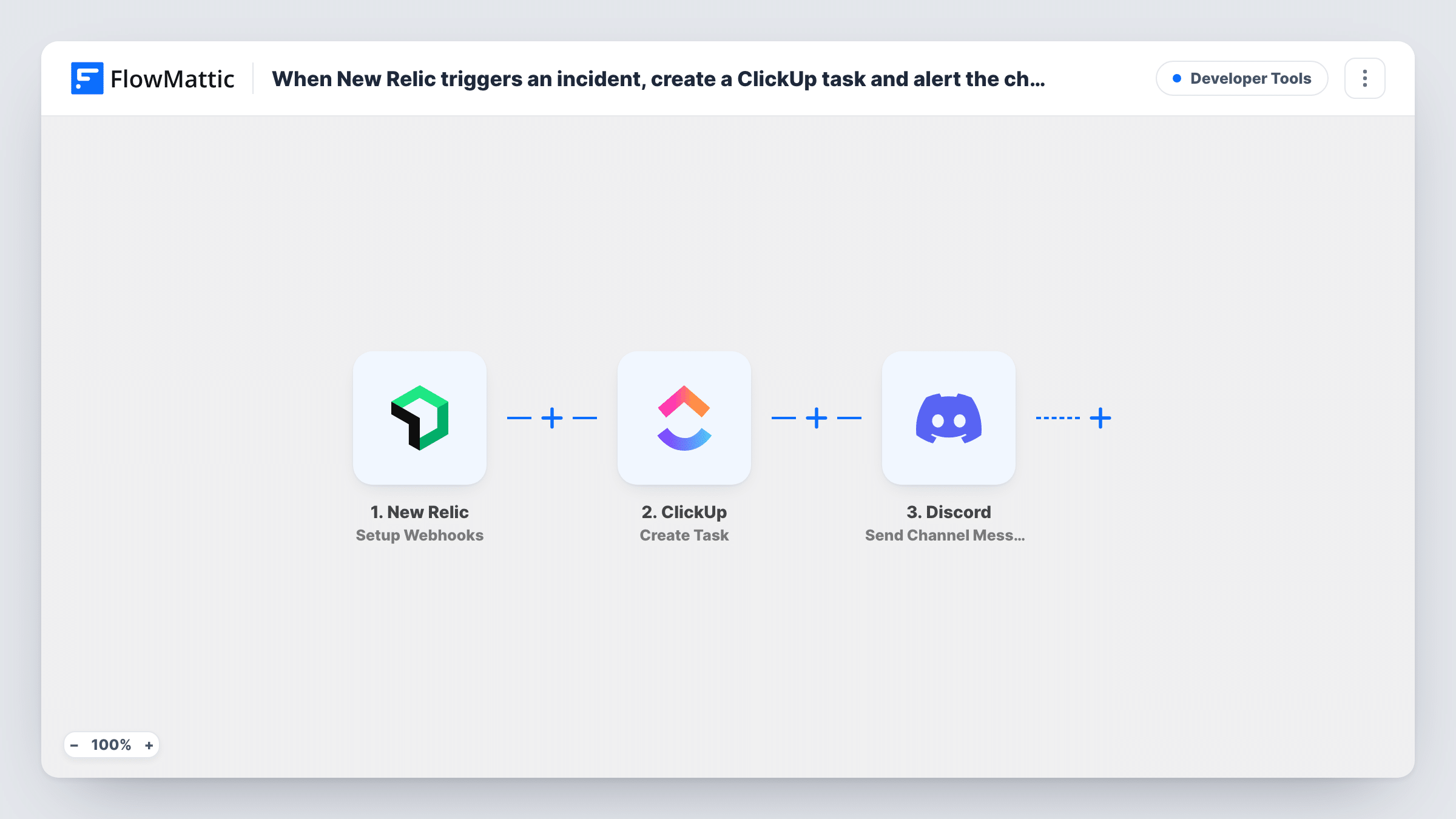
When New Relic raises an incident, engineers need to know about it where they talk, and someone needs a record of what happened. This workflow sends each incident event to two places: a ClickUp task for tracking and a Discord message for the people on call.
The New Relic trigger uses a webhook that fires when an incident is opened, acknowledged or closed. All three events start a run. The incident details from New Relic, such as the title, condition, priority and a link to the incident, are passed to the next steps.
The ClickUp step creates a new task, and the Discord step posts a message to the #channel you choose. Both steps arrive without any fields filled in. After import, pick the ClickUp list for incident tasks and map the incident title and details into the task, then write the Discord alert with the incident's state and link.
Because each event makes its own task, one incident that goes from opened to acknowledged to closed produces three ClickUp tasks and three Discord messages. Put the incident's state in the task name so the team can follow its history. Test with a New Relic test notification and check Task History before relying on it.
On-call alerts in a Discord server
A game studio's backend team lives in Discord. Each New Relic incident posts to #ops-alerts with its state, so whoever is online can pick it up.
Post-incident review list
An engineering manager uses the ClickUp tasks as a timeline of each incident, from opened to closed, when preparing the weekly reliability review.
Visible acknowledgement
A small SaaS team sees in Discord when an incident is acknowledged, so two engineers don't both start working on the same alert.
How this workflow runs
What happens at each step once the workflow is on, and what you need before you import it.
 New Relic Setup Webhooks
Starts the workflow when New Relic reports that an incident was opened, acknowledged or closed. Every one of those events runs the workflow with that incident's details.
- ClickUp Create Task
Creates a ClickUp task for the incident event. The step ships unmapped: choose the list, then map the incident title, state and link into the task name and description.
- Discord Send Channel Message
Sends an alert to the Discord #channel you pick. Write the message after import and map the incident's state, title and link so readers can open it in New Relic.
What you need
- FlowMatticCore
- New Relic AccountAccount
- ClickUp AccountAccount
- Discord AccountAccount
After importing, map your own data. To keep the template universal, not every step is pre-filled. Open each step in the builder and connect your accounts and fields (channels, lists, sheets, recipients) before you switch the workflow on.
Make it yours
Changes worth making after you import it.
- If you only want tasks for new incidents, put a Filter between the New Relic trigger and the ClickUp step that continues only when the incident state is the opened value. Run a test of each event to find the exact field.
- Use a Router between the trigger and ClickUp with conditions on the incident state that can't both match, so opened incidents create a task while acknowledged and closed ones only post to Discord. Give each route its own steps.
- Map the New Relic priority into the ClickUp task's name or description so critical incidents stand out in the list.
Questions about this workflow
Does each New Relic incident create only one ClickUp task?
No. Opened, acknowledged and closed are separate events, and each one creates a new task. For a task only when an incident opens, add a Filter on the incident state between the New Relic trigger and the ClickUp step.
Is the ClickUp task closed when New Relic closes the incident?
No. The workflow only creates tasks and posts messages. The closed event makes another task rather than updating the first one.
Which New Relic incident details reach ClickUp and Discord?
Only the fields you choose. Send a test notification from New Relic, then pick fields such as the title, priority and link from the trigger data.
How do I connect New Relic to this workflow?
The trigger is a webhook. Add the trigger's URL as a webhook destination for your New Relic alerts, then send a test notification to capture the fields.
More Developer Tools workflows
Other ready-to-import templates from the same category.





Import this workflow into your WordPress site
Download the JSON, import it from the Workflows screen and connect your accounts. Every run stays on your server, with no per-task fees.
30-day money-back guarantee Unlimited workflows and runs Self-hosted