

When your plugin fires an action hook, check if the email is valid using MailRefine
When a WordPress or plugin action hook you name fires, FlowMattic sends the email address it carries to MailRefine for verification, giving you a validity result to build on.
 Plugin Actions
 MailRefine
2 steps Setup ~5 min Used on 699 sites Free to import
What this workflow does
Custom sign-up forms, membership plugins and in-house code often collect email addresses without checking them. If one of those fires an action hook with the address, this workflow can pass it to MailRefine to find out whether the address looks deliverable, before you decide what to do with it.
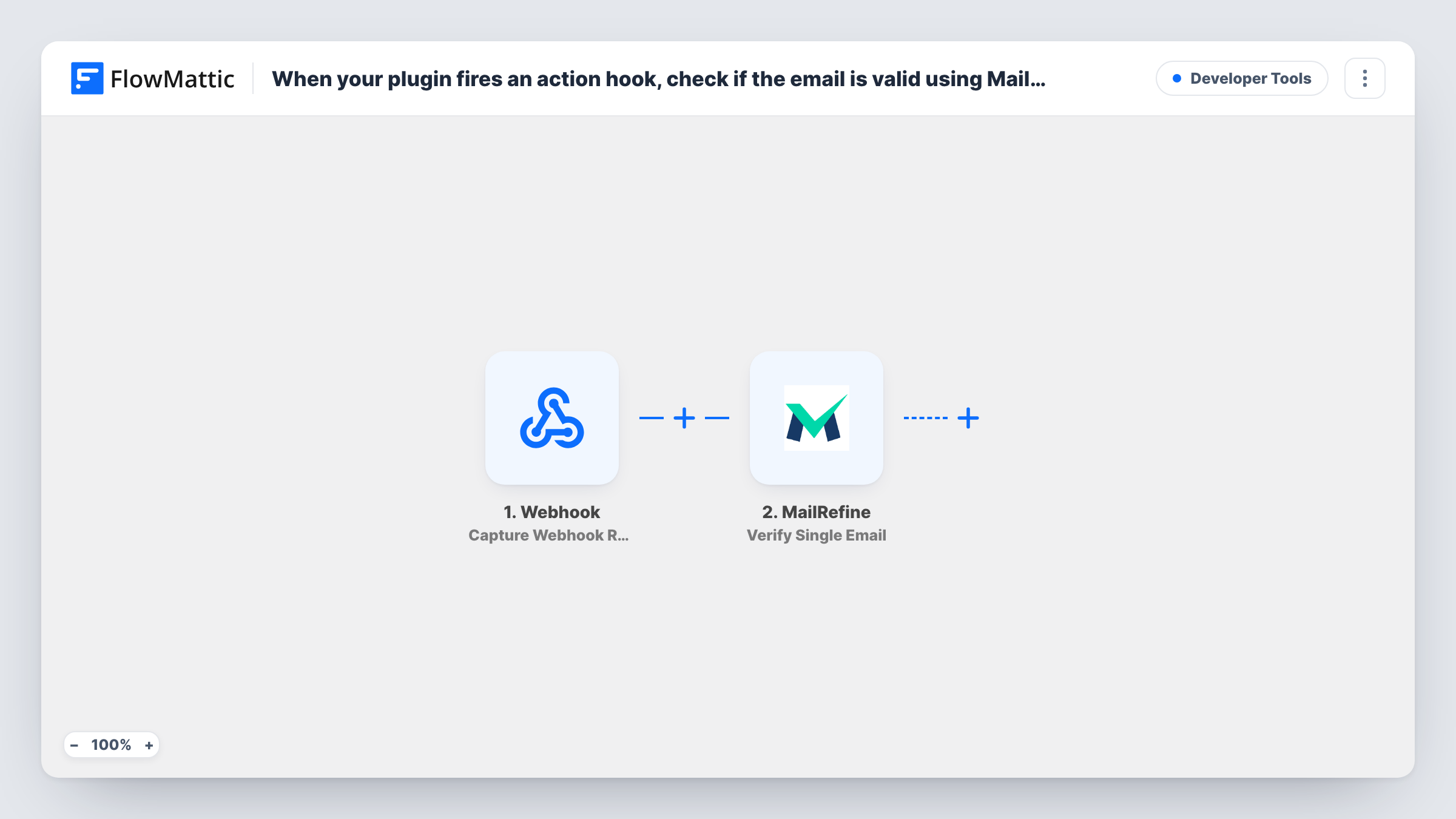
The Plugin Actions trigger fires when the hook you enter is triggered by your plugin or by WordPress. After import, type the hook's name and fire the event once so FlowMattic captures the values the hook passes. Pick a hook that includes the email address, or the next step has nothing to check.
The MailRefine Verify Single Email step checks that one address. It ships unmapped, so connect MailRefine and map the email value from the hook data. Run a test and look at the response in Task History to see the result fields MailRefine returns.
As imported, the MailRefine check is the last step. The result is returned but no step uses it, so nothing is tagged, blocked or saved. To act on it, add steps after MailRefine, such as a Filter on the result followed by the step that stores or rejects the address.
Check sign-ups from a custom plugin
A developer's registration plugin fires a hook with each new email. MailRefine checks it, and the developer adds a step that logs addresses that come back as invalid.
Test MailRefine before wiring it up
A site owner points the workflow at a hook from their form plugin to see what MailRefine returns for real entries before building the full list-cleaning flow.
Verify addresses from a lead magnet
A download plugin fires a hook when someone requests a file, and the email it passes is verified so the owner can later skip invalid addresses in follow-ups.
How this workflow runs
What happens at each step once the workflow is on, and what you need before you import it.
 Plugin Actions Plugin or WP action triggered
Fires when the WordPress action hook you enter is triggered. The values the hook passes, which should include an email address, become available to map into MailRefine.
- MailRefine Verify Single Email
Sends one email address to MailRefine and returns its verification result. Map the email from the hook data after import; the template has no later step that uses the result.
What you need
- FlowMatticCore
- MailRefine AccountAccount
After importing, map your own data. To keep the template universal, not every step is pre-filled. Open each step in the builder and connect your accounts and fields (channels, lists, sheets, recipients) before you switch the workflow on.
Make it yours
Changes worth making after you import it.
- Add a Google Sheets Add New Row step after MailRefine to keep a record of each address and its result, then decide later what to automate.
- To act only on good addresses, add the step you want, such as adding a CRM contact, after MailRefine, and put a Filter between the MailRefine step and it that checks the verification result. Take the field and value from a test run.
- Choose a hook that fires once per sign-up, not on every profile save, so the same address isn't sent to MailRefine again and again.
Questions about this workflow
Does this workflow block invalid emails on my WordPress site?
No. MailRefine only reports on the address. The hook's event has already happened, and the template has no step that uses the result, so add your own steps if invalid addresses should be removed or flagged.
What if the action hook doesn't pass an email address?
Then there is nothing to send to MailRefine. Pick a different hook, or if the hook passes a user ID, put WordPress's Get User by ID action between the trigger and MailRefine and map the email it returns.
Where can I see what MailRefine returned for an address?
In Task History. Each run shows the hook data that started it and MailRefine's response, which is also where you find the fields to use in a later Filter.
More Developer Tools workflows
Other ready-to-import templates from the same category.





Import this workflow into your WordPress site
Download the JSON, import it from the Workflows screen and connect your accounts. Every run stays on your server, with no per-task fees.
30-day money-back guarantee Unlimited workflows and runs Self-hosted