

When recurring payment fails in ThriveCart, send alert message on WhatsApp and add the details to Google Sheet for tracking
When a ThriveCart recurring payment fails, this workflow sends a WhatsApp text message through the WhatsApp Cloud API and adds the payment details to a Google Sheets row, giving you an alert and a running log of failed rebills.
 ThriveCart
 WhatsApp Cloud API
 Google Sheets
3 steps Setup ~5 min Used on 1.4k sites Free to import
What this workflow does
A failed rebill means a subscriber's card didn't go through. If you only find out at the end of the month, you have lost time to sort it out with the customer. This workflow reacts to each failure as ThriveCart reports it, sends a WhatsApp alert and keeps a record in a spreadsheet.
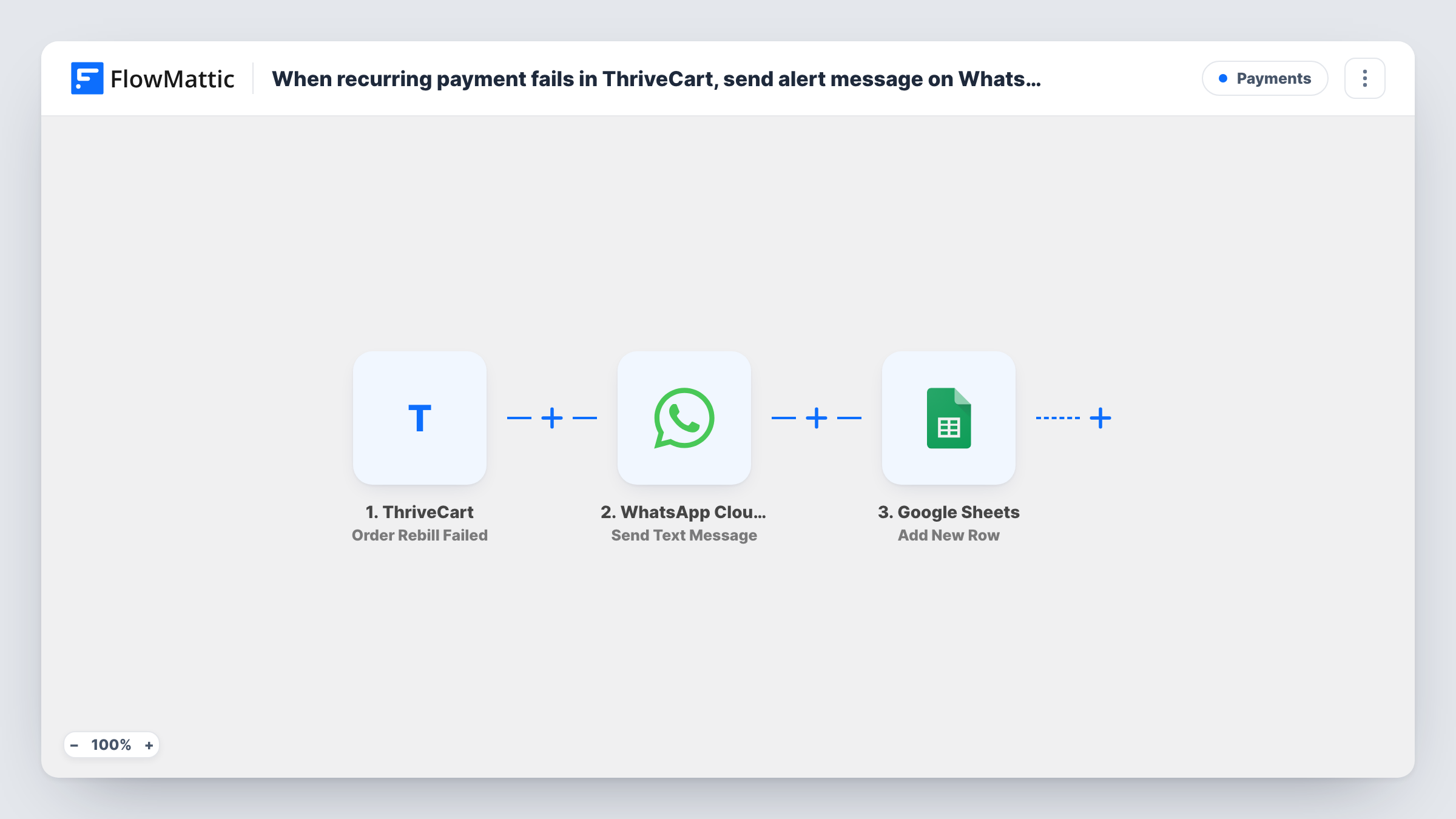
The ThriveCart trigger is Order Rebill Failed, which fires when a recurring payment fails. FlowMattic then uses WhatsApp Cloud API Send Text Message, sending a text you write, with ThriveCart data mapped in, to the number you set. Last, a new row goes into Google Sheets with the details you map to its columns.
Know one WhatsApp rule before you rely on the alert. WhatsApp only delivers free-form text to a number that has messaged your business number within the last 24 hours. Your own phone, or a customer who hasn't written to you lately, usually won't receive it. Use the Send Template Message action with an approved template for alerts that must arrive. Task History shows what WhatsApp returned for each failed rebill.
Membership site owner on the move
You run a paid community billed through ThriveCart. Each failed rebill is logged in a sheet you review weekly, and a WhatsApp alert reaches you when the 24-hour window or a template allows it.
Course creator with payment plans
Students paying in instalments sometimes miss one. The sheet lists every failed instalment so you can see who needs a reminder about their card.
Small team sharing billing follow-up
A shared Google Sheet becomes the list of failed rebills your assistant works through, while the WhatsApp step notifies whoever handles billing.
How this workflow runs
What happens at each step once the workflow is on, and what you need before you import it.
 ThriveCart Order Rebill Failed
Fires when a ThriveCart recurring payment fails. The order and customer data ThriveCart sends with the event becomes available to the WhatsApp and Google Sheets steps.
- WhatsApp Cloud API Send Text Message
Sends a free-form WhatsApp text through your WhatsApp Cloud API account. Set the recipient number and write the alert with ThriveCart details mapped in. It only arrives if that number messaged your business number in the last 24 hours.
- Google Sheets Add New Row
Adds a row to the Google Sheets spreadsheet you choose for each failed rebill. Map columns such as the date, customer and product to the ThriveCart data you see in a test run.
What you need
- FlowMatticCore
- ThriveCart AccountAccount
- WhatsApp Cloud API AccountAccount
- Google Sheets AccountAccount
After importing, map your own data. To keep the template universal, not every step is pre-filled. Open each step in the builder and connect your accounts and fields (channels, lists, sheets, recipients) before you switch the workflow on.
Make it yours
Changes worth making after you import it.
- Swap Send Text Message for the WhatsApp Cloud API Send Template Message action and use an approved template, so the alert isn't limited to the 24-hour messaging window.
- Add a column for the follow-up outcome in the sheet and leave it blank in the mapping. Your team fills it in by hand as each failed payment is resolved.
- Map the customer's email from the ThriveCart event into its own column, so each logged failure can be matched to the customer record in ThriveCart later.
Questions about this workflow
Will the WhatsApp alert reach me every time a ThriveCart rebill fails?
Only if the recipient number has messaged your business number in the last 24 hours, because the step sends free-form text. For reliable alerts, change the step to Send Template Message with an approved template.
Can the WhatsApp message go to the customer instead of me?
You can map the customer's phone number into the recipient if ThriveCart sends one. The same 24-hour rule applies, so a customer who hasn't messaged you recently usually won't receive free-form text.
What goes into the Google Sheets row for each failed ThriveCart rebill?
The ThriveCart values you map. The Add New Row step ships unmapped, so after import you pick the spreadsheet and match fields such as the date, customer email and product to your columns, using a test event to see what ThriveCart sends.
Does this retry the failed ThriveCart payment?
No. The workflow only alerts and logs. Any retry of the charge happens in ThriveCart, outside this workflow.
More Payments workflows
Other ready-to-import templates from the same category.





Import this workflow into your WordPress site
Download the JSON, import it from the Workflows screen and connect your accounts. Every run stays on your server, with no per-task fees.
30-day money-back guarantee Unlimited workflows and runs Self-hosted