

When a reward is unlocked in UpViral, create and approve a ThriveCart affiliate
When a participant earns a reward in your UpViral campaign, FlowMattic creates them as a ThriveCart affiliate, registers them for a product and approves that application, so the reward can be a ready-to-use affiliate link.
 UpViral
 ThriveCart
4 steps Setup ~8 min Used on 2.1k sites Free to import
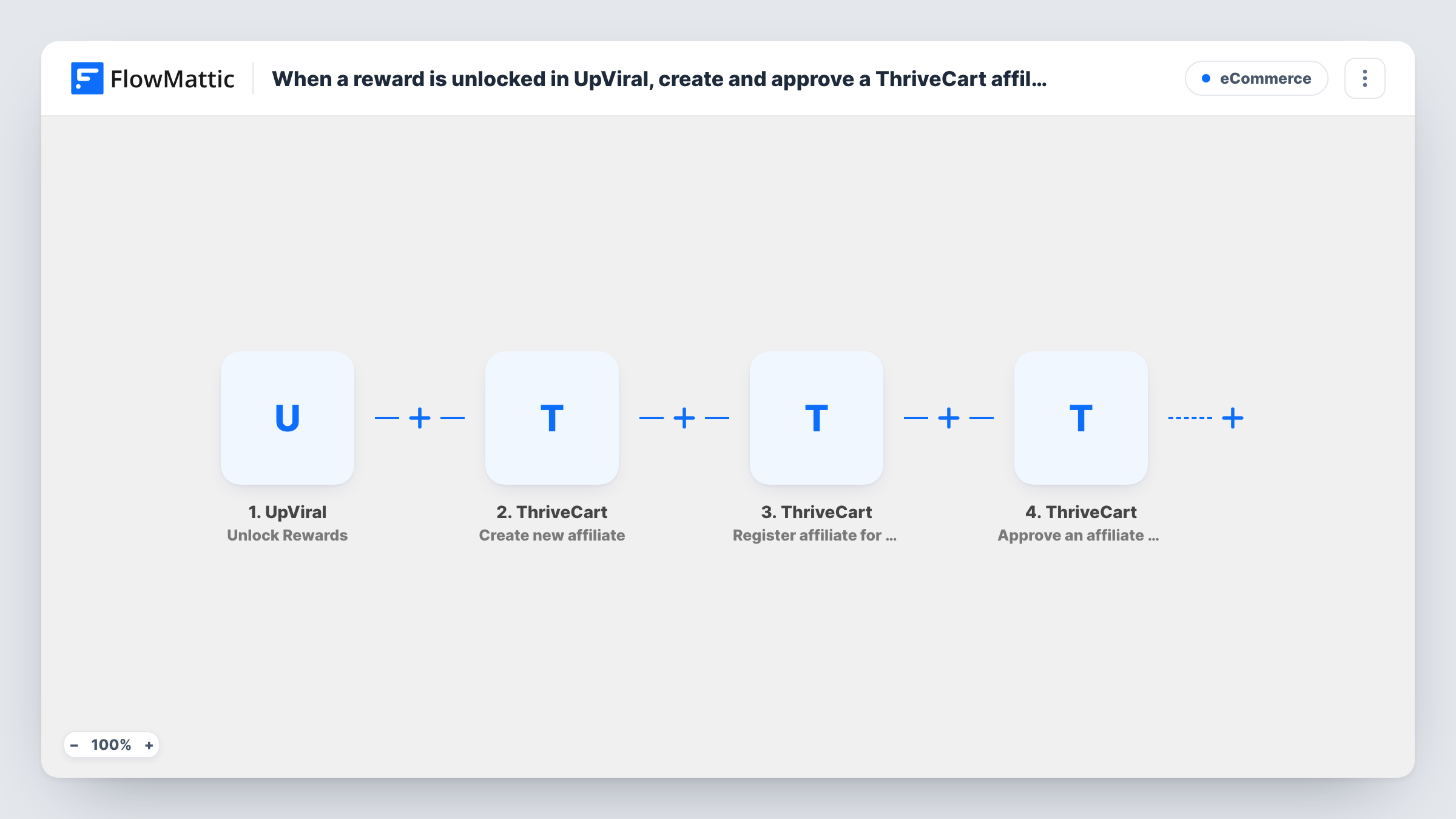
What this workflow does
Referral campaigns often reward the people who share the most. If that reward is the chance to promote your product as an affiliate, setting each person up in ThriveCart by hand is slow and easy to forget. This workflow turns an earned UpViral reward into an approved ThriveCart affiliate in one run.
The UpViral trigger fires when a participant earns a new reward and passes the participant's details on, such as their name and email. Every reward earned starts a run, whichever reward it is.
Three ThriveCart steps follow. Create new affiliate adds the participant as an affiliate in your account. Register affiliate for a product then signs that affiliate up for the product or products you choose, and Approve an affiliate for a product approves the pending application so they can start promoting.
All four steps ship unmapped. After import you map the participant's email and name into Create new affiliate, pick the product in the Register and Approve steps, and map the affiliate's identifier from the earlier step into both. Earn a test reward with a dummy participant and check Task History to see what ThriveCart returned at each step.
Top referrers become affiliates
A course creator runs an UpViral launch campaign where the highest reward tier is an affiliate spot, and those participants are approved to promote the course in ThriveCart.
Ambassador program for a product launch
A software startup turns participants who hit a referral milestone into ThriveCart affiliates for its new plan, so they earn commission on later sales.
Rewarding newsletter sharers
A newsletter grows through an UpViral referral contest, and readers who earn the reward are set up to promote the paid edition.
How this workflow runs
What happens at each step once the workflow is on, and what you need before you import it.
 UpViral Unlock Rewards
Starts a run each time someone earns a reward in your UpViral campaign. The participant's details from UpViral, such as name and email, are passed to the ThriveCart steps.
- ThriveCart Create new affiliate
Sets the participant up as a new ThriveCart affiliate. The step ships unmapped, so map the participant's name and email from the UpViral trigger.
- ThriveCart Register affiliate for a product
Registers that affiliate for the ThriveCart product or products you choose. Pick the product after import and map the affiliate from the previous step so the right person is registered.
- ThriveCart Approve an affiliate for a product
Approves the affiliate's pending application for the product. Set the same product as the Register step and map the affiliate, then confirm on a test run that the affiliate shows as approved in ThriveCart.
What you need
- FlowMatticCore
- UpViral AccountAccount
- ThriveCart AccountAccount
After importing, map your own data. To keep the template universal, not every step is pre-filled. Open each step in the builder and connect your accounts and fields (channels, lists, sheets, recipients) before you switch the workflow on.
Make it yours
Changes worth making after you import it.
- If your UpViral campaign has several reward tiers, put a Filter between the UpViral trigger and the Create new affiliate step that continues only for the affiliate reward. Other rewards then create nothing in ThriveCart. The reward value is an example to set.
- Add an Email step after the Approve step that sends the new affiliate their welcome details and how to find their link in ThriveCart.
- Use the same product in the Register and Approve steps, since approval applies to a pending application for that product.
Questions about this workflow
Does every UpViral reward create a ThriveCart affiliate?
As imported, yes. Any reward a participant earns starts a run. To limit it to one reward, add a Filter on the reward between the UpViral trigger and the Create new affiliate step.
What if the participant is already a ThriveCart affiliate?
ThriveCart decides how to handle a create request for someone it already holds. Test with an existing affiliate's email and check Task History for the response.
Which ThriveCart product does the affiliate get approved for?
The one you pick in the Register and Approve steps. The template leaves both empty, so choose the product and map the affiliate from the Create new affiliate step.
Does UpViral need to collect the participant's email?
Yes. The affiliate is created from the participant's details, so the email from UpViral is what you map into ThriveCart. A test reward shows in Task History which UpViral fields come through.
More E-Commerce workflows
Other ready-to-import templates from the same category.






Import this workflow into your WordPress site
Download the JSON, import it from the Workflows screen and connect your accounts. Every run stays on your server, with no per-task fees.
30-day money-back guarantee Unlimited workflows and runs Self-hosted