

When user pays for membership in Buy Me a Coffee, create an account in WordPress, and assign a course to the user in MasterStudy LMS
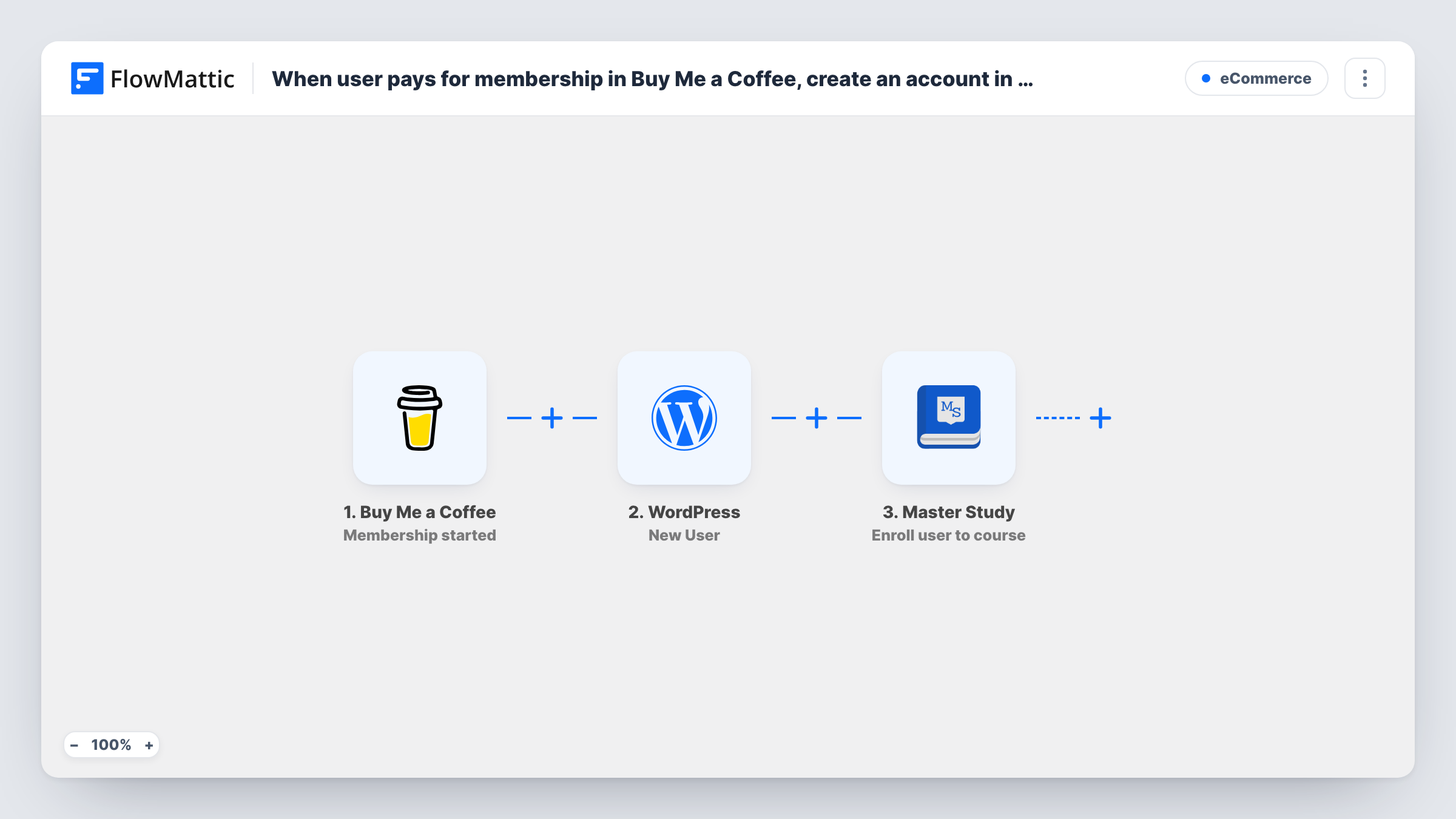
When a supporter starts a Buy Me a Coffee membership, FlowMattic creates a WordPress account for them and enrolls that new user in a MasterStudy LMS course, so paying members get course access without manual setup.
 Buy Me a Coffee
 WordPress
 Master Study
3 steps Setup ~5 min Used on 3.2k sites Free to import
What this workflow does
Selling access to a course through Buy Me a Coffee memberships works well until you have to give each new member a login by hand. You check the new membership, create the WordPress user, then enroll them in the right course. This workflow does all three in order.
The Buy Me a Coffee Membership started trigger fires when Buy Me a Coffee sends its membership-started webhook. FlowMattic then runs the WordPress New User action, building the account from the supporter's details. The last step passes the new user to MasterStudy LMS with Enroll user to course, using the user ID the New User step returns.
Map with care. The supporter's details come from the Buy Me a Coffee payload, so run a test membership and confirm which fields it holds, such as the email, before mapping the account. Map the user ID returned by the New User step into the enrollment, and pick the course in the MasterStudy step. Each run, with the response from every step, appears in Task History.
Members-only video course
A creator offers a monthly membership that includes a MasterStudy course. Each new member gets a WordPress login and the course in one go.
Supporter tier with a workshop
A Buy Me a Coffee tier promises access to a recorded workshop. Starting the membership creates the account and enrolls the supporter.
Coaching programme on a WordPress site
A coach sells a programme through memberships and delivers lessons in MasterStudy, with no manual account setup for each client.
How this workflow runs
What happens at each step once the workflow is on, and what you need before you import it.
 Buy Me a Coffee Membership started
Fires when Buy Me a Coffee reports that a supporter has started a membership. The data in that webhook is passed on for the WordPress account.
- WordPress New User
Creates a WordPress user from the Buy Me a Coffee supporter's details. Map the fields the step asks for from the trigger, and check a test run to see what the membership event provides.
- Master Study Enroll user to course
Enrolls the user created in the previous step in the MasterStudy LMS course you select. Map the new user's ID from the WordPress step and choose the course.
What you need
- FlowMatticCore
- Buy Me a Coffee AccountAccount
- Master Study PluginPlugin
After importing, map your own data. To keep the template universal, not every step is pre-filled. Open each step in the builder and connect your accounts and fields (channels, lists, sheets, recipients) before you switch the workflow on.
Make it yours
Changes worth making after you import it.
- Add an Email step at the end that welcomes the new member and links to your login page and the course.
- Selling several tiers? Add a Filter between the Buy Me a Coffee trigger and the WordPress step on the membership level field from a test run, so only the tier that includes the course creates an account.
- Run one test membership before going live and check Task History to confirm the user ID passes from WordPress into the MasterStudy step.
Questions about this workflow
What if the Buy Me a Coffee supporter already has a WordPress account?
A supporter who is already registered doesn't get a second user. The New User step returns their existing user ID instead, and that ID goes to the MasterStudy step for the enrollment. Task History shows both responses.
Does a membership renewal create another account?
This template uses the Membership started trigger. Renewals and changes come through Buy Me a Coffee's separate Membership updated event, which this workflow doesn't listen to.
Must the MasterStudy course live on the WordPress site that runs FlowMattic?
Yes. The WordPress and MasterStudy steps act on the WordPress site where FlowMattic is installed, so the course must live there.
What happens when a member cancels in Buy Me a Coffee?
Nothing in this workflow. A separate workflow on the Membership cancelled trigger could unenroll the user with MasterStudy's Unroll user from course action, as long as it can identify the user.
More E-Commerce workflows
Other ready-to-import templates from the same category.







Import this workflow into your WordPress site
Download the JSON, import it from the Workflows screen and connect your accounts. Every run stays on your server, with no per-task fees.
30-day money-back guarantee Unlimited workflows and runs Self-hosted