

When user violate content policy, remove the user from group
When someone replies to a BuddyBoss forum topic, OpenAI’s moderation check classifies the reply, and if it’s flagged under OpenAI’s content policy the user is removed from the group.
 BuddyBoss
 OpenAI (ChatGPT)
 Branch
4 steps Setup ~8 min Used on 1.6k sites Free to import
What this workflow does
Community moderators can't read every forum reply as it's posted. This workflow gives each BuddyBoss reply a first check with OpenAI's moderation endpoint, and takes action on its own when a reply is flagged, so a group isn't left exposed until someone logs in.
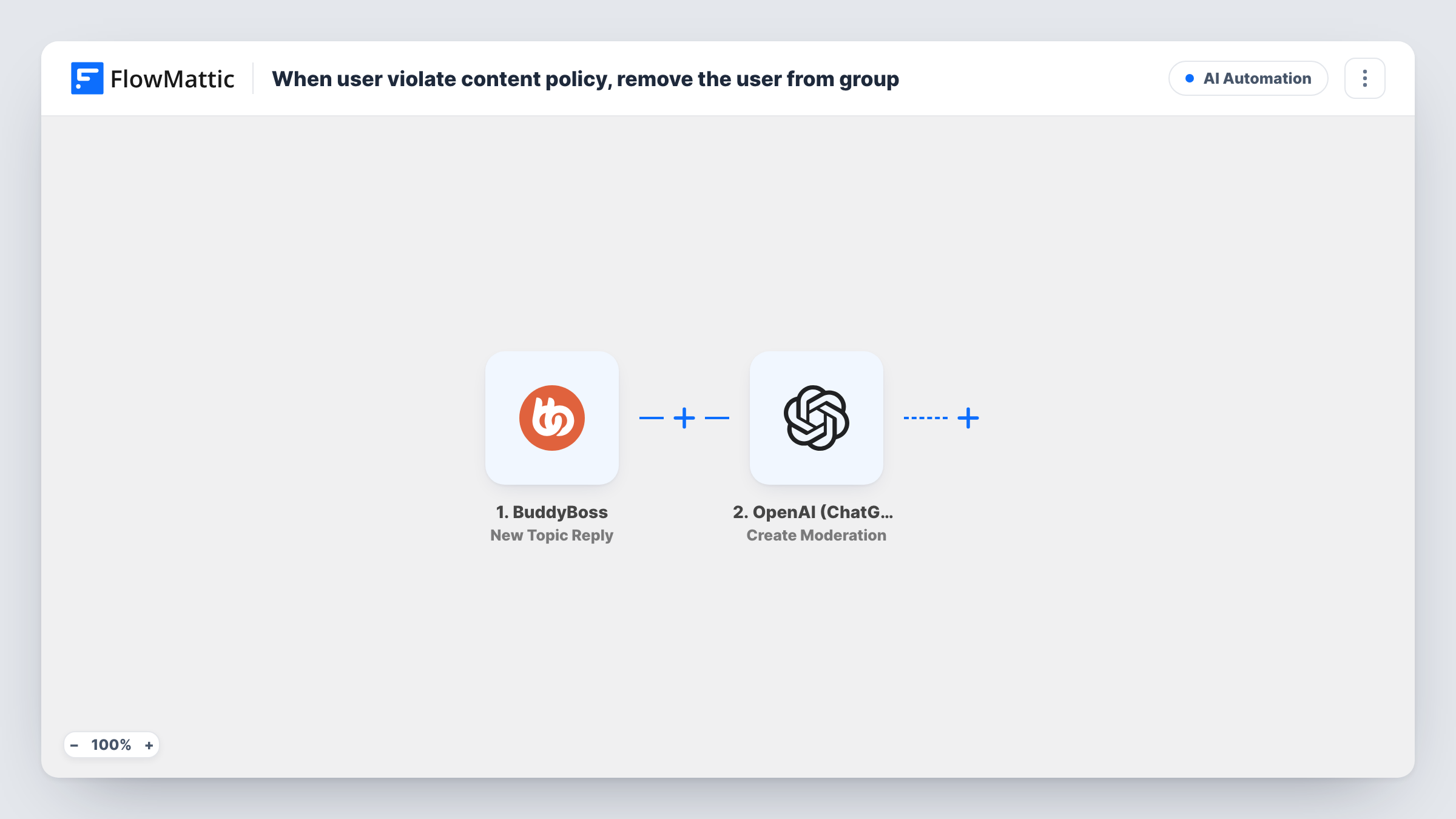
The BuddyBoss New Topic Reply trigger fires when a user replies to a topic. The OpenAI (ChatGPT) Create Moderation step then classifies whether the text violates OpenAI's content policy. It ships unmapped: after import, map the reply's content from the trigger into it.
A Branch named "Reply flagged?" reads OpenAI's flagged result. On the Yes path, the BuddyBoss Remove user from group step runs. The No path has no steps, so replies that aren't flagged end there. Remove user from group is unmapped too: map the reply author's user ID and the group from the trigger data, and check a test reply to see whether the group ID comes through.
The workflow removes the user; it doesn't delete or hide the reply, and it doesn't tell anyone. OpenAI's check is about its own policy, not your community rules. Review Task History regularly so you can see each decision and put back anyone removed by mistake.
Overnight protection for busy groups
A gaming community with members in many time zones removes users whose replies are flagged while moderators are offline.
Support groups that need a safe space
A health peer-support site uses the moderation check on replies in its private groups, so a member posting flagged content is taken out of the group.
Volunteer-run forums
A hobby club with a small volunteer team lets the workflow handle flagged replies, and volunteers review the removals in Task History each morning.
How this workflow runs
What happens at each step once the workflow is on, and what you need before you import it.
 BuddyBoss New Topic Reply
Fires when a user replies to a BuddyBoss forum topic. The reply's text, its author and topic details are passed on; run a test reply to see whether the group ID is included.
- OpenAI (ChatGPT) Create Moderation
Sends text to OpenAI's moderation check, which classifies whether it violates OpenAI's content policy. The step ships unmapped: map the reply content from the BuddyBoss trigger after import.
- Branch Branch
Checks whether OpenAI's first moderation result is flagged as true. A flagged reply takes the Yes path; any other reply takes the empty No path and nothing more happens.
- BuddyBoss Remove user from group
On the Yes path, removes the user from the BuddyBoss group. Nothing is mapped yet, so set the reply author's user ID and the group, then test with a known account.
What you need
- FlowMatticCore
- BuddyBoss PluginPlugin
- OpenAI (ChatGPT) AccountAccount
After importing, map your own data. To keep the template universal, not every step is pre-filled. Open each step in the builder and connect your accounts and fields (channels, lists, sheets, recipients) before you switch the workflow on.
Make it yours
Changes worth making after you import it.
- Add an Email or Slack step after Remove user from group, on the Yes path, so a moderator hears about each removal and can review the reply.
- Map the reply text and topic title into that moderator alert, if the trigger sends them, so the reviewer sees what was flagged without searching the forum.
- If you'd rather a person decides, put a Human in the Loop step on the Yes path between the Branch and Remove user from group. Set its timeout action to End Workflow so nobody is removed without an answer.
- To act on particular kinds of content only, look at the category results in a test moderation response and change the condition of the Reply flagged? step, between Create Moderation and Remove user from group, to the category you care about.
Questions about this workflow
Does the workflow delete the flagged BuddyBoss reply?
No. It only removes the user from the group. The reply stays until a moderator deals with it, so add a notification step on the Yes path to alert your team.
Whose rules does the OpenAI moderation check apply?
OpenAI's own content policy. It doesn't know your community guidelines, so a reply can break your rules without being flagged, or be flagged when you'd allow it.
Do I need an OpenAI account for this BuddyBoss workflow?
Yes. Connect your own OpenAI account, with an API key, in the Create Moderation step after import.
How does the removal step know which group to use?
You map it. Remove user from group ships empty, so map the group and the reply author's user ID from the trigger, and check a test reply to see whether the group ID is included.
More AI Automation workflows
Other ready-to-import templates from the same category.





Import this workflow into your WordPress site
Download the JSON, import it from the Workflows screen and connect your accounts. Every run stays on your server, with no per-task fees.
30-day money-back guarantee Unlimited workflows and runs Self-hosted