

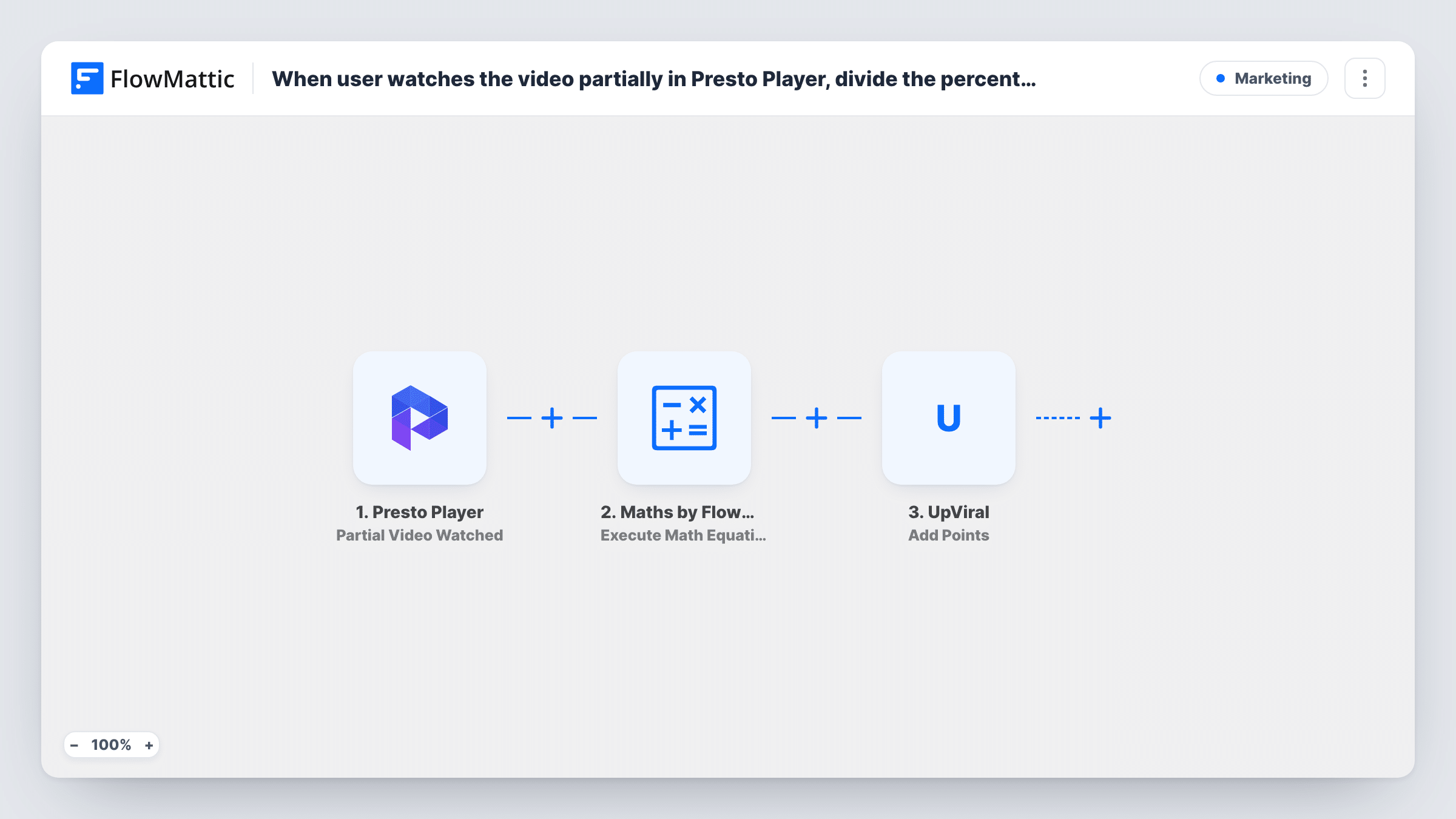
When user watches the video partially in Presto Player, divide the percentage by 10 and add the math value returned as points to a lead in UpViral
When a viewer watches part of a Presto Player video, FlowMattic divides the watched percentage by 10, finds that viewer’s lead in UpViral by email and adds the result as points.
 Presto Player
 Maths by FlowMattic
 UpViral
4 steps Setup ~8 min Used on 3.3k sites Free to import
What this workflow does
If you run an UpViral referral or giveaway campaign, rewarding people for actually watching your videos is a way to make points mean something. This workflow turns Presto Player viewing progress on your WordPress site into UpViral points, with more points for a bigger share watched.
The Presto Player Partial Video Watched trigger fires when a user watches the percentage of a video set on the trigger. FlowMattic then runs a Maths step that is already written: it takes the percentage played and divides it by 10, so 50 percent becomes 5 and 75 percent becomes 7.5.
Next, an UpViral step looks up the lead by the viewer's email, which is pre-mapped from the trigger. The final step, Add Points, adds points to a lead. It ships unmapped, so after import connect UpViral, then map the lead from the lookup and the Maths result into it.
The viewer has to be a lead in your UpViral campaign already, with the same email they use on your site, because nothing here creates one. Watch a test video while logged in with a known lead's email, then open Task History to check the percentage, the result and UpViral's reply.
Points for watching a launch video
A course creator running an UpViral pre-launch contest gives existing leads extra points for watching the launch video on their WordPress site.
Rewarding webinar replay viewers
A marketer hosts a webinar replay in Presto Player and adds points to UpViral leads who watch at least halfway, moving them up the leaderboard.
Training videos in a members' area
A membership site's referral campaign gives points to members who watch the onboarding video, using the share of the video they watched.
How this workflow runs
What happens at each step once the workflow is on, and what you need before you import it.
 Presto Player Partial Video Watched
Fires when a user watches the percentage of a Presto Player video set on the trigger. The percentage played and the viewer's email are passed to the next steps.
- Maths by FlowMattic Execute Math Equation
Divides the percentage played by 10 with the pre-written equation. Percentages that aren't a multiple of 10 give decimals, such as 7.5 for 75, so check what UpViral accepts.
- UpViral Get Lead Details by Email
Finds the viewer's lead in UpViral using their email, already mapped from the Presto Player trigger. Connect your UpViral account after import and test with a known lead.
- UpViral Add Points
Adds points to the UpViral lead. This step ships unmapped: map the lead returned by the lookup and the Maths step's result as the number of points.
What you need
- FlowMatticCore
- Presto Player PluginPlugin
- UpViral AccountAccount
After importing, map your own data. To keep the template universal, not every step is pre-filled. Open each step in the builder and connect your accounts and fields (channels, lists, sheets, recipients) before you switch the workflow on.
Make it yours
Changes worth making after you import it.
- Set the trigger's percentage to a multiple of 10, such as 50 or 80, so the Maths result is always a whole number of points.
- Put a Filter between the UpViral lookup step and the Add Points step that continues only when the lookup returned a lead, so viewers who aren't in the campaign stop there.
- Edit the equation in the Maths step to change the reward, for example dividing by 5 instead of 10 to give twice as many points.
- Import a copy of the workflow with Presto Player's Complete Video Watched trigger and a fixed number of points to reward viewers who finish the video.
Questions about this workflow
Does the Presto Player viewer need to be logged in?
The lookup uses the viewer's email from the trigger, so FlowMattic needs to know who is watching. Test with a logged-in account and check that the email appears in Task History.
What if the viewer isn't an UpViral lead yet?
The lookup won't find a lead, so there's nobody to give points to. This workflow doesn't add new contacts; UpViral's Add New Contact action exists if you want to build that separately.
How many points does a viewer get?
The percentage played divided by 10. If the trigger is set to 60 percent, that's 6 points. Change the equation in the Maths step for a different scale.
Can a viewer earn points more than once for the same Presto Player video?
Nothing in the template checks earlier runs. If Presto Player fires the trigger again for a later viewing, the lead gets points again, so test a repeat viewing before you launch the campaign.
More Marketing workflows
Other ready-to-import templates from the same category.






Import this workflow into your WordPress site
Download the JSON, import it from the Workflows screen and connect your accounts. Every run stays on your server, with no per-task fees.
30-day money-back guarantee Unlimited workflows and runs Self-hosted