

When webhook data is received, create a new user in WordPress, and create customer account in SureCart
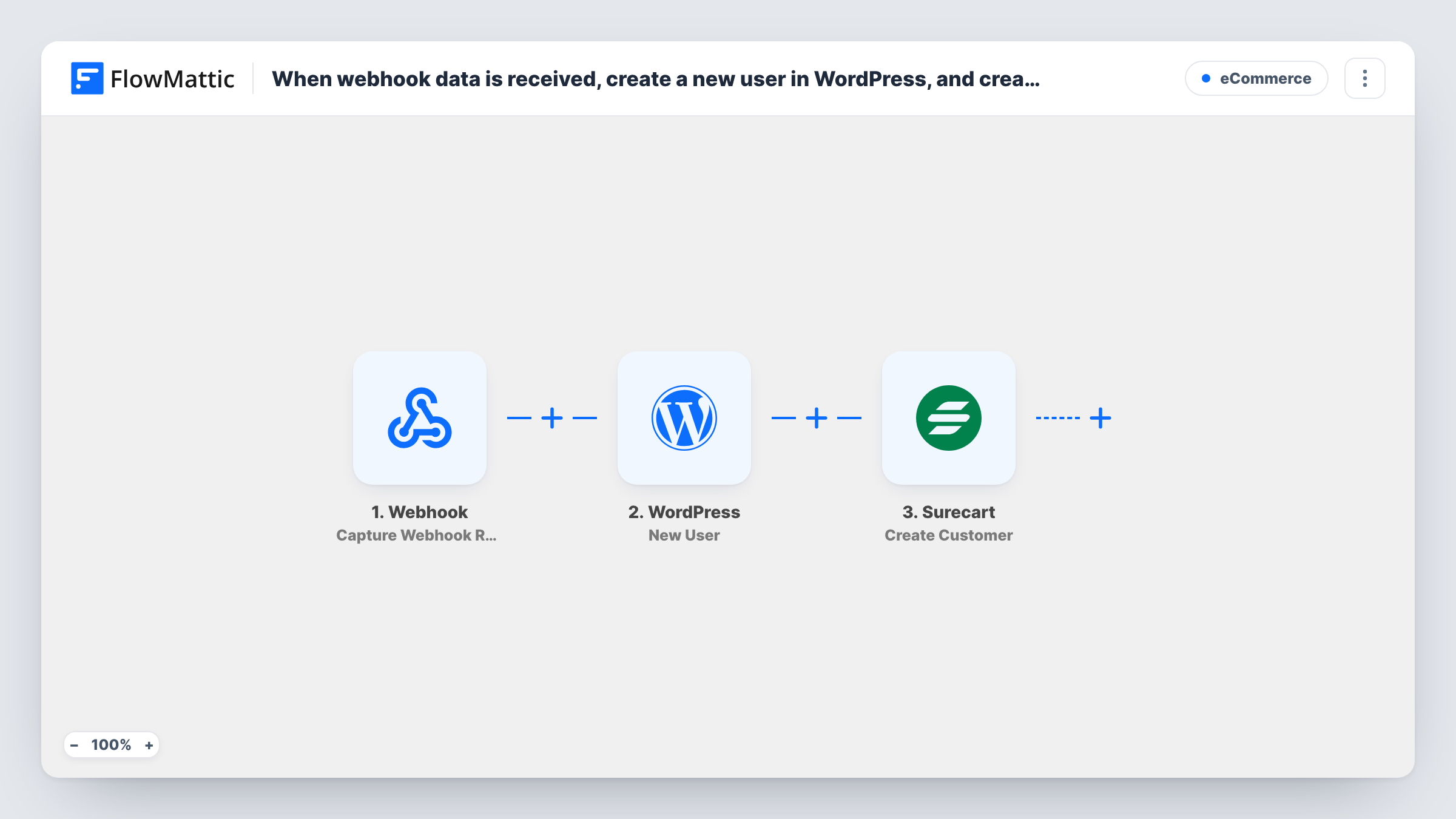
When another app or service posts data to this workflow’s webhook URL, FlowMattic creates a WordPress user on your site from it and then creates a matching customer in SureCart, so the person has both an account and a store record.
 Webhook
 WordPress
 Surecart
3 steps Setup ~5 min Used on 1.5k sites Free to import
What this workflow does
People often sign up somewhere other than your WordPress site: a landing page builder, an external checkout, a partner's system or your own app. If they also need a login on your site and a customer record in your SureCart store, setting both up by hand for each person is slow. This workflow creates both from data sent to a webhook.
Step one is a Webhook trigger with its own address for the sender to post to. Whatever the sending service posts there, such as an email, name and username, becomes data you can map. The WordPress step, New User, creates a user account on your site from those values. The SureCart step, Create Customer, then adds a new customer to your store using the same details.
For an email that is already registered, WordPress makes no second user and the step returns the existing user's ID, while SureCart may refuse a duplicate customer; Task History records how each app answered. Anyone with the URL can send data unless you turn on the trigger's authentication setting.
Landing page sign-ups that need a site login
A page builder outside WordPress posts each registration to the webhook, and the person gets a WordPress account and a SureCart customer record.
Migrating customers from another platform
A script posts each customer from your old system to the webhook one at a time, creating their WordPress login and SureCart customer.
Partner or reseller provisioning
A reseller's system calls your webhook when they sell access, so the buyer is set up on your site and in your store without you stepping in.
How this workflow runs
What happens at each step once the workflow is on, and what you need before you import it.
 Webhook Capture Webhook Response
Receives data posted to this workflow's webhook URL. Send one sample request after import so FlowMattic captures the fields you will map.
- WordPress New User
Creates a new WordPress user from the webhook data. Map the details the step asks for, such as the email and username you send; for an email that already belongs to a user, the step returns that user's ID instead of a new one.
- Surecart Create Customer
Adds the person to your SureCart store as a customer. Map the same email and name from the webhook data and connect your SureCart store after import.
What you need
- FlowMatticCore
- SureCart AccountAccount
After importing, map your own data. To keep the template universal, not every step is pre-filled. Open each step in the builder and connect your accounts and fields (channels, lists, sheets, recipients) before you switch the workflow on.
Make it yours
Changes worth making after you import it.
- Turn on the Webhook trigger's Require authentication on incoming requests setting and give the sender the key, so only your service can create users.
- If people may already have an account, add WordPress's Get User by Email and SureCart's Find Customer By Email before the create steps, with a Filter that continues only when nothing is found.
- Post one test request with a throwaway address after import, check the new user and SureCart customer, then delete both before going live.
Questions about this workflow
Which services can post to this webhook?
Any app or script that can send an HTTP request to a URL. The data it sends decides what you can map into the WordPress and SureCart steps.
What if the WordPress user already exists?
WordPress doesn't create a second user for a registered email. The New User step returns that existing user's ID, which Task History shows, and the SureCart step then tries to create the customer. SureCart may refuse it if that customer already exists.
Does the new user get an email from WordPress?
That depends on how the New User step and your site's settings handle new-account emails. Send a test request with your own address to see what arrives.
Is the SureCart customer linked to the WordPress user?
The template creates both from the same details, mainly the email. Check in SureCart after a test run whether the customer shows the matching user on your site.
More E-Commerce workflows
Other ready-to-import templates from the same category.






Import this workflow into your WordPress site
Download the JSON, import it from the Workflows screen and connect your accounts. Every run stays on your server, with no per-task fees.
30-day money-back guarantee Unlimited workflows and runs Self-hosted