

Build an Airtable CRM from Jotform leads and email your sales team
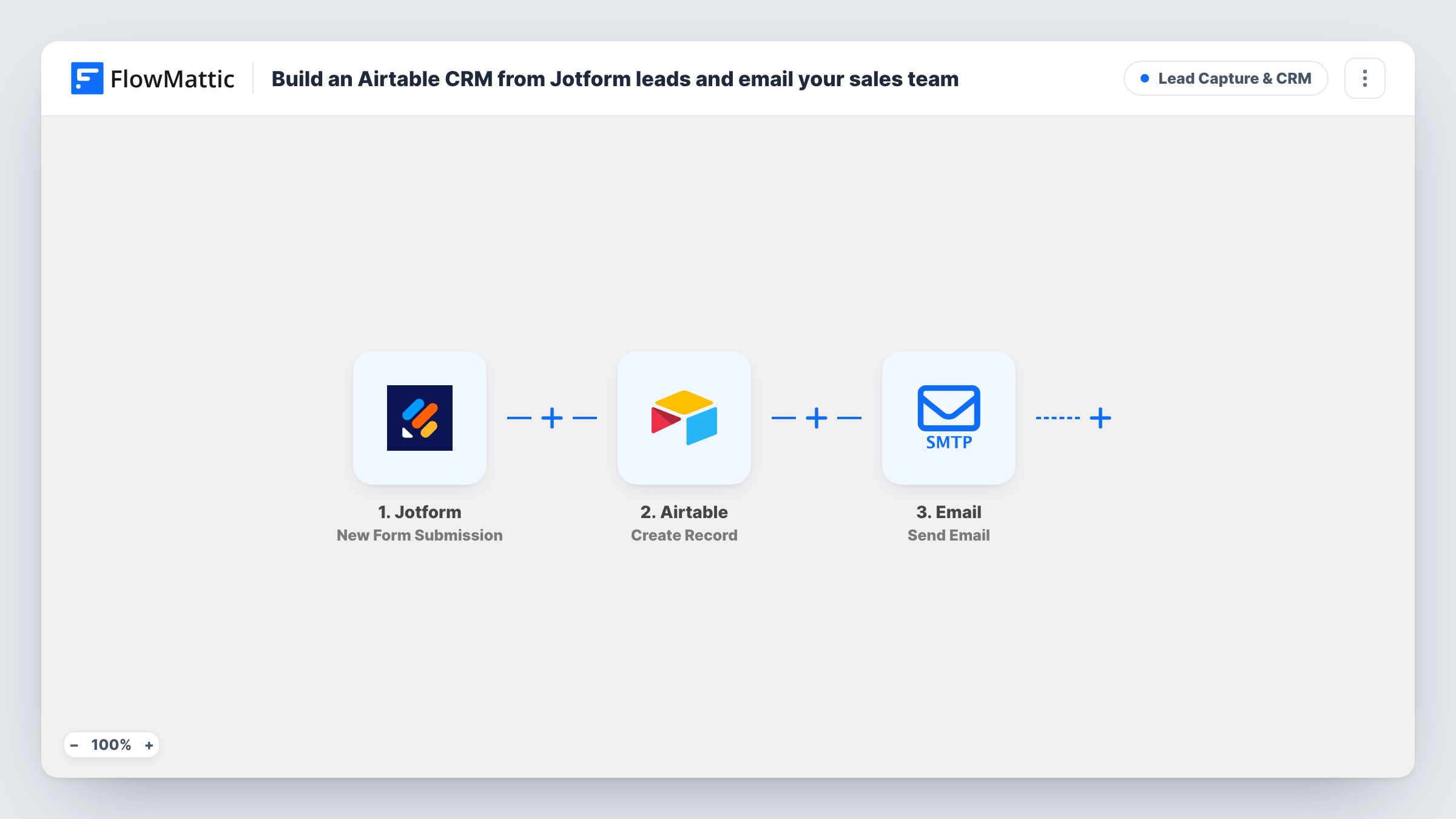
Each Jotform submission becomes a record in your Airtable base, and your sales inbox gets an email with the lead’s name, email address and message so someone can follow up.
 Jotform
 Airtable
 Email
Email3 steps Setup ~5 min Used on 1.7k sites Growth Free to import
What this workflow does
A dedicated CRM is more than a small team needs. An Airtable base with a table of leads is often enough, as long as the leads get into it without copy and paste. This workflow fills that table from your Jotform enquiry form and tells sales a new lead has arrived.
The Jotform trigger fires when your form is submitted. FlowMattic passes the answers to Airtable, where Create Record adds a new record. No fields are mapped in the template, so you connect Airtable and map the Jotform answers into the record after import. Then the Email step sends a note to [email protected] with the lead's name in the subject, and their email and message in the body.
Replace that placeholder address with your real sales inbox before going live. The template reads Jotform fields called name, email and message, so remap the email if your form labels them differently. Every submission creates a new record; nothing checks whether the lead is already in your base.
Agency enquiry form
Prospects describe their project in a Jotform form. Each one becomes an Airtable record you move through stages, and the sales lead sees it in their inbox first.
Event sponsor requests
Companies interested in sponsoring your event fill in a Jotform. The base tracks each one, and your partnerships contact gets an email to reply.
B2B product demo requests
Demo requests go into Airtable for the team to assign and track, and the email gives whoever is on duty the person's message without opening the base.
How this workflow runs
What happens at each step once the workflow is on, and what you need before you import it.
 Jotform New Form Submission
Fires when someone submits your Jotform form. Their answers, including name, email and message, are passed to Airtable and the sales email.
- Airtable Create Record
Creates a new record in your Airtable base for the lead. Connect Airtable after import, map the Jotform answers into it, and check the result with a test submission.
 Email Send Email
Emails [email protected] with the lead's name in the subject and their email and message in the body. Change the address to your own team's inbox.
What you need
- FlowMatticCore
- Jotform AccountAccount
- Airtable AccountAccount
After importing, map your own data. To keep the template universal, not every step is pre-filled. Open each step in the builder and connect your accounts and fields (channels, lists, sheets, recipients) before you switch the workflow on.
Make it yours
Changes worth making after you import it.
- Map a field in your Airtable table to the submission date from Jotform, so you can sort leads by when they arrived and spot ones waiting too long.
- Move the sales email behind a Filter, placed between the Airtable and Email steps, if sales only needs to hear about some leads. Every lead still gets its Airtable record.
- Swap the Email step for a Slack message if your sales team works from chat, and map the same Jotform fields into it.
Questions about this workflow
What do I need connected before this Jotform workflow can run?
A Jotform account with the form you want to watch, an Airtable account with a base you can write to, and an SMTP connection in FlowMattic for the sales email.
Which Jotform answers end up in the Airtable record?
The ones you map. The Airtable step comes with no fields mapped, so after import you choose which Jotform answers go into which fields.
What if the same lead submits the Jotform twice?
You get two records and two emails. The Airtable step creates a record every time and doesn't search for an existing one.
More Lead Capture & CRM workflows
Other ready-to-import templates from the same category.







Import this workflow into your WordPress site
Download the JSON, import it from the Workflows screen and connect your accounts. Every run stays on your server, with no per-task fees.
30-day money-back guarantee Unlimited workflows and runs Self-hosted