

Mirror new Mailchimp subscribers into FluentCRM and welcome them
When someone subscribes to your Mailchimp audience, this workflow creates or updates them as a FluentCRM contact with their name and email, then sends them a welcome email from your site.
 Mailchimp
 FluentCRM
 Email
Email3 steps Setup ~5 min Used on 2.0k sites Growth Free to import
What this workflow does
Moving from Mailchimp to FluentCRM rarely happens in one day. While sign-up forms elsewhere still feed Mailchimp, FluentCRM falls behind. This workflow copies each new Mailchimp subscriber into FluentCRM so your WordPress CRM keeps up during the switch, or for as long as you run both.
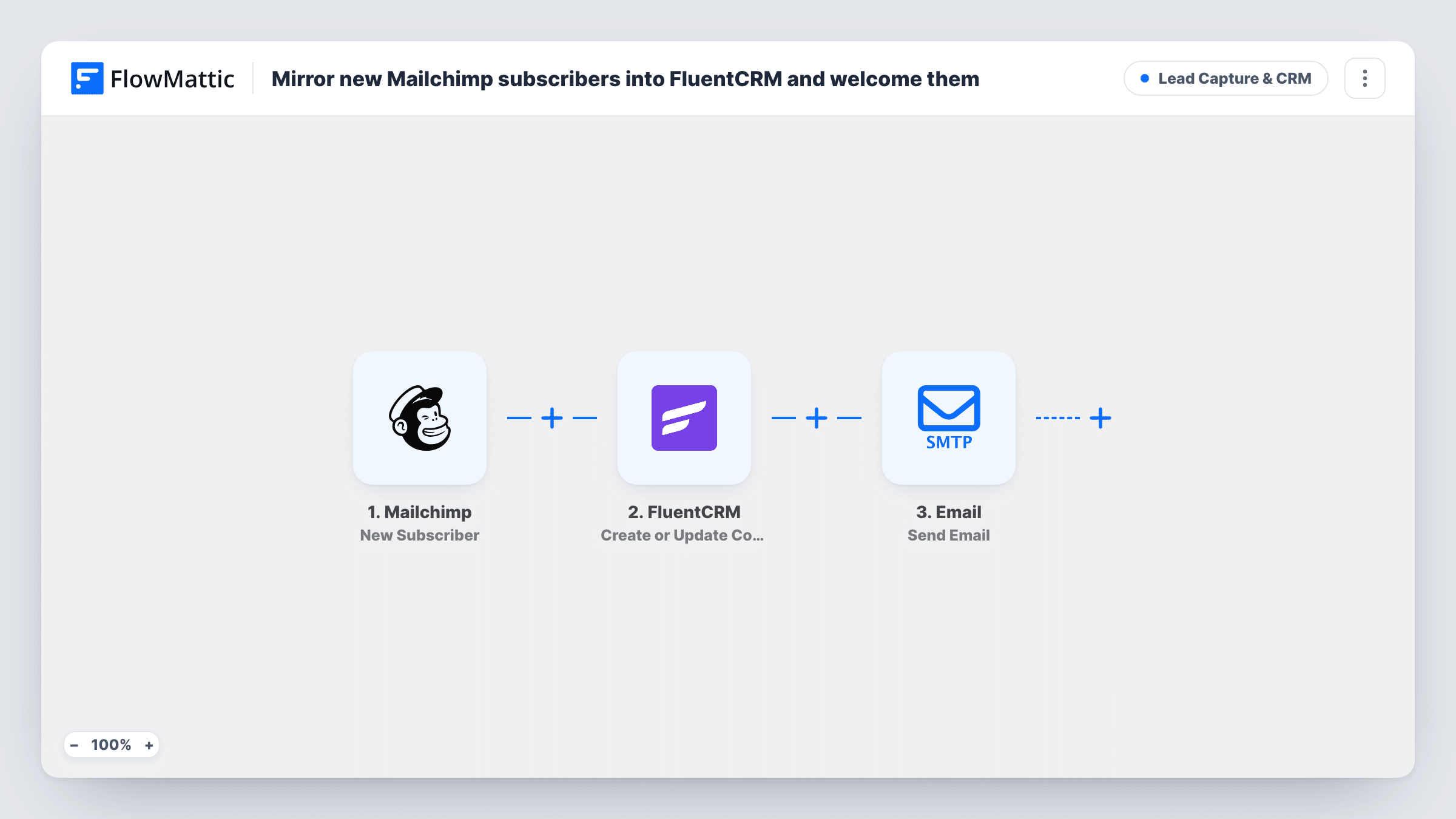
The Mailchimp trigger fires when a new subscriber is added to your audience. FlowMattic passes their email, first name and last name to FluentCRM, which creates a contact or updates the existing one with that email. Last, the Email step sends a welcome to the subscriber, greeting them by first name in the subject.
The copy only goes one way. Unsubscribes and edits in Mailchimp don't reach FluentCRM, and contacts added in FluentCRM aren't sent back to Mailchimp. The welcome goes out through your FlowMattic SMTP connection, so if Mailchimp already sends its own welcome to new subscribers, decide which one to keep.
Moving from Mailchimp to FluentCRM
Old sign-up forms still post to Mailchimp while you rebuild them. New subscribers land in FluentCRM too, so your new list stays complete during the move.
Partner form that only feeds Mailchimp
A partner site or landing page tool only connects to Mailchimp. This workflow brings those subscribers into the CRM on your WordPress site.
Running both tools side by side
Marketing sends campaigns from Mailchimp, while your site uses FluentCRM for course or membership emails. Each new subscriber is known to both.
How this workflow runs
What happens at each step once the workflow is on, and what you need before you import it.
 Mailchimp New Subscriber
Fires when Mailchimp gets a new subscriber on your audience. Their email, first name and last name are handed to FluentCRM and the welcome email.
- FluentCRM Create or Update Contact
Sends the new subscriber's email address and full name to FluentCRM. A matching contact gets the fresh details; anyone not yet in your CRM is added as a new contact.
 Email Send Email
Sends a welcome to the subscriber's email through your FlowMattic SMTP connection, with their first name in the subject. Rewrite the placeholder body before going live.
What you need
- FlowMatticCore
- Mailchimp AccountAccount
- FluentCRM PluginPlugin
After importing, map your own data. To keep the template universal, not every step is pre-filled. Open each step in the builder and connect your accounts and fields (channels, lists, sheets, recipients) before you switch the workflow on.
Make it yours
Changes worth making after you import it.
- Turn off Mailchimp's own welcome email for this audience, or delete the Email step here, so new subscribers don't receive two welcomes.
- Add a Delay before the welcome email if Mailchimp also emails people when they sign up, so your welcome arrives later and doesn't land in the same minute.
- Replace the template's placeholder welcome body with real content, such as your best article or what to expect each week.
Questions about this workflow
Will a Mailchimp subscriber already in FluentCRM be duplicated?
No. The step is Create or Update Contact, so FluentCRM updates the contact with that email instead of adding a second one.
Do Mailchimp unsubscribes carry over to FluentCRM?
No. The workflow only runs on new subscribers. Someone who unsubscribes in Mailchimp keeps their FluentCRM contact until you change it.
Are my current Mailchimp subscribers copied when I import this?
No. Only people who subscribe after the workflow is on are copied. Export your audience from Mailchimp and import it into FluentCRM once for the rest.
More Lead Capture & CRM workflows
Other ready-to-import templates from the same category.







Import this workflow into your WordPress site
Download the JSON, import it from the Workflows screen and connect your accounts. Every run stays on your server, with no per-task fees.
30-day money-back guarantee Unlimited workflows and runs Self-hosted