

Add newsletter signups to Mailchimp and send a welcome email
Every Fluent Forms newsletter sign-up is added to your Mailchimp audience as a subscribed member, and FlowMattic then emails the new subscriber a short welcome note thanking them by name.
 Fluent Forms
 Mailchimp
 Email
Email3 steps Setup ~5 min Used on 1.1k sites Marketing Free to import
What this workflow does
A sign-up form on your own site looks better than an embedded Mailchimp form and fits your design, but then the addresses have to get into Mailchimp somehow. This workflow moves each sign-up across as it happens and greets the person straight away.
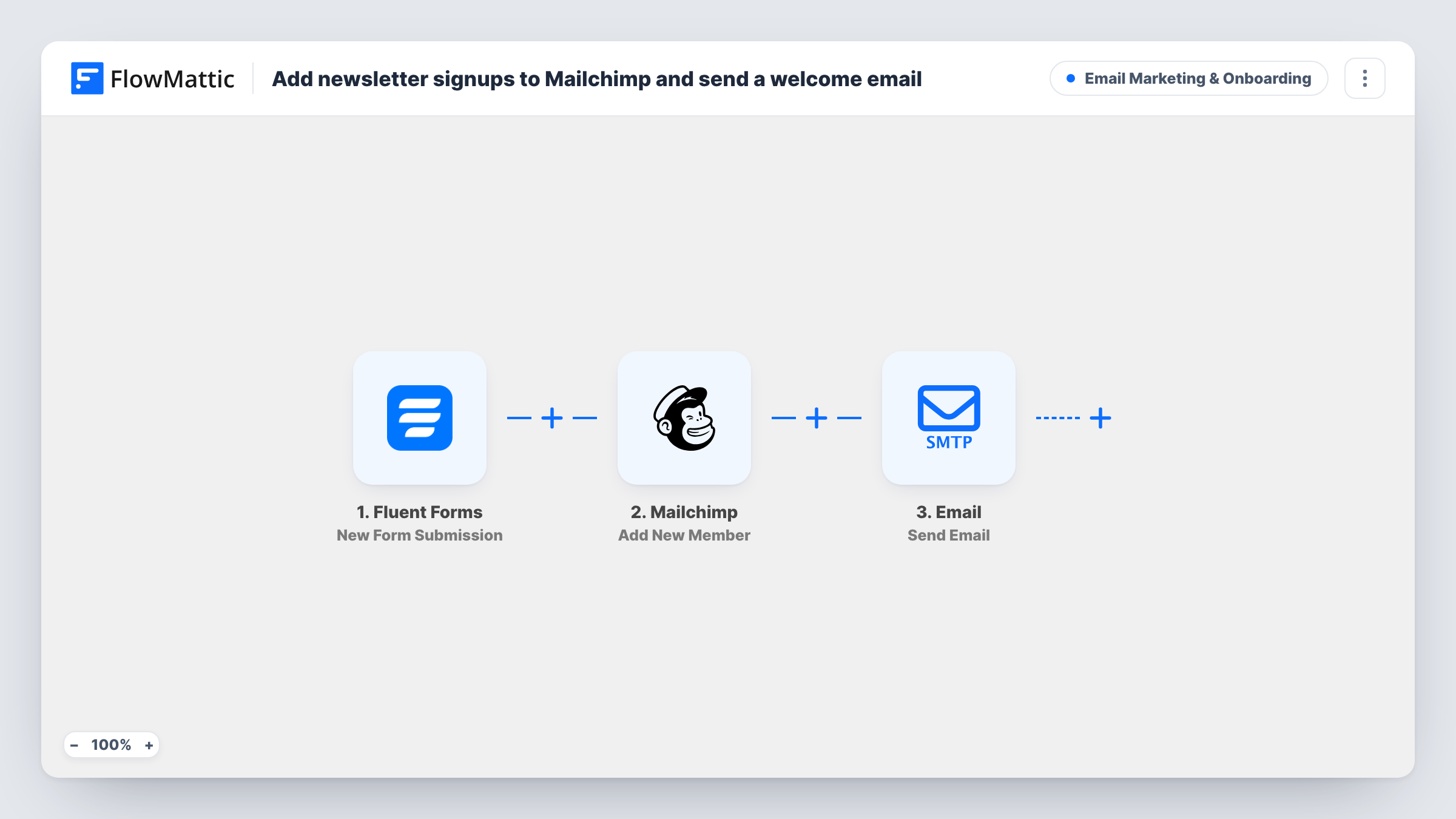
The Fluent Forms trigger fires when your newsletter form is submitted. FlowMattic sends the email and name fields to Mailchimp, whose Add New Member action adds the person with the status subscribed. The name goes in as the first name, and last name is left blank. Then the Email step sends a welcome to the same address, thanking them by name for subscribing.
Because the status is subscribed, Mailchimp adds them straight to the list without its own confirmation email. If you want people to confirm first, change the status in the Mailchimp step. The welcome goes out through the SMTP connection set up in FlowMattic, not through Mailchimp, so write it in the Email step rather than in a Mailchimp campaign.
Blog with a footer sign-up form
Readers subscribe through a Fluent Forms form in your footer. They join your Mailchimp audience for the next issue, and a thank-you reaches them within moments.
Shop announcing new collections
Visitors join your launch list on a landing page. Mailchimp holds them for the launch email, and the welcome sets expectations about what you'll send.
Consultant sharing a monthly letter
A short sign-up form on your about page feeds your Mailchimp list, with a personal welcome from your own email address rather than a template.
How this workflow runs
What happens at each step once the workflow is on, and what you need before you import it.
 Fluent Forms New Form Submission
Fires when someone submits your Fluent Forms newsletter form. Their email and name are passed to Mailchimp and the welcome email.
- Mailchimp Add New Member
Adds the person to Mailchimp as a member with the status subscribed, using the form's email and putting the name into the first name. Connect your Mailchimp account on import.
 Email Send Email
Emails the new subscriber at the address they gave, thanking them by name for subscribing. It is sent through your FlowMattic SMTP connection, and you can rewrite the subject and body.
What you need
- FlowMatticCore
- Fluent Forms PluginPlugin
- Mailchimp AccountAccount
After importing, map your own data. To keep the template universal, not every step is pre-filled. Open each step in the builder and connect your accounts and fields (channels, lists, sheets, recipients) before you switch the workflow on.
Make it yours
Changes worth making after you import it.
- Rewrite the welcome email body to say what you send and how often. The template's text is a short placeholder, so replace it with your own voice before you go live.
- If your form has separate first and last name fields, map each one into the matching Mailchimp field instead of putting the whole name into the first name.
- Add a Filter after the trigger on a consent checkbox, so only people who ticked it are added to Mailchimp and welcomed.
Questions about this workflow
Does Mailchimp send its own confirmation email to new members?
Not with this template. The member is added with the status subscribed, which skips Mailchimp's confirmation step. Change the status in the Mailchimp step if your list should use confirmed opt-in.
What happens when a Fluent Forms sign-up is already a Mailchimp member?
Add New Member updates the existing Fluent Forms subscriber rather than adding them a second time. The name from the form and the subscribed status are written over their current Mailchimp details.
Why does the welcome come from my SMTP account and not Mailchimp?
The last step uses FlowMattic's Email module, which sends through the SMTP account you connect. Mailchimp only receives the new member and doesn't send anything in this workflow.
More Email Marketing & Onboarding workflows
Other ready-to-import templates from the same category.




Import this workflow into your WordPress site
Download the JSON, import it from the Workflows screen and connect your accounts. Every run stays on your server, with no per-task fees.
30-day money-back guarantee Unlimited workflows and runs Self-hosted