

Log cancelled or refunded WooCommerce orders and alert finance in Slack
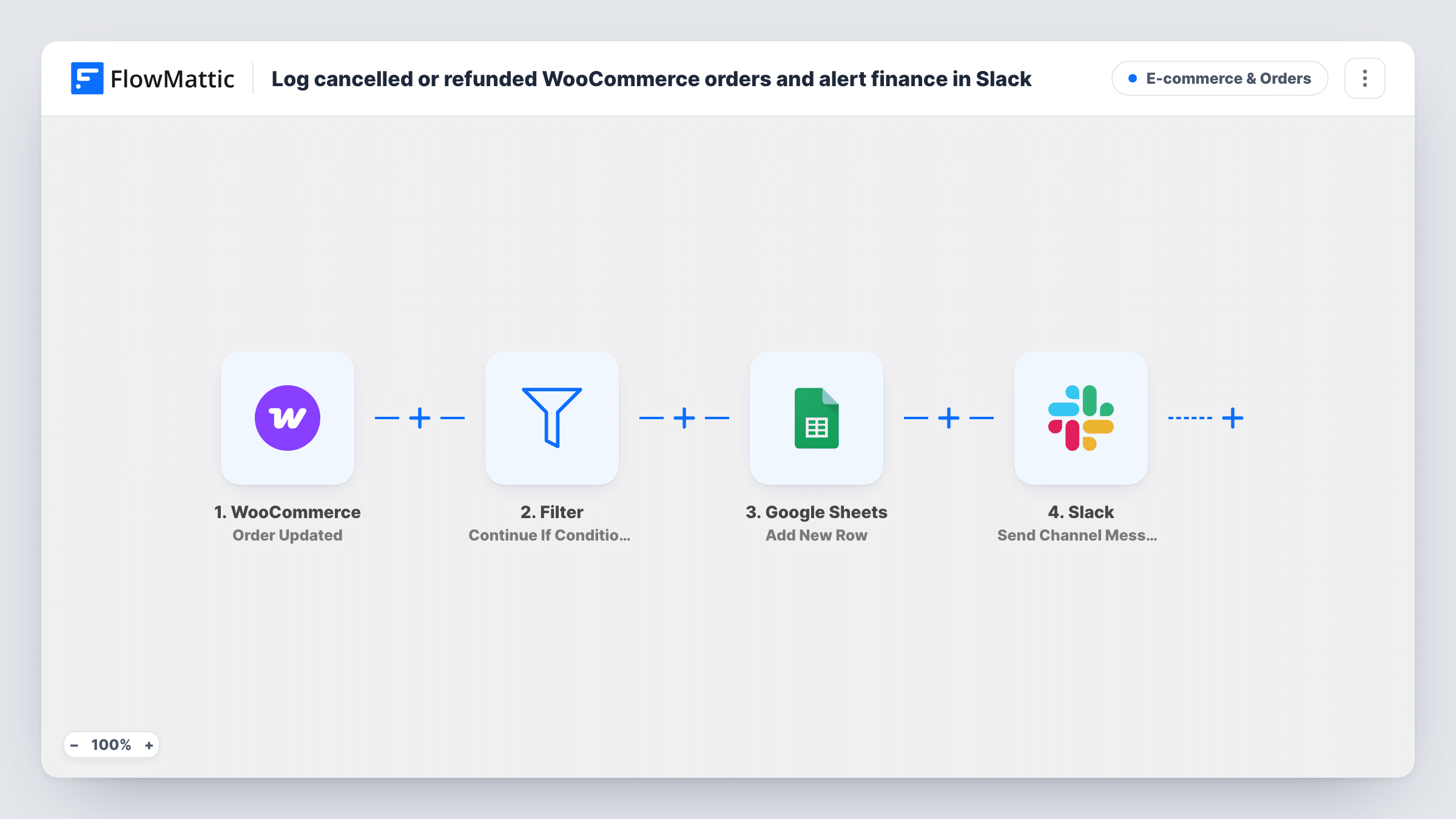
When a WooCommerce order is updated and its status is cancelled or refunded, FlowMattic adds a row to Google Sheets and posts the order number, status and total to a Slack channel for finance.
 WooCommerce
 Router
 Google Sheets
 Slack
6 steps Setup ~12 min Used on 2.7k sites Revenue Ops Free to import
What this workflow does
Finance needs to know about money going back out, and the orders screen isn't where they look. This workflow keeps a running sheet of cancelled and refunded orders and tells the finance channel about each one, so reconciling and chasing reasons doesn't rely on someone remembering to pass it on.
The WooCommerce Order Updated trigger fires whenever an order changes. A Router then checks the status. The Cancelled route runs when it is exactly cancelled, and the Refunded route when it is exactly refunded. An order can only have one status, so it takes one route at most, and every other status ends the run.
Each route has the same two steps. A Google Sheets Add New Row step logs the order, and it ships unmapped, so after import you choose the spreadsheet and map fields such as order number, date, customer and total. A Slack message then posts the order number, its status, the currency and the total.
The trigger runs on any update, not only on status changes. If someone edits an order that is already cancelled or refunded, such as correcting the address, the status still matches and the order is logged and posted again. Full refunds set the refunded status; a partial refund that leaves the order completed doesn't reach either route.
Monthly refund reconciliation
A bookkeeper uses the sheet at month end to match refunds in WooCommerce against payouts from the payment provider, without exporting orders.
Spotting cancellation patterns
A store owner adds the product and reason columns to the log and reviews it weekly to see which items get cancelled most.
Finance channel for money going out
The finance team follows one Slack channel that shows each cancelled or refunded order with its total as it happens.
How this workflow runs
What happens at each step once the workflow is on, and what you need before you import it.
 WooCommerce Order Updated
Fires whenever a WooCommerce order is updated, for any change. The order number, status, currency and total are passed to the Router and the later steps.
- Router 2 paths
Runs the Cancelled route when the order status exactly matches cancelled and the Refunded route when it exactly matches refunded. Orders with any other status take neither route.
- Google Sheets Add New Row
On the Cancelled route, adds a row to the Google Sheets spreadsheet you choose. No columns are mapped in the template, so connect the sheet and map the order fields you want to keep.
- Slack Send Channel Message
On the Cancelled route, posts to Slack that the order number is now cancelled, with the currency and total. Choose your finance channel after import.
- Google Sheets Add New Row
On the Refunded route, adds a row to Google Sheets. Map it like the cancelled one, or point it at a separate tab so refunds and cancellations are kept apart.
- Slack Send Channel Message
On the Refunded route, posts the order number, refunded status, currency and total to Slack. This can be the same finance channel or a separate one.
What you need
- FlowMatticCore
- WooCommerce PluginPlugin
- Google Sheets AccountAccount
- Slack AccountAccount
After importing, map your own data. To keep the template universal, not every step is pre-filled. Open each step in the builder and connect your accounts and fields (channels, lists, sheets, recipients) before you switch the workflow on.
Make it yours
Changes worth making after you import it.
- Map a status column in both Google Sheets steps, so one combined sheet still shows which orders were cancelled and which were refunded.
- Map the billing email and payment method into the sheet as well, so finance can match refunds against the payment provider.
- If your team edits cancelled orders often, check the sheet for repeated order numbers, or remove duplicates with your spreadsheet's own tools before reconciling.
Questions about this workflow
Does a partial WooCommerce refund get logged?
Usually not. The Refunded route needs the order status to be exactly refunded, which WooCommerce sets for a full refund. A partial refund that keeps the order processing or completed matches neither route.
Can the same order be logged twice?
Yes. The trigger runs on every order update, so later edits to an order that is already cancelled or refunded log and post it again.
Which columns appear in the Google Sheet?
The ones you map. Both Add New Row steps ship empty, so you pick the spreadsheet and match order fields to your column headers after import.
Do other status changes post to Slack?
No. Only cancelled and refunded match a route. An order moving to processing, completed or on hold ends the run at the Router.
More E-commerce & Orders workflows
Other ready-to-import templates from the same category.





Import this workflow into your WordPress site
Download the JSON, import it from the Workflows screen and connect your accounts. Every run stays on your server, with no per-task fees.
30-day money-back guarantee Unlimited workflows and runs Self-hosted