

Announce new WooCommerce orders in Slack and add buyers to FluentCRM
Every new WooCommerce order is posted to a Slack channel with its number, currency, total and buyer’s name, and the buyer is added to FluentCRM, or updated there if their billing email is already a contact.
 WooCommerce
 Slack
 FluentCRM
3 steps Setup ~5 min Used on 1.4k sites Revenue Ops Free to import
What this workflow does
Two things usually follow a sale: the team wants to know about it, and the buyer should end up in your CRM for later emails. This workflow handles both from the order itself, using the billing details WooCommerce records at checkout.
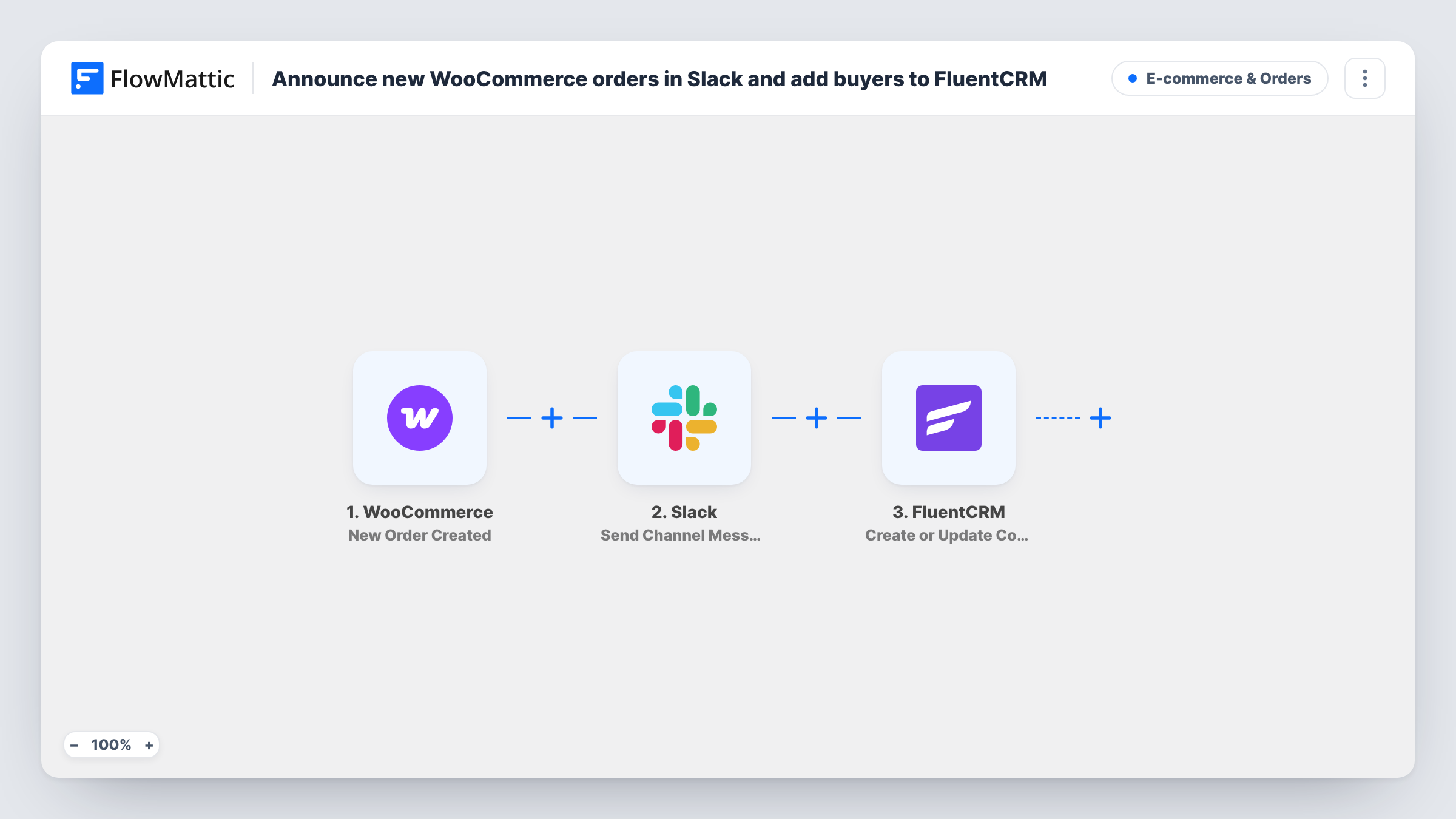
Checkout in WooCommerce creates the order, and that new order is what sets the workflow going. FlowMattic first posts to Slack: "New order" with the order number in bold, then the currency and total, then the buyer's billing first and last name. Next, FluentCRM runs Create or Update Contact with the billing email, first name and last name.
A repeat buyer isn't duplicated in FluentCRM, because the step updates the contact that already has that email. Every order is announced, whatever its total or payment method, since the template has no Filter. FluentCRM works inside WordPress, so the contact stays on your own site; only the Slack message leaves it.
A small shop's sales channel
Each order shows up in a Slack channel the whole team follows, with the total and the buyer's name, while the buyer joins FluentCRM for your post-purchase emails.
Handmade goods made to order
The maker sees each order in Slack as a cue to start work, and FluentCRM keeps every buyer for news about new pieces.
Building a customer list for campaigns
Buyers collect in FluentCRM as orders come in, so your next promotion can go to everyone who has bought from you.
How this workflow runs
What happens at each step once the workflow is on, and what you need before you import it.
 WooCommerce New Order Created
Fires for each new order your WooCommerce store records. The order number, currency, total and billing name and email are passed to the next two steps.
- Slack Send Channel Message
Posts to the Slack channel you choose. The message reads "New order" with the order number in bold, the currency and total, and the buyer's billing first and last name.
- FluentCRM Create or Update Contact
Creates or updates a FluentCRM contact using the order's billing email, first name and last name. An existing contact with that email is updated rather than added again.
What you need
- FlowMatticCore
- WooCommerce PluginPlugin
- Slack AccountAccount
- FluentCRM PluginPlugin
After importing, map your own data. To keep the template universal, not every step is pre-filled. Open each step in the builder and connect your accounts and fields (channels, lists, sheets, recipients) before you switch the workflow on.
Make it yours
Changes worth making after you import it.
- To announce only larger orders, move the FluentCRM step ahead of Slack, then add a Filter before Slack with a total greater than 100. Every buyer still reaches FluentCRM. Totals compare as whole numbers, so 100.50 counts as 100.
- Add the products ordered or the payment method to the Slack message if your team needs them, using values a test order shows you.
- Place one test order after import and check both the Slack message and the new FluentCRM contact before real orders arrive.
Questions about this workflow
Does every WooCommerce order post to Slack, including small ones?
Yes. There is no Filter in the template, so every new order is announced and every buyer goes to FluentCRM.
What happens when a returning customer places another WooCommerce order?
The FluentCRM step finds the contact by billing email and updates it, so the customer isn't added twice. Slack still gets a message for the new order.
Is the buyer's email shown in the Slack message?
No. The message shows the order number, currency, total and billing name. The email is only used for the FluentCRM contact.
Do I need FluentCRM on the same site as WooCommerce?
Yes. FluentCRM is a WordPress plugin, so it must be installed on the same site as WooCommerce and FlowMattic.
More E-commerce & Orders workflows
Other ready-to-import templates from the same category.





Import this workflow into your WordPress site
Download the JSON, import it from the Workflows screen and connect your accounts. Every run stays on your server, with no per-task fees.
30-day money-back guarantee Unlimited workflows and runs Self-hosted