

Post WooCommerce order updates, with the current status, to a Telegram channel
Every time a WooCommerce order is updated, a Telegram message posts the order number, its current status and the customer’s first name to the channel or group you choose.
 WooCommerce
 Telegram
2 steps Setup ~5 min Used on 1.9k sites Revenue Ops Free to import
What this workflow does
Operations teams like a live feed of what is happening to orders without keeping the WordPress dashboard open. This workflow sends one Telegram message per order update, so packers, managers or a solo shop owner can follow order activity from their phone.
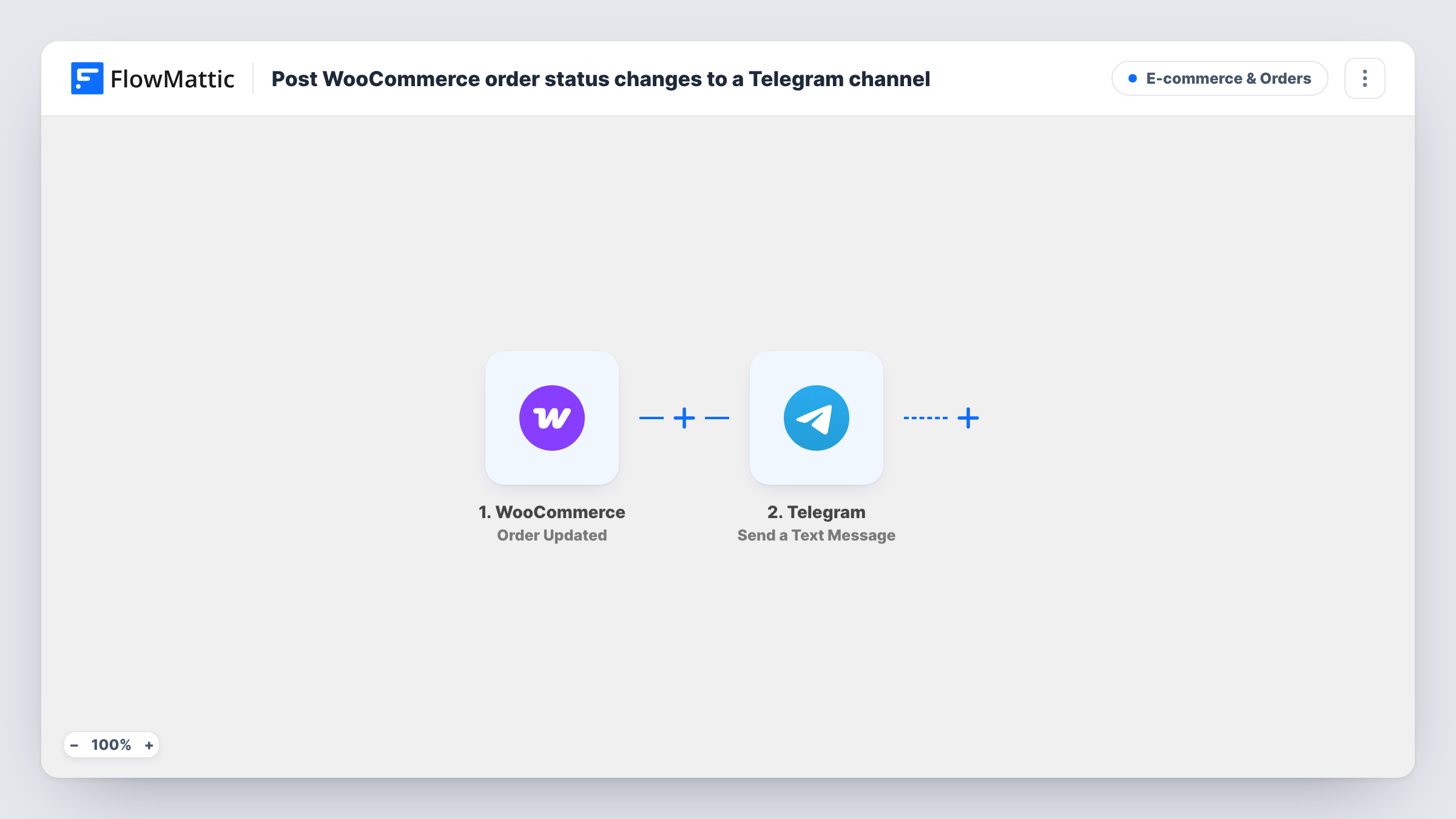
Any change to an order starts the WooCommerce Order Updated trigger. The Telegram Send a Text Message step then posts a line with the order number and the current status in bold, followed by the billing first name. The message uses HTML formatting, which Telegram renders as bold text.
Because the trigger runs on any update, the feed shows more than status changes. Editing an address or a plugin saving the order can each post a message, and the status shown is whatever the order holds at that moment. That suits a full activity feed. If you only want certain statuses, add a Filter between the trigger and the Telegram step.
After import, connect your Telegram bot and set where it posts. To post in a channel, the bot generally has to be added to that channel as an administrator.
A packing team's order feed
Warehouse staff follow a Telegram group where each update to an order appears, so they see when orders move to processing without logging in to WordPress.
Owner updates on the go
A one-person shop owner gets every order update in a private Telegram channel while away from the computer.
Watching a busy sale day
During a promotion, the team keeps the Telegram channel open to see orders being placed, paid and completed as they happen.
How this workflow runs
What happens at each step once the workflow is on, and what you need before you import it.
 WooCommerce Order Updated
Fires each time a WooCommerce order is updated, whatever the change. The order number, current status and billing first name are passed to the Telegram step.
- Telegram Send a Text Message
Sends a Telegram message with the order number and status in bold, using HTML formatting, and the customer's first name in brackets. Connect your bot and choose the chat or channel after import.
What you need
- FlowMatticCore
- WooCommerce PluginPlugin
- Telegram AccountAccount
After importing, map your own data. To keep the template universal, not every step is pre-filled. Open each step in the builder and connect your accounts and fields (channels, lists, sheets, recipients) before you switch the workflow on.
Make it yours
Changes worth making after you import it.
- Put a Filter between the WooCommerce trigger and the Telegram step that continues only for statuses you care about, such as processing or completed, to cut down on messages.
- Map the order total into the message after the status, wrapped in b tags like the other values, so the feed shows each order's value at a glance.
- Use a Telegram group rather than a channel if your team wants to reply to an order message and discuss it there.
Questions about this workflow
Does every WooCommerce order update send a Telegram message?
Yes. The trigger fires on any update, including edits that leave the status unchanged. To limit it to certain statuses, put a Filter between the Order Updated trigger and the Telegram step.
Why is the status shown in bold?
The message text wraps the order number and status in HTML bold tags and the step's parse mode is set to HTML, so Telegram displays them in bold.
Can the bot post to a Telegram channel?
Yes, once the bot is added to the channel with permission to post, which usually means making it an administrator. For a group, adding the bot as a member is normally enough.
Is customer data shared in the Telegram message?
Only the billing first name, alongside the order number and status. Keep the channel private to your team, and don't map extra personal details unless they need them.
More E-commerce & Orders workflows
Other ready-to-import templates from the same category.






Import this workflow into your WordPress site
Download the JSON, import it from the Workflows screen and connect your accounts. Every run stays on your server, with no per-task fees.
30-day money-back guarantee Unlimited workflows and runs Self-hosted