

When a job application email arrives, create a Notion database entry with applicant details
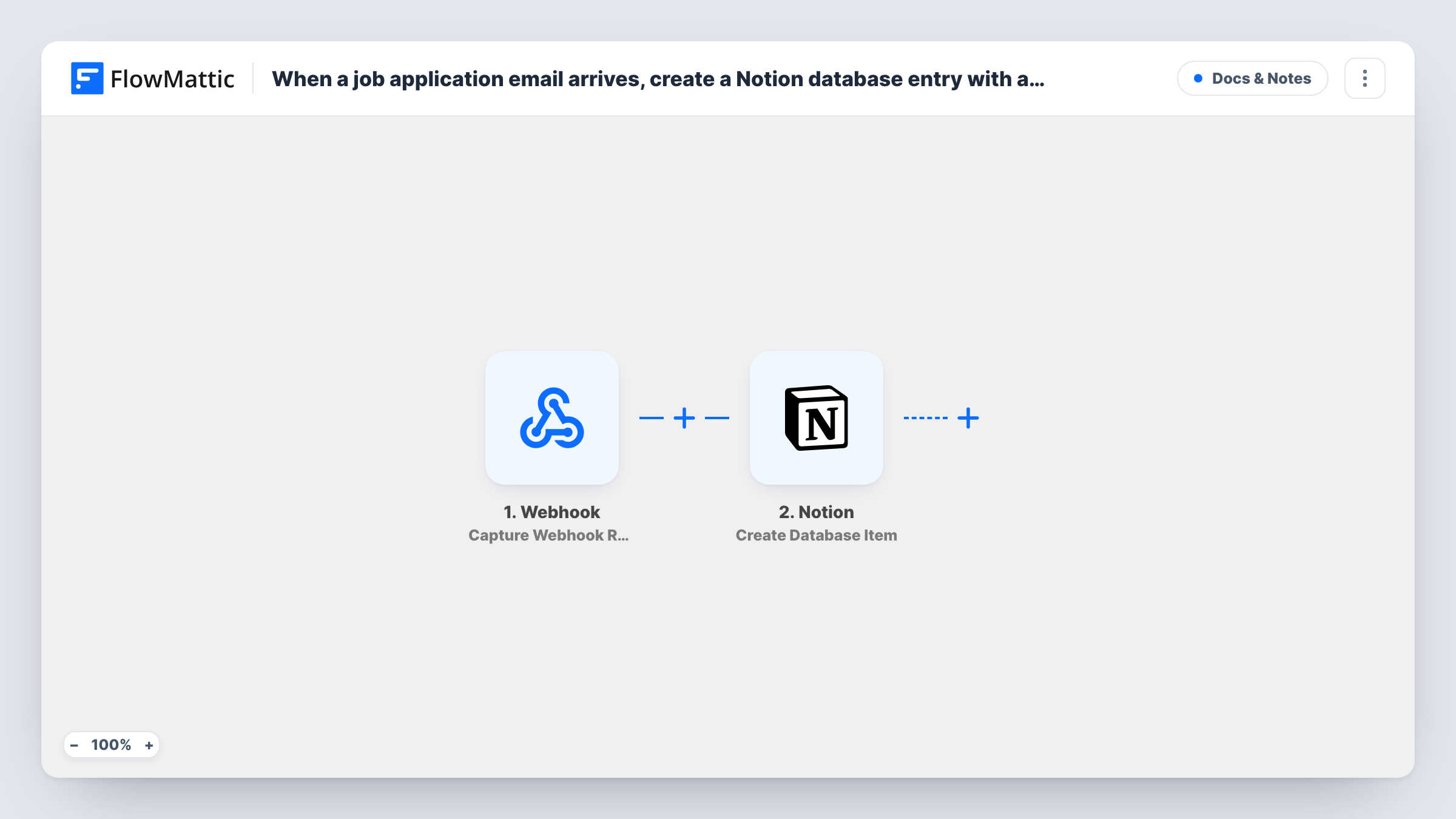
When an email whose subject contains your application text, such as Job Application, reaches the connected mailbox, FlowMattic creates an item in your Notion hiring database with the applicant’s details.
 IMAP Email Parser
 Notion
2 steps Setup ~5 min Used on 2.3k sites Free to import
What this workflow does
Small teams often hire through a plain email address: candidates send a cover note and CV, and the messages pile up next to everything else. Reviewing them together, or tracking who has been contacted, means copying details into a list by hand. This workflow builds that list in Notion as the applications arrive.
The IMAP Email Parser trigger watches a mailbox you connect, such as Gmail, Outlook or any IMAP account, and fires when an email arrives with specific text in its subject. The template doesn't set that text, so enter the wording you ask candidates to use, for example Job Application, before you turn the workflow on. The email's sender, subject and body are passed on.
The Notion Create Database Item step then adds an item to a database. It ships unmapped: connect Notion, choose your hiring database, and map the sender's name and email, the subject and the message into its properties.
Each matching email creates one item, including follow-up messages that reuse the subject. The workflow doesn't read details out of the email body or save CV attachments; it copies the email fields you map.
A hiring board for a small business
A café owner asks applicants to email with Job Application in the subject and reviews every candidate as a card in a Notion database.
Several roles in one database
A startup asks candidates to put the role in the subject line, such as Job Application - Designer, and groups Notion items by subject to see who applied for which role.
Shared review for a hiring panel
A team lead shares the Notion database with two interviewers, who add notes and a status to each applicant item instead of forwarding emails.
How this workflow runs
What happens at each step once the workflow is on, and what you need before you import it.
 IMAP Email Parser Email with Subject Contains
Fires when an email with your chosen subject text arrives in the connected IMAP mailbox. Set that text after import; the sender, subject and body are passed on.
- Notion Create Database Item
Adds an item to your Notion hiring database for each matching email. No properties are mapped as imported, so pick the database and map the applicant's email fields.
What you need
- FlowMatticCore
- Notion AccountAccount
After importing, map your own data. To keep the template universal, not every step is pre-filled. Open each step in the builder and connect your accounts and fields (channels, lists, sheets, recipients) before you switch the workflow on.
Make it yours
Changes worth making after you import it.
- Add a Status property in your Notion database with options such as New, Interview and Rejected, so the panel can track each applicant item after it is created.
- To keep CVs, add the IMAP Email Parser's Import Email Attachments to Media Library action between the trigger and Notion, then map what it returns, such as a file link, into a Notion property. A test run shows which values you get.
- Connect a mailbox you use for hiring, so unrelated emails that happen to contain the subject text don't turn into Notion items.
Questions about this workflow
Which emails become Notion items?
Those whose subject contains the text you set in the IMAP trigger after import. The template ships without that text, so enter it before activating the workflow.
Are CV attachments saved to Notion?
Not as imported. The Notion step only receives the email fields you map. Add the IMAP Email Parser's attachment import action between the trigger and Notion if you want the files kept.
Does Notion get the applicant's phone number or experience?
Only if they're in a field you map. The workflow passes the email's sender, subject and body; it doesn't split the body into separate details. The whole message can go into one property.
What if a candidate replies to their own application email?
A reply usually keeps the subject text, so it starts another run and creates a second Notion item. Check for duplicates by sender email in the database.
More Docs & Notes workflows
Other ready-to-import templates from the same category.




Import this workflow into your WordPress site
Download the JSON, import it from the Workflows screen and connect your accounts. Every run stays on your server, with no per-task fees.
30-day money-back guarantee Unlimited workflows and runs Self-hosted