

When a response is finished in Formbricks, send a notification via WhatsApp Cloud API
When a Formbricks survey response is marked as finished, this workflow sends a WhatsApp template message through the WhatsApp Cloud API, so you hear about each completed response on your phone.
 Formbricks
 WhatsApp Cloud API
2 steps Setup ~5 min Used on 371 sites Free to import
What this workflow does
Formbricks keeps survey responses tidy inside its dashboard, but you only see them when you log in. If a completed response needs quick attention, such as a feedback form from a key client, you want to know without checking. This workflow alerts you on WhatsApp each time a response is finished.
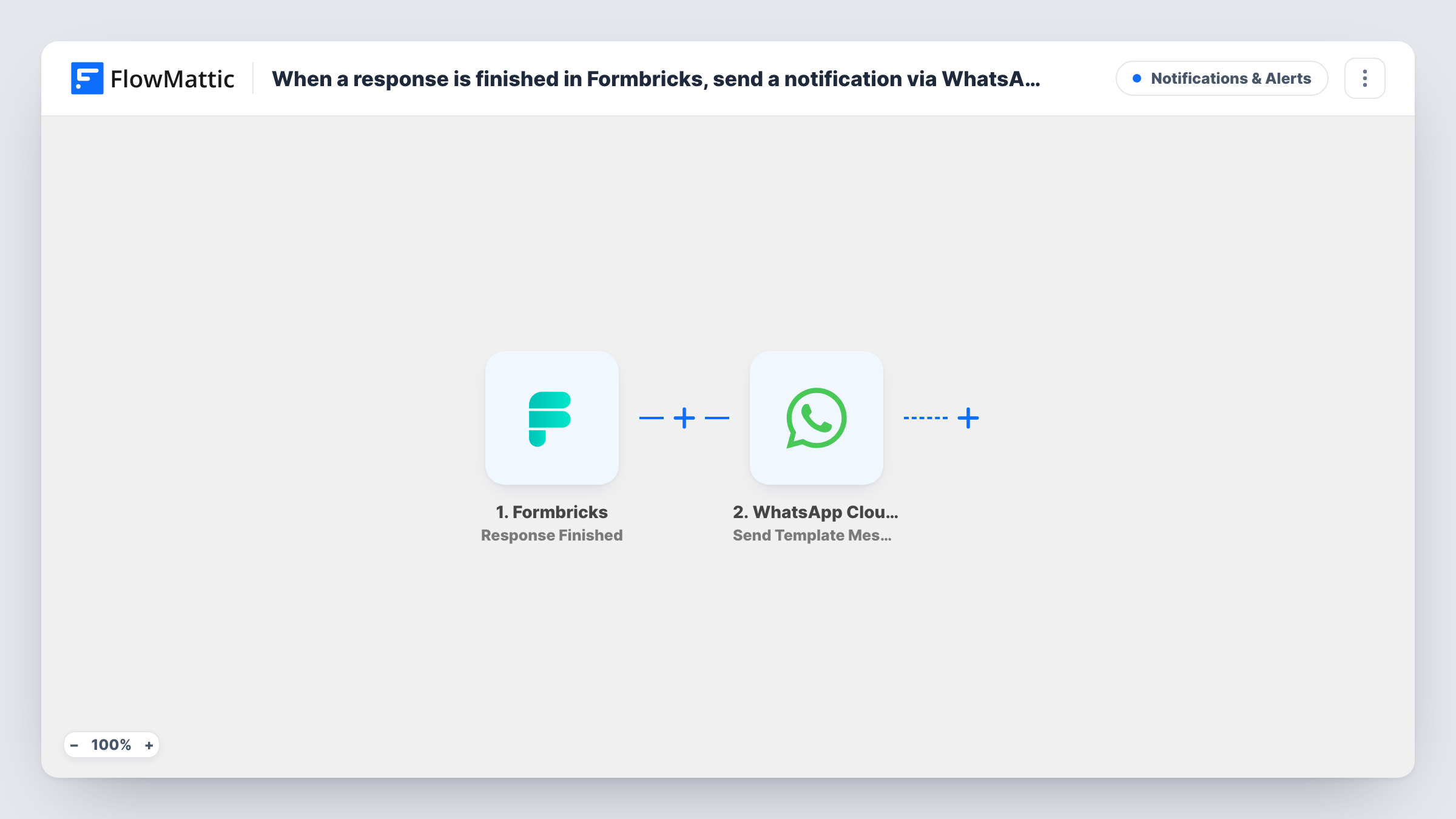
The Formbricks Response Finished trigger fires when a response is marked as finished, so partial answers do not start a run. FlowMattic passes the response data to the WhatsApp Cloud API Send Template Message action. It sends one of your message templates from your business number to the person you set, with response values placed in the template.
Because the step uses a template, the message can be delivered even if the recipient has not written to your business number recently. The template must be approved by Meta first, so set it up in your WhatsApp Business account before turning the workflow on. Task History records every run and the response WhatsApp sent back.
Client feedback alerts for an agency
When a client finishes a project feedback survey in Formbricks, the account manager gets a WhatsApp message to read it the same day.
Application forms
A Formbricks form used for applications alerts the reviewer on WhatsApp each time someone completes it, with their name mapped in.
Product research on a deadline
During a short user-research round, the researcher gets a WhatsApp message for each finished response to track progress toward the target count.
How this workflow runs
What happens at each step once the workflow is on, and what you need before you import it.
 Formbricks Response Finished
Fires when a Formbricks survey response is marked as finished. Responses still in progress do not trigger it. The response data is passed on for mapping.
- WhatsApp Cloud API Send Template Message
Sends an approved WhatsApp template message through the WhatsApp Cloud API. Choose the template and recipient, then map Formbricks answers into it. Test with one finished response to check the result.
What you need
- FlowMatticCore
- Formbricks AccountAccount
- WhatsApp Cloud API AccountAccount
After importing, map your own data. To keep the template universal, not every step is pre-filled. Open each step in the builder and connect your accounts and fields (channels, lists, sheets, recipients) before you switch the workflow on.
Make it yours
Changes worth making after you import it.
- Add a Filter after the trigger to alert only on responses that matter, such as a low rating or a particular answer to a key question.
- Want to hear about responses as soon as they begin? Switch the trigger to Formbricks' Response Created event, keeping in mind that unfinished responses will then send messages too.
- Keep the template short, with placeholders for the two or three answers you need to act on, so the alert reads well in a phone notification.
Questions about this workflow
Do partial Formbricks responses send a WhatsApp message?
No. The trigger only fires when a response is marked as finished, so someone who abandons the survey halfway does not start a run.
Why does this Formbricks workflow use a template instead of plain text?
WhatsApp only delivers free-form text within 24 hours of the recipient writing to your business number. An approved template has no such window, which suits an alert.
Can the WhatsApp message go to the person who filled in the Formbricks survey?
Yes, if the survey collects their phone number and you map it as the recipient. Make sure they have agreed to receive WhatsApp messages from you.
More Notifications & Alerts workflows
Other ready-to-import templates from the same category.





Import this workflow into your WordPress site
Download the JSON, import it from the Workflows screen and connect your accounts. Every run stays on your server, with no per-task fees.
30-day money-back guarantee Unlimited workflows and runs Self-hosted