

Send a Slack alert to the support channel for every new BoldDesk ticket
Every ticket created in BoldDesk is announced in your support channel in Slack, so agents see new requests where they already talk and can pick them up without refreshing the help desk.
 BoldDesk
 Slack
Slack2 steps Setup ~5 min Used on 1.8k sites Free to import
What this workflow does
Support agents spend much of the day in Slack, and a new ticket sitting unseen in the help desk queue is a ticket that waits longer than it should. Posting each one to a shared channel lets the team notice it, discuss it and decide who takes it. This workflow sends that alert for every BoldDesk ticket.
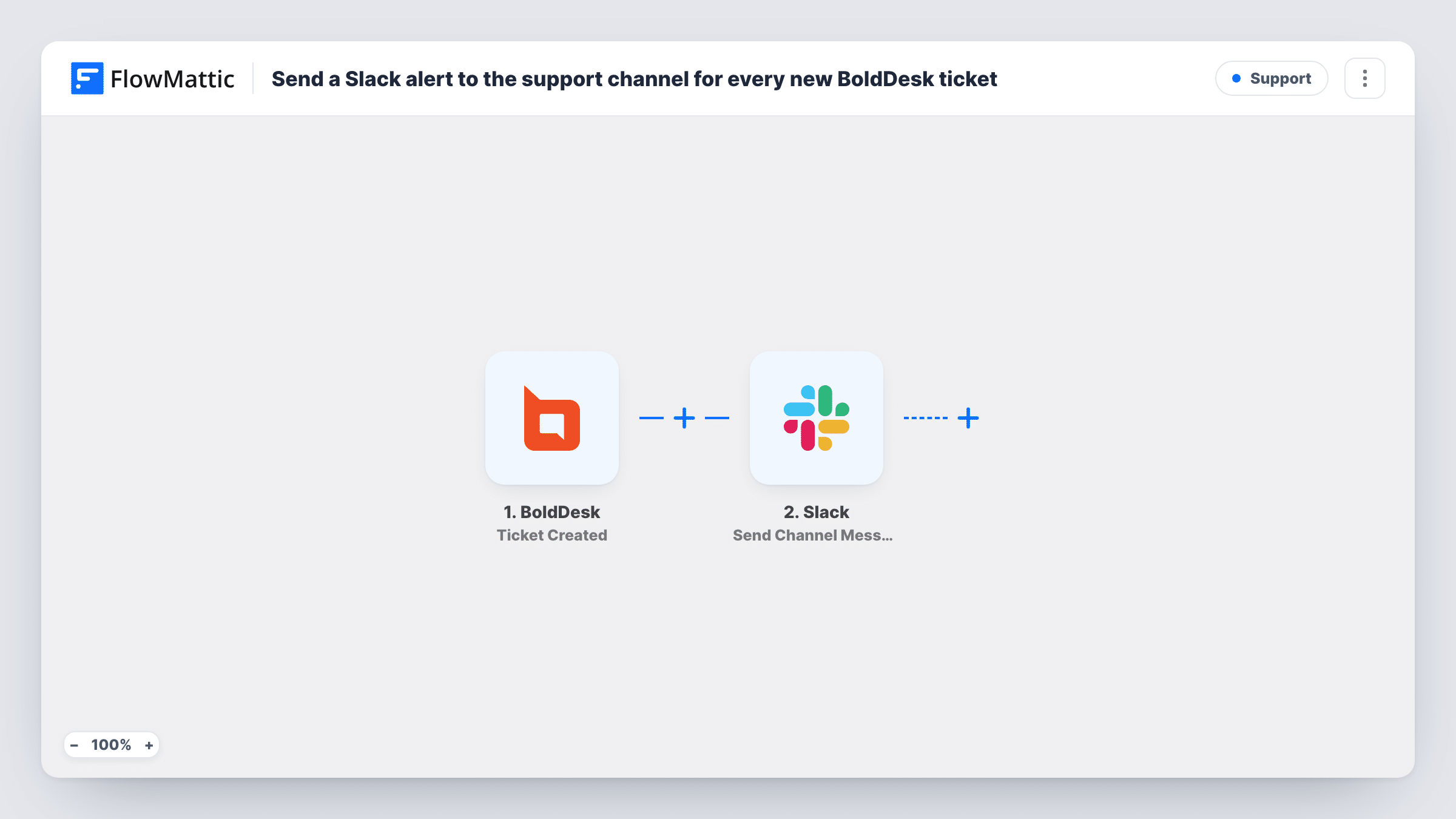
The BoldDesk trigger fires when a ticket is created. The ticket details from that event become values you can place in the message, such as the subject or the requester. Slack then runs Send Channel Message, posting your text to the support channel you set in the step.
Each new ticket produces one message. Replies, notes and property changes on existing tickets don't fire this trigger, so the channel only hears about new requests. The workflow doesn't assign or change tickets in BoldDesk. Task History records each run and Slack's reply.
Small team without a dedicated dispatcher
Everyone watches the #support channel, and whoever is free replies in the thread to claim the BoldDesk ticket before opening it.
After-hours coverage
The on-call agent keeps Slack notifications on for the support channel and sees overnight BoldDesk tickets without checking the help desk.
Product team visibility
Developers who join the support channel see what customers report as it comes in, which helps them spot a new bug early.
How this workflow runs
What happens at each step once the workflow is on, and what you need before you import it.
 BoldDesk Ticket Created
Fires when a new ticket is created in BoldDesk. The ticket's details are passed on so you can include them in the Slack message.
- Slack Send Channel Message
Posts a message about the ticket to your support channel in Slack. Write the text, insert ticket values such as the subject, and connect your Slack workspace on import.
What you need
- FlowMatticCore
- BoldDesk AccountAccount
- Slack AccountAccount
After importing, map your own data. To keep the template universal, not every step is pre-filled. Open each step in the builder and connect your accounts and fields (channels, lists, sheets, recipients) before you switch the workflow on.
Make it yours
Changes worth making after you import it.
- Include the ticket ID or link from the BoldDesk event in the message, if the event carries one, so agents can open the ticket in one click.
- Add a Filter after the trigger that continues only for high-priority tickets if the channel gets too busy, provided the event includes the priority.
- If the support channel is private, replace the Slack step with Send Private Channel Message, since Send Channel Message is for regular channels.
Questions about this workflow
Do replies to a BoldDesk ticket post to Slack as well?
No. This template uses the Ticket Created trigger only. BoldDesk has a separate Reply Created on Ticket trigger you could use in a second workflow.
Can agents answer the BoldDesk ticket from Slack?
No. The message is one-way. Agents read it in Slack and reply to the customer in BoldDesk.
Are tickets created before import posted to the channel?
No. Only tickets created after you switch the workflow on start a run, so older BoldDesk tickets stay out of Slack.
More Support workflows
Other ready-to-import templates from the same category.





Import this workflow into your WordPress site
Download the JSON, import it from the Workflows screen and connect your accounts. Every run stays on your server, with no per-task fees.
30-day money-back guarantee Unlimited workflows and runs Self-hosted