

AI agent that triages bug reports into the backlog
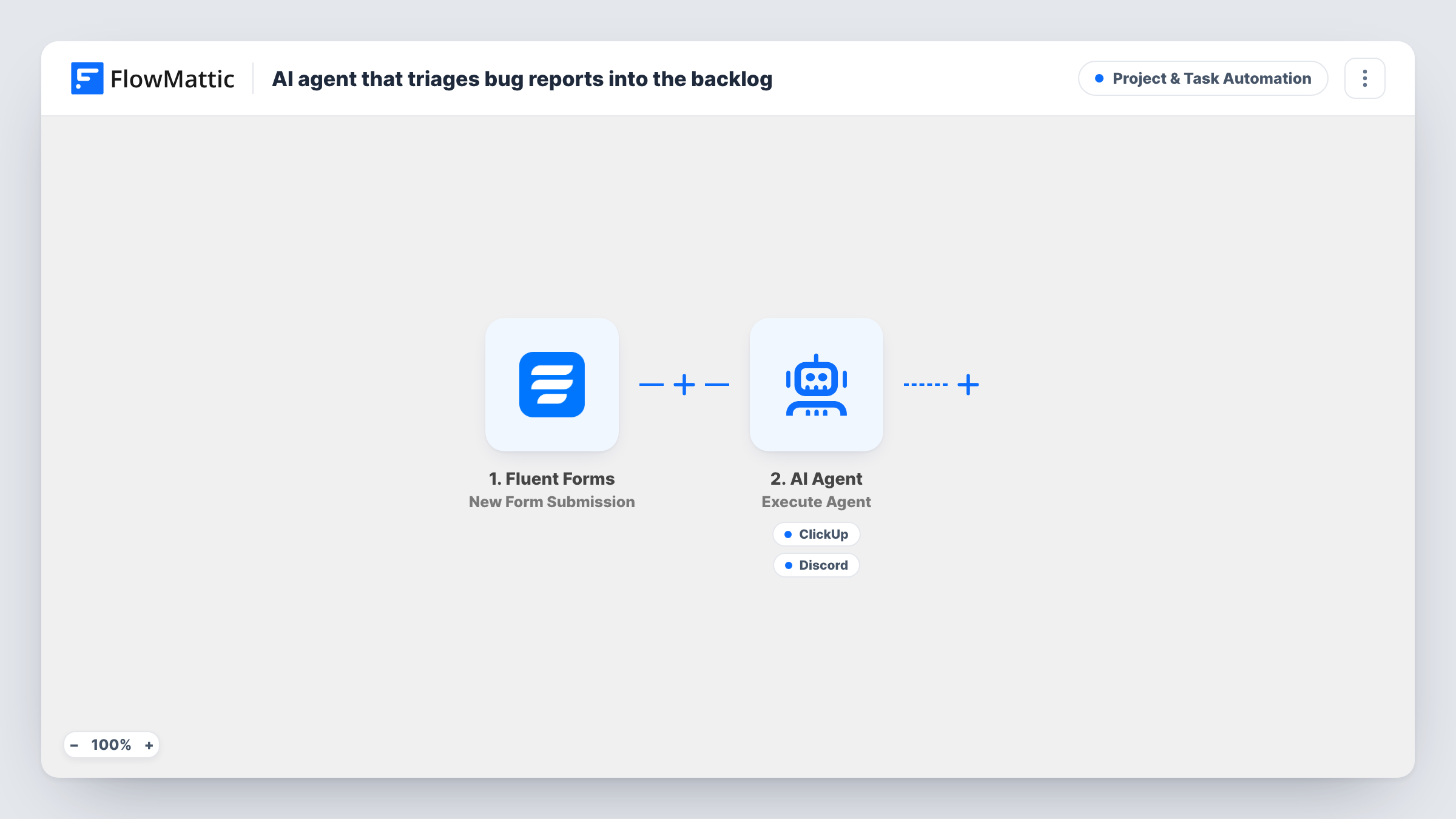
Each bug report sent through Fluent Forms goes to an AI agent that estimates severity, writes clear reproduction steps, and can create a ClickUp task for it and alert your developers in a Discord channel.
 Fluent Forms
 AI Agent
 ClickUp
 Discord
4 steps Setup ~8 min Used on 355 sites Productivity Free to import
What this workflow does
Bug reports from users are hard to act on as written. They mix symptoms with guesses, leave out steps, and arrive without any sense of how serious they are. Someone has to rewrite each one before a developer can use it. This workflow gives that rewrite to an AI agent and puts the result where your developers already work.
A visitor submits your Fluent Forms bug form, and FlowMattic passes their email, the description and the steps they listed to the AI Agent. On OpenAI GPT-4o, the agent is instructed to estimate severity, write clear repro steps, create a ClickUp bug and alert the dev channel. Its ClickUp tool creates a task from a name and description the agent writes. Its Discord tool posts a channel message, also in the agent's words.
The severity estimate is the agent's judgement from the report text, and it lives in the task text, not in a ClickUp priority setting. The agent chooses when to call each tool. For the first reports, open Task History to see the task and the Discord alert it produced, then adjust the system prompt if the format needs work.
SaaS product with a public bug form
Customers report problems in their own words. Developers see a ClickUp task with repro steps and a severity note, plus a Discord ping in the dev channel.
WordPress plugin support
Plugin users submit bugs from your site. The agent turns vague reports into steps a developer can try, before anyone opens the ticket.
Beta testing program
Testers file many short reports. Each becomes a consistent ClickUp task, so the team can sort the backlog without rewriting every entry.
How this workflow runs
What happens at each step once the workflow is on, and what you need before you import it.
 Fluent Forms New Form Submission
Fires on each bug report submitted through Fluent Forms. The reporter's email, the message and the steps field are passed to the AI Agent.
- AI Agent Execute Agent
Sends the report to an AI agent on OpenAI GPT-4o, instructed to estimate severity, write clear repro steps, create a ClickUp bug and alert the dev channel.
- ClickUp Create Task
Agent tool: creates a ClickUp task. The agent writes the task name and the description, including its severity estimate and the repro steps.
- Discord Send Channel Message
Agent tool: posts a message in a Discord channel to alert your developers, worded by the agent from its triage.
What you need
- FlowMatticCore
- Fluent Forms PluginPlugin
- AI ProviderAccount
- ClickUp AccountAccount
- Discord AccountAccount
After importing, map your own data. To keep the template universal, not every step is pre-filled. Open each step in the builder and connect your accounts and fields (channels, lists, sheets, recipients) before you switch the workflow on.
Make it yours
Changes worth making after you import it.
- Describe your severity scale in the agent's system prompt, for example Critical, High, Medium and Low with one line on each, so estimates are consistent between reports.
- Ask the agent to include the reporter's email in the ClickUp description, so a developer can follow up when the repro steps do not work.
- Add a Filter after the trigger that stops runs where the message field is empty, so blank or junk submissions never reach the agent.
Questions about this workflow
Does the ClickUp task get a priority based on the agent's severity estimate?
Not as imported. The ClickUp tool only takes a task name and a description, so the severity appears in the text. Map a priority yourself if the ClickUp action in FlowMattic offers one.
What fields does my Fluent Forms bug form need?
The template uses email, message and steps. Name your fields to match, or remap the agent's input after one test submission.
Will every report become a ClickUp task and a Discord alert?
The agent is told to do both, but it chooses when to call each tool. Check Task History for the first few reports, and refine the system prompt if one is skipped.
Does the bug reporter get a reply?
No. Nothing in the workflow emails the reporter. Add an Email step after the AI Agent if you want to confirm each report was received.
More Project & Task Automation workflows
Other ready-to-import templates from the same category.


Import this workflow into your WordPress site
Download the JSON, import it from the Workflows screen and connect your accounts. Every run stays on your server, with no per-task fees.
30-day money-back guarantee Unlimited workflows and runs Self-hosted