

AI agent that checks for duplicate contacts before adding them
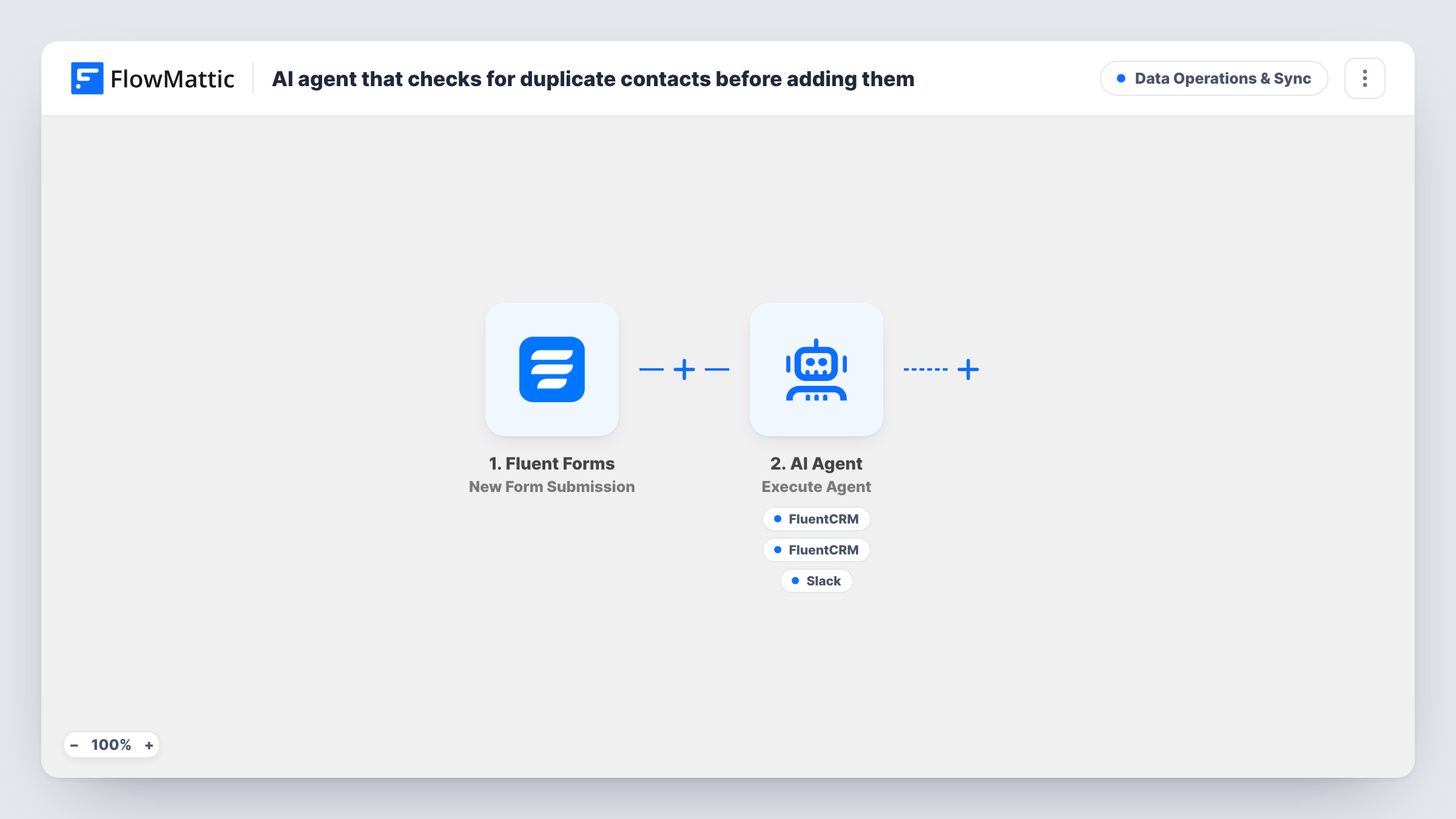
An AI agent takes each Fluent Forms contact, looks them up in FluentCRM by email, creates or updates the contact, and reports what it did in a Slack channel.
 Fluent Forms
 AI Agent
 FluentCRM
 Slack
Slack5 steps Setup ~8 min Used on 1.5k sites Data Ops Free to import
What this workflow does
When the same person fills in your forms more than once, you want one contact in your CRM with current details, not a pile of near-copies. You also want to know whether a submission brought in someone new or someone you already had. This workflow gives that job to an AI agent and has it tell your team the outcome.
A new Fluent Forms submission starts the run. The AI Agent is given the person's name and email address. It is instructed to check whether the contact already exists by email, update and note it if so, otherwise create them, and summarise what it did. Its tools match those instructions: FluentCRM Get Contact by Email for the lookup, FluentCRM Create or Update Contact for the save, and a Slack channel message for the summary.
The save tool maps the whole name field into the contact's first name, so a submitted full name lands there as one value. The agent chooses when to call each tool, so check Task History for your first runs to see the order it used. The model is OpenAI's GPT-4o, connected through your own AI account.
Repeat enquiries from the same client
A client who uses your contact form twice stays one FluentCRM contact, and the Slack summary tells your team it was an existing person.
Spotting new leads in a busy channel
Sales can see from each Slack summary whether the agent created a brand-new contact or updated one, without opening FluentCRM.
Several forms feeding one CRM
Copy the workflow for each Fluent Forms form you run, and entries from all of them are checked against FluentCRM by email before they are saved.
How this workflow runs
What happens at each step once the workflow is on, and what you need before you import it.
 Fluent Forms New Form Submission
Every new entry on your Fluent Forms form starts the run. The name and email fields are passed to the AI Agent, so your form needs fields with those names.
- AI Agent Execute Agent
The AI Agent reads the contact's name and email and follows its instructions: look up by email, update or create, then summarise. Connect the AI account it should run on.
- FluentCRM Get Contact by Email
The agent's lookup tool. It searches FluentCRM for a contact with the submitted email address and returns what it finds, so the agent knows whether the person exists.
- FluentCRM Create or Update Contact
The agent's save tool. It creates or updates the FluentCRM contact using the submitted email, with the form's name field placed in the first name.
- Slack Send Channel Message
The agent's reporting tool. It posts the agent's own summary of what happened to a Slack channel. Connect Slack and confirm the channel with a test submission.
What you need
- FlowMatticCore
- Fluent Forms PluginPlugin
- AI ProviderAccount
- FluentCRM PluginPlugin
- Slack AccountAccount
After importing, map your own data. To keep the template universal, not every step is pre-filled. Open each step in the builder and connect your accounts and fields (channels, lists, sheets, recipients) before you switch the workflow on.
Make it yours
Changes worth making after you import it.
- If your form asks for a first name on its own, map that answer into the first name in the Create or Update Contact tool instead of the full name field, then confirm the result with a test run.
- Ask the agent in its instructions to mention new versus existing in the first words of each Slack summary, so your team can scan the channel quickly.
- Submit the same email twice in a row after import, then look in FluentCRM and Slack to confirm the second run updated the contact rather than adding a new one.
Questions about this workflow
Could this workflow create a duplicate FluentCRM contact?
The save tool is Create or Update Contact, keyed on email, so a person already in FluentCRM is updated rather than added twice. A different email address for the same person counts as a new contact.
Why use an AI agent when Create or Update Contact matches on email?
The agent adds the lookup and a written summary of the outcome in Slack. If you only need the contact saved, a plain FluentCRM step after the trigger does that without an AI call.
Where does the agent note an existing contact?
In the Slack summary it writes. The instructions ask it to note it, and Slack is the only reporting tool it has. Nothing is written to the contact record about the check.
Does it need FluentCRM on the same site as Fluent Forms?
Yes. Both are WordPress plugins and both steps run inside FlowMattic on that site. You also need a Slack workspace and an AI provider account.
More Data Operations & Sync workflows
Other ready-to-import templates from the same category.




Import this workflow into your WordPress site
Download the JSON, import it from the Workflows screen and connect your accounts. Every run stays on your server, with no per-task fees.
30-day money-back guarantee Unlimited workflows and runs Self-hosted