

AI agent that builds a mini research dossier for each lead
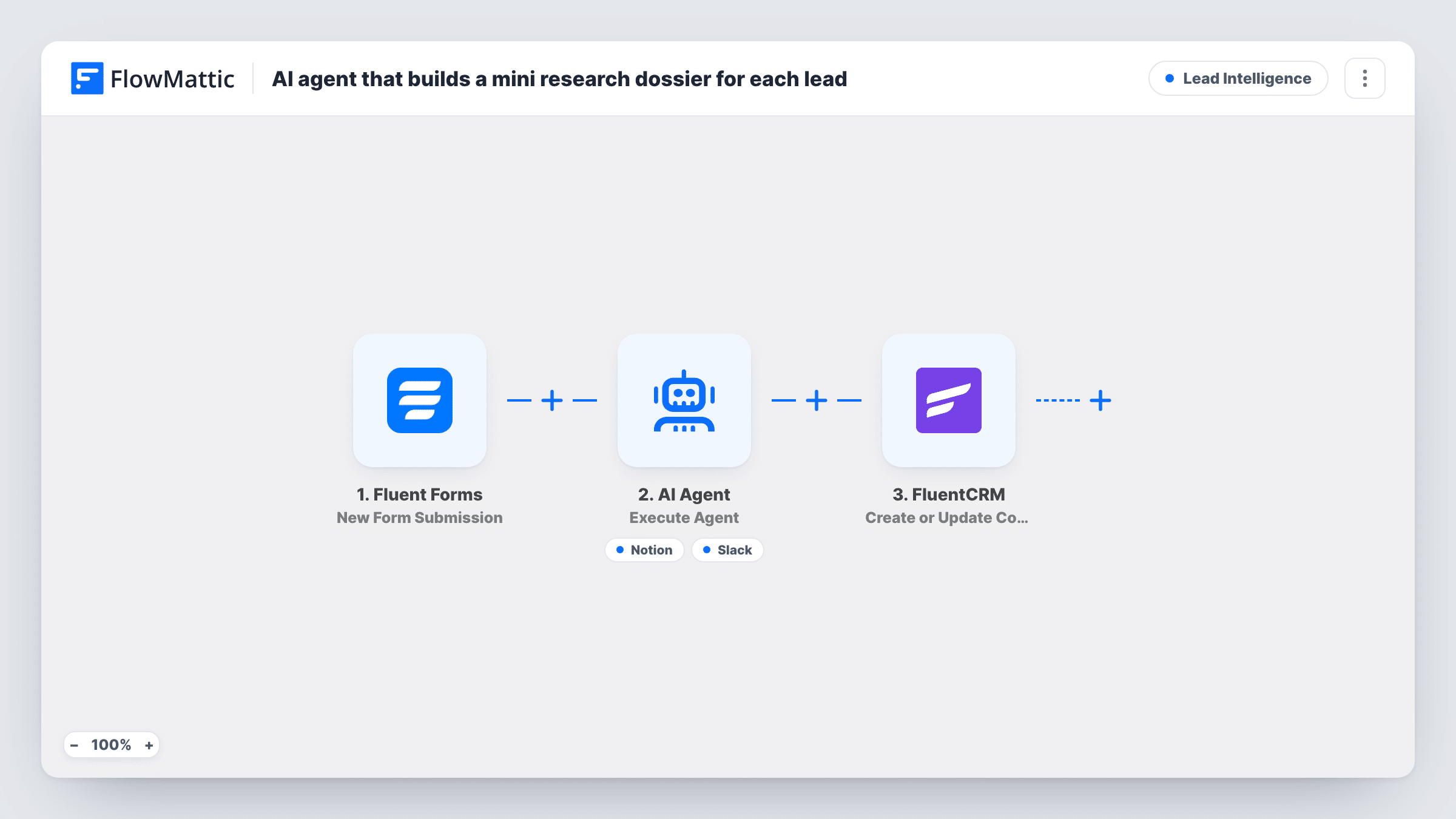
For each Fluent Forms lead, an AI agent drafts a short sales brief covering needs, talking points and likely objections, saves it as a Notion page, can post about it in Slack, and the lead is then saved in FluentCRM.
 Fluent Forms
 AI Agent
 Notion
 Slack
Slack
 FluentCRM
5 steps Setup ~8 min Used on 3.3k sites Growth Free to import
What this workflow does
A rep who opens a call knowing what the lead probably wants, and what might make them hesitate, has a better first conversation. Writing that prep for every lead takes time most teams skip. This workflow asks an AI agent to draft it the moment the lead arrives, and puts the result where your team works.
A Fluent Forms submission starts each run. The AI Agent is given the lead's name, company, website and message. It is told to write a concise sales dossier with needs, talking points and likely objections, save it to Notion and share the link in Slack. Its tools are Notion Create Page, with the title and content left for the agent to write, and a Slack channel message.
As imported, the agent has no web tool. It works from what the lead typed and from the model's general knowledge, so treat the dossier as a starting point until you add the FlowMattic Browser tool described in the tips. After the agent step, a fixed FluentCRM step creates or updates the lead as a contact by email, with the whole name in the first name. That step runs on every submission, whatever the agent did.
B2B demo requests
Prospects book a demo through a form that asks for company and website. The rep opens a Notion brief with angles and objections to expect before the call.
Agency new-business enquiries
Each enquiry gets a short dossier your account lead can skim in Notion, and the Slack post tells the team a new brief is ready.
Consultants qualifying inbound leads
A solo consultant reads the agent's take on each lead's likely needs and decides which ones to call first, with every lead already stored in FluentCRM.
How this workflow runs
What happens at each step once the workflow is on, and what you need before you import it.
 Fluent Forms New Form Submission
Starts when a lead sends your Fluent Forms form. The name, email, company, website and message fields are used later, so your form needs fields with those names.
- AI Agent Execute Agent
The AI Agent reads the lead's name, company, website and notes, then writes a dossier of needs, talking points and objections and uses its tools to save and share it.
- Notion Create Page
The agent's Notion tool. It creates a page whose title and content the agent writes. Connect Notion and run a test to confirm where the new page is created.
- Slack Send Channel Message
The agent's Slack tool. The agent writes the message, which its instructions say should share the dossier link. Connect Slack and confirm the channel with a test.
- FluentCRM Create or Update Contact
After the agent finishes, creates or updates the lead in FluentCRM using the form's email, with the name field as the first name. This step does not depend on the agent's result.
What you need
- FlowMatticCore
- Fluent Forms PluginPlugin
- AI ProviderAccount
- Notion AccountAccount
- Slack AccountAccount
- FluentCRM PluginPlugin
After importing, map your own data. To keep the template universal, not every step is pre-filled. Open each step in the builder and connect your accounts and fields (channels, lists, sheets, recipients) before you switch the workflow on.
Make it yours
Changes worth making after you import it.
- Describe what you sell and who you sell to in the agent's instructions. The dossier's talking points are only as specific as the context the agent is given.
- Add a tag or list to the FluentCRM step, or a step after it, so leads with a dossier are easy to find in your CRM and in your follow-up sequences.
- Ask the agent to start each Notion page title with the company name, so the dossiers sort cleanly in your workspace.
- Give the agent the FlowMattic Browser tool, Browse URL, so it can open the lead's website and base the dossier on the live page. The tool runs on Cloudflare Browser Rendering, which you connect in FlowMattic Settings.
Questions about this workflow
Does the AI agent look up the lead's website or company online?
Not as imported. It writes from the name, company, website address and message on the form, plus what the model already knows. Add the FlowMattic Browser tool and it can open the website the lead entered before writing.
Will the Slack post include the Notion link every time?
Its instructions ask for the link, but the agent writes the Slack message itself and decides when to call each tool. Check Task History on your first leads to see what it posted.
What happens in FluentCRM if the lead is already a contact?
The step is Create or Update Contact, so an existing contact with that email is updated rather than duplicated. The full name from the form goes into the first name.
Which accounts does this Notion and Slack workflow need?
Fluent Forms and FluentCRM on your WordPress site, a Notion workspace, a Slack workspace, and an AI provider account. GPT-4o from OpenAI is the dossier writer's default model.
More Lead Intelligence workflows
Other ready-to-import templates from the same category.




Import this workflow into your WordPress site
Download the JSON, import it from the Workflows screen and connect your accounts. Every run stays on your server, with no per-task fees.
30-day money-back guarantee Unlimited workflows and runs Self-hosted