

Route healthcare and finance leads to industry specialists
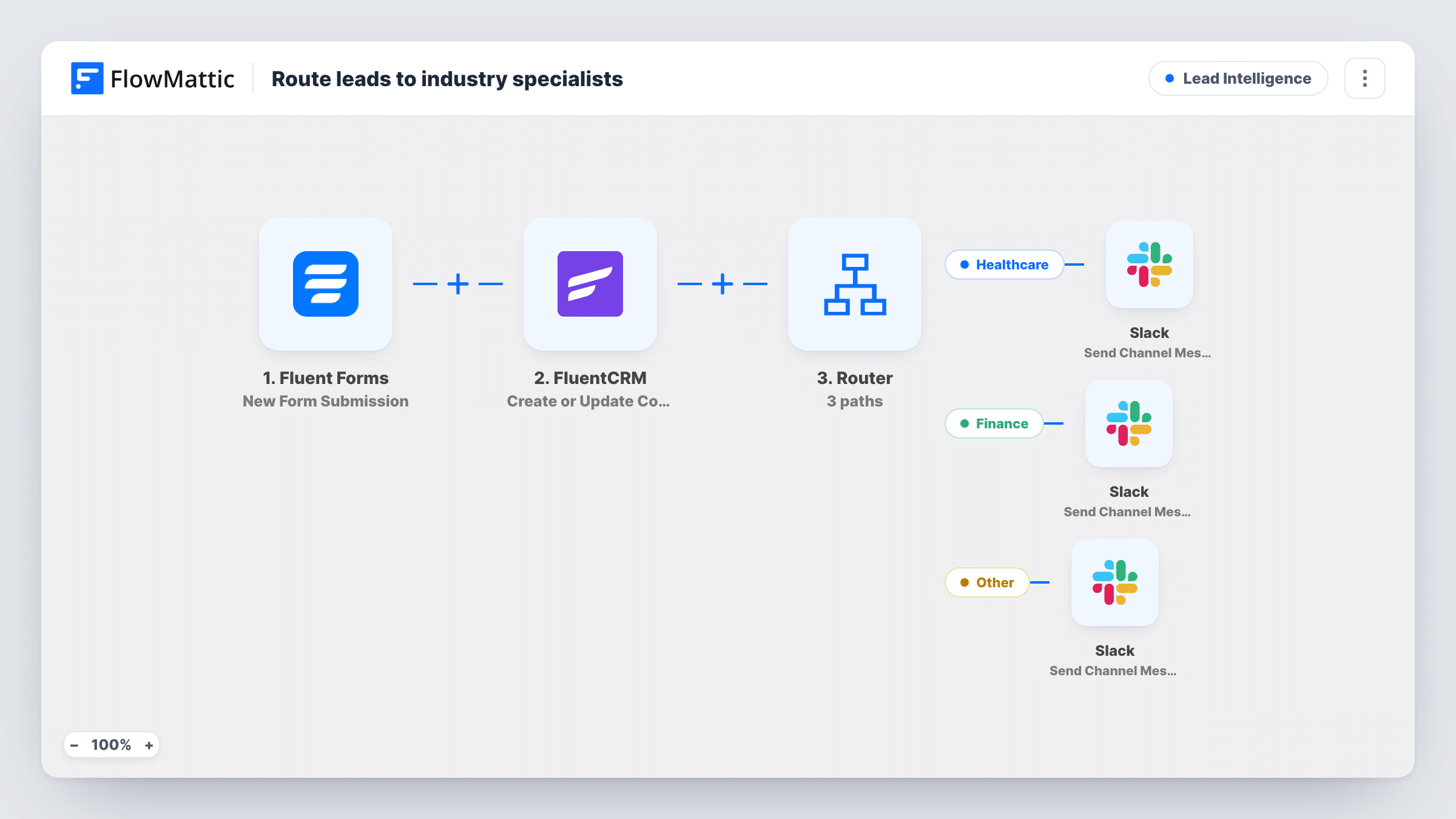
Each Fluent Forms lead is saved to FluentCRM, then a Router checks the industry answer: healthcare leads are posted to one Slack channel and finance leads to another, so specialists see their own.
 Fluent Forms
 FluentCRM
 Router
 Slack
Slack5 steps Setup ~8 min Used on 787 sites Growth Free to import
What this workflow does
Regulated industries usually need someone who speaks their language. A healthcare buyer asks about patient data, a finance buyer about audit trails, and a general rep loses time handing them over. This workflow keeps every lead in FluentCRM and alerts the right specialist group the moment one of their industry fills in your form.
The Fluent Forms trigger hands each new enquiry to FlowMattic as it is submitted. The FluentCRM Create or Update Contact step saves the lead using the email and name answers, or updates the contact that already has that email. Every lead is stored, whatever their industry.
A Router then reads the industry field. The Healthcare route runs when it contains Health and posts Healthcare lead with the person's name to Slack. The Finance route runs when it contains Finance and posts Finance lead to Slack. Point each Slack step at the channel for that specialist group.
The check ignores upper and lower case but needs those letters in that order. Healthcare and healthcare both match Health, while Financial services doesn't contain Finance. An answer such as Healthcare Finance would match both routes. Use a dropdown with fixed options, and leads from any other industry are saved to FluentCRM with no Slack alert.
Health tech sales with a dedicated pod
A software vendor sells to clinics and banks. Its contact form asks for industry, and clinic enquiries ping the healthcare pod's channel while everyone else is handled by the general team.
Consultancy with sector specialists
A consultancy's partners each own a sector. Finance enquiries alert the finance partner's channel, and all leads land in FluentCRM for newsletters.
Compliance questions reaching the right people
Leads from regulated sectors often ask detailed security questions. Routing them to specialists in Slack means the first reply comes from someone who can answer.
How this workflow runs
What happens at each step once the workflow is on, and what you need before you import it.
 Fluent Forms New Form Submission
Runs whenever someone submits your Fluent Forms lead form. The template reads fields named email, name and industry, so match them to the fields on your form.
- FluentCRM Create or Update Contact
Creates a FluentCRM contact from the email and name, or updates the existing contact with that email. The last name is left blank in the template.
- Router 2 paths
Checks the industry answer: the Healthcare route runs when it contains Health and the Finance route when it contains Finance. Both conditions ignore capitals and are examples to edit to match your form.
- Slack Send Channel Message
On the Healthcare route, posts Healthcare lead and the person's name to Slack. Choose the healthcare specialists' channel after import.
- Slack Send Channel Message
On the Finance route, posts Finance lead and the person's name to Slack. Point it at the finance specialists' channel, which can differ from the healthcare one.
What you need
- FlowMatticCore
- Fluent Forms PluginPlugin
- FluentCRM PluginPlugin
- Slack AccountAccount
After importing, map your own data. To keep the template universal, not every step is pre-filled. Open each step in the builder and connect your accounts and fields (channels, lists, sheets, recipients) before you switch the workflow on.
Make it yours
Changes worth making after you import it.
- Make industry a dropdown in Fluent Forms with options like Healthcare, Finance and Other, so each lead matches one route and every answer is spelled the same way.
- Map the lead's email, company and message into both Slack messages, so specialists can reply without opening FluentCRM.
- Add a FluentCRM Add Tags to Contact step on each route after the Slack step, with a healthcare or finance tag, so you can segment those contacts later.
Questions about this workflow
What happens to leads from other industries?
They are saved to FluentCRM like every lead, but no route matches, so no Slack message is posted. Add a third route with its own Slack step if the general team should hear about them.
Can one Fluent Forms lead alert both Slack channels?
Yes, if the industry answer contains both Health and Finance, because the Router runs every matching route. Fixed dropdown options that contain only one of the words prevent that.
Will a lead who answers Financial services reach the finance channel?
No. Financial doesn't contain the letters Finance, so the route doesn't match. Change the condition to Financ, or use a dropdown option that includes Finance.
Does FluentCRM create duplicates for repeat enquiries?
No. The Create or Update Contact step matches on email, so a second enquiry from the same address updates that contact.
More Lead Intelligence workflows
Other ready-to-import templates from the same category.







Import this workflow into your WordPress site
Download the JSON, import it from the Workflows screen and connect your accounts. Every run stays on your server, with no per-task fees.
30-day money-back guarantee Unlimited workflows and runs Self-hosted