

Send complete records to the CRM and hold incomplete ones
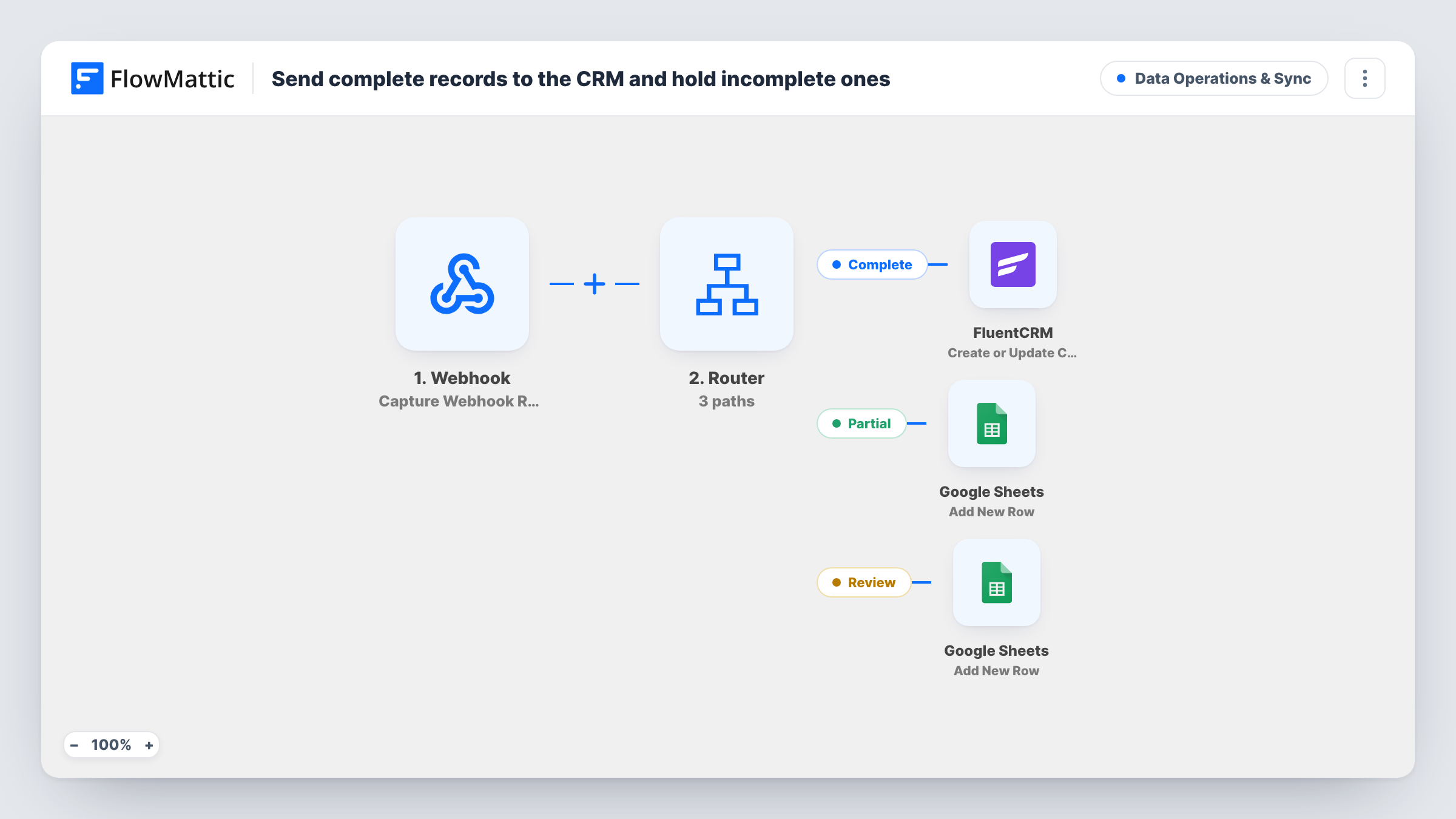
A Branch checks each record sent to your webhook for an email and a first name. Complete records go to FluentCRM as contacts; incomplete ones are added to a Google Sheets holding sheet.
 Webhook
 Branch
 FluentCRM
 Google Sheets
4 steps Setup ~8 min Used on 2.2k sites Data Ops Free to import
What this workflow does
Contacts with missing details cause trouble later: an email without a name breaks your greeting merge tags, and a name without an email can't be mailed at all. Rather than letting those records into your CRM, this workflow parks them in a spreadsheet where someone can fill the gaps.
A Webhook trigger receives each record from the system that sends it, with fields named email, first and last. A Branch labelled Record complete? then checks that both email and first are not empty. Both conditions must hold for the yes path.
On the yes path, the FluentCRM step creates the contact, or updates the existing one with that email address, using the email, first name and last name already mapped. On the no path, a Google Sheets step adds a row to your holding sheet. That step ships unmapped, so after import choose the spreadsheet and map the fields you want to keep, including whichever of the two is missing.
Each record takes one path. The last name isn't checked, so a record with an email and a first name but no last name still reaches FluentCRM. No list or tag is set on the contact in the template; add them in the FluentCRM step if you need them.
Clean imports from a lead source
A marketing team receives leads from a partner's system by webhook, and entries missing a first name wait in a sheet until someone looks up the person.
Event check-in data with gaps
A conference app posts each attendee record, and walk-ins entered without an email are held in Google Sheets for staff to complete before they reach the newsletter.
Quality gate for a custom form
A developer's custom signup form posts to the webhook, and the holding sheet shows how often people skip the name field.
How this workflow runs
What happens at each step once the workflow is on, and what you need before you import it.
 Webhook Capture Webhook Response
Receives records posted to the workflow's webhook URL. The payload should carry fields named email, first and last, since the Branch and the FluentCRM step read those names.
- Branch Record complete?
Checks that the email and first fields are both not empty. When both have a value, the record takes the yes path to FluentCRM; if either is blank, it takes the no path to Google Sheets.
- FluentCRM Create or Update Contact
On the yes path, creates a FluentCRM contact or updates the one with the same email, filling email, first name and last name from the webhook record.
- Google Sheets Add New Row
On the no path, adds a row to your holding sheet. The step ships unmapped: connect Google, pick the spreadsheet and map the incoming fields into its columns.
What you need
- FlowMatticCore
- FluentCRM PluginPlugin
- Google Sheets AccountAccount
After importing, map your own data. To keep the template universal, not every step is pre-filled. Open each step in the builder and connect your accounts and fields (channels, lists, sheets, recipients) before you switch the workflow on.
Make it yours
Changes worth making after you import it.
- Add an empty Status column to the holding sheet that your team fills in as they fix each row, so finished rows are easy to tell apart.
- Turn on Require authentication on incoming requests in the Webhook trigger, so only your own systems can post records.
- To also require a last name, add a third is not empty condition on last to the Branch between the Webhook trigger and the FluentCRM step.
- Pick a FluentCRM list or tag in the Create or Update Contact step if contacts from this source should join a particular segment.
Questions about this workflow
What counts as a complete record for FluentCRM here?
A record whose email and first fields are both filled. The last name is passed to FluentCRM when present but isn't required by the Branch.
Does FluentCRM create a duplicate if the email already exists?
No. Create or Update Contact matches by email address, so an existing contact with that email is updated with the first and last name from the record.
Are held records sent on to FluentCRM after I fix them in Google Sheets?
Not by this workflow. Rows in the holding sheet stay there. Once you complete a row, add the contact in FluentCRM yourself or post the corrected record to the webhook again.
Is the email address checked for a valid format?
No. The Branch only checks that the field isn't empty, so a typo such as a missing @ still takes the yes path. FluentCRM may refuse it, and you can read its reply for that run in Task History.
More Data Operations & Sync workflows
Other ready-to-import templates from the same category.




Import this workflow into your WordPress site
Download the JSON, import it from the Workflows screen and connect your accounts. Every run stays on your server, with no per-task fees.
30-day money-back guarantee Unlimited workflows and runs Self-hosted