

Filter link-stuffed form spam before it reaches your CRM
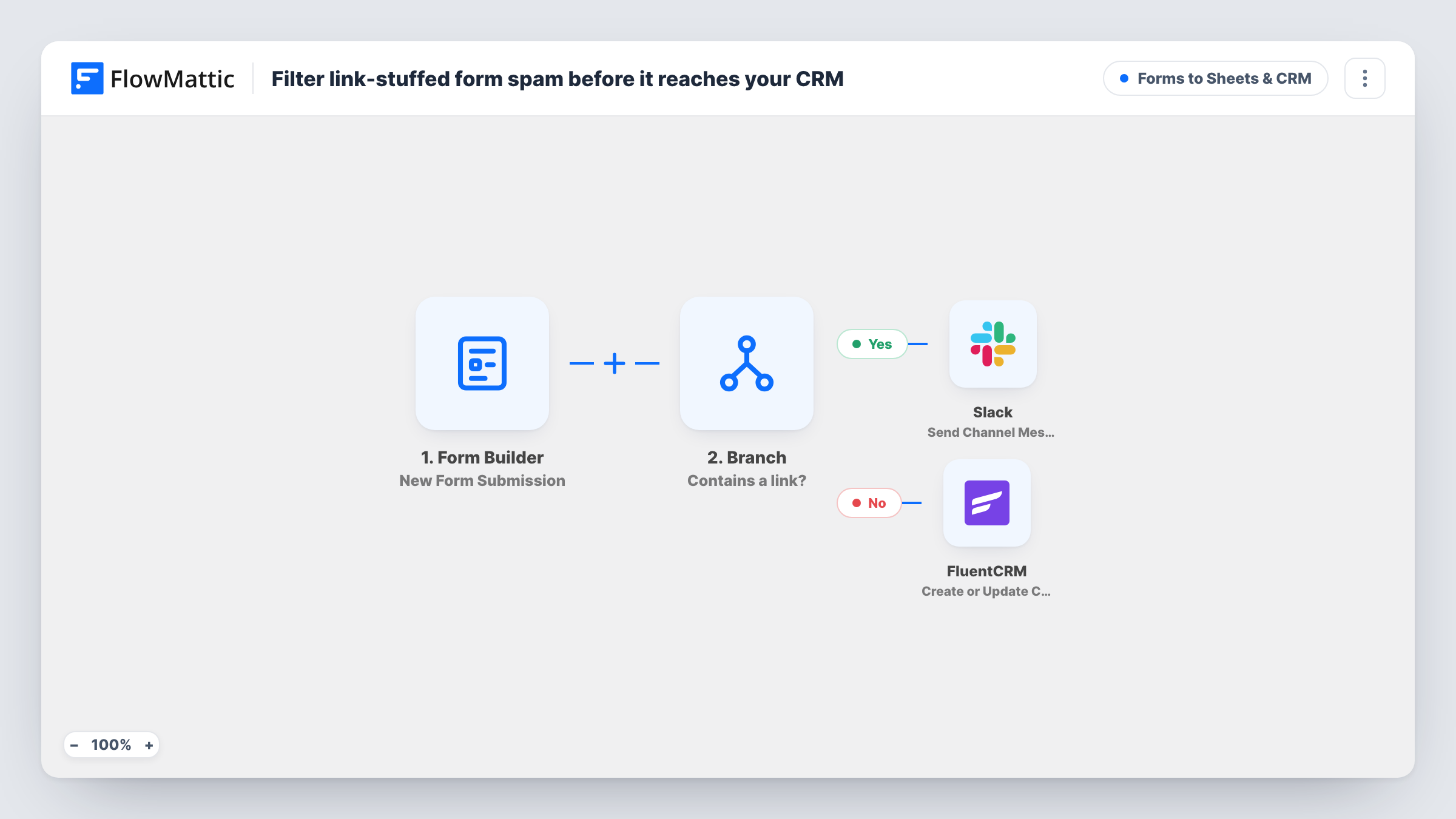
A Branch checks each FlowMattic Forms message for “http”. Messages with a link are posted to Slack for review; the rest go into FluentCRM as new or updated contacts.
 Form Builder
 Branch
 Slack
 FluentCRM
4 steps Setup ~8 min Used on 3.0k sites Lead Capture Free to import
What this workflow does
Spam bots love contact forms, and most of what they send carries links. If every submission goes straight into your CRM, those junk entries end up on your email list and in your reports. This workflow holds back any message that contains a link and lets the others through.
The FlowMattic Forms trigger runs on each new submission to the form you pick. A Branch step labelled "Contains a link?" then checks whether the message field contains the text http. Each submission takes exactly one path: Yes or No.
On the Yes path, Slack receives a channel message flagging possible spam, with the sender's email and the full message, so a person can look before anything is saved. On the No path, the FluentCRM step creates or updates a contact by email, with the name field as the first name. A flagged entry is never added to FluentCRM by this workflow; if it turns out to be genuine, you add that person yourself.
A contact page that bots keep finding
Messages full of URLs to unrelated sites land in a Slack review channel instead of filling FluentCRM with fake contacts.
Agency enquiry forms
Real prospects who write a plain message go straight into FluentCRM, while anyone pasting a link waits for a team member to check it in Slack.
Keeping a newsletter list clean
A sign-up form with a message box feeds FluentCRM only with entries that pass the link check, so link-dropping bots stay off the list.
How this workflow runs
What happens at each step once the workflow is on, and what you need before you import it.
 Form Builder New Form Submission
Runs when the FlowMattic form you choose receives a new submission. The name, email and message fields are handed to the Branch and the steps on each path.
- Branch Evaluate Condition
Checks whether the message field contains the text http. If it does, the run takes the Yes path to Slack. If it does not, it takes the No path to FluentCRM.
- Slack Send Channel Message
Yes path. Posts a channel message saying there is possible spam, with the sender's email address and their message. Pick the Slack channel your team uses for review.
- FluentCRM Create or Update Contact
No path. Adds the sender to FluentCRM as a contact, or refreshes the record if their email is already there. The form's email and name fields are mapped to email and first name.
What you need
- FlowMatticCore
- Slack AccountAccount
- FluentCRM PluginPlugin
After importing, map your own data. To keep the template universal, not every step is pre-filled. Open each step in the builder and connect your accounts and fields (channels, lists, sheets, recipients) before you switch the workflow on.
Make it yours
Changes worth making after you import it.
- Links written without http, such as www.example.com, pass the check as imported. Add a second condition to the Branch for www so those messages take the Yes path too.
- Change the Slack message to include the submitter's name and the form name, so whoever reviews it in Slack has everything needed to decide.
- Want a heads-up on clean leads as well? Add a second Slack step after FluentCRM on the No path that posts to a sales channel.
Questions about this workflow
Does one link in a FlowMattic Forms message count as spam?
Yes. The Branch checks only whether the message contains http, so a single link sends the entry to Slack. The workflow does not count links.
Can a flagged entry still reach FluentCRM?
No. Each run takes one Branch path, and the Yes path only posts to Slack. Add the contact by hand if a flagged message turns out to be real.
Is the submission deleted when it looks like spam?
No. The workflow does not change or delete the entry in FlowMattic Forms. It only decides whether the person is sent to Slack or added to FluentCRM.
Which Slack channel gets the possible-spam alerts?
The one you pick in the Slack step after you connect your workspace. Send Channel Message posts to a channel; use a channel your reviewers watch.
More Forms to Sheets & CRM workflows
Other ready-to-import templates from the same category.





Import this workflow into your WordPress site
Download the JSON, import it from the Workflows screen and connect your accounts. Every run stays on your server, with no per-task fees.
30-day money-back guarantee Unlimited workflows and runs Self-hosted