

Send a personalized welcome card to every form signup
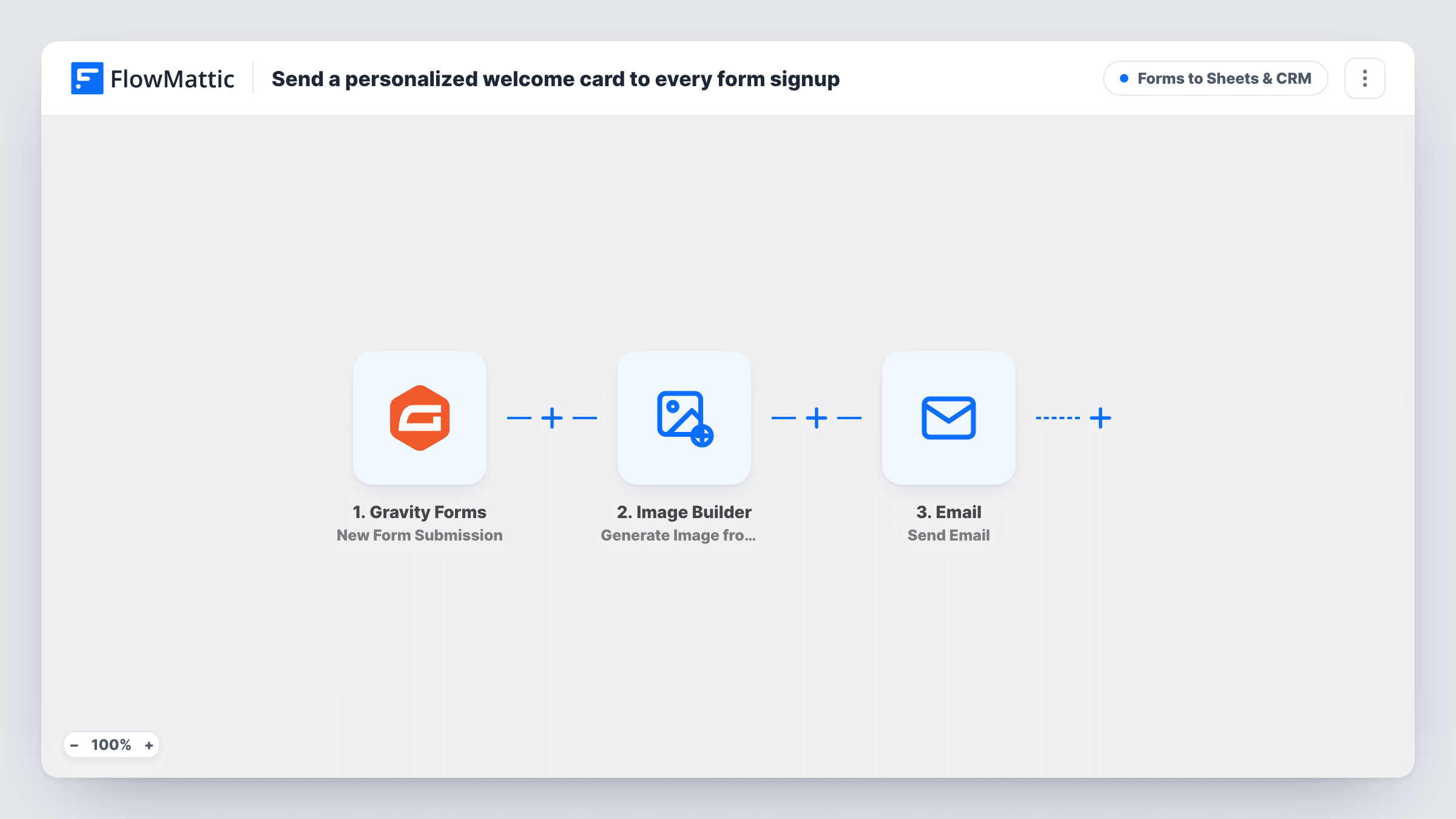
When someone submits a Gravity Forms form, FlowMattic renders a welcome card from your Image Builder template with their name, then emails them a welcome message with a link to the card.
 Gravity Forms
 Image Builder
 Email
3 steps Setup ~5 min Used on 2.7k sites Lead Capture Free to import
What this workflow does
A standard welcome email looks like every other one in the inbox. A card with the person's own name on your design is more personal and easy to share. This workflow makes one for each Gravity Forms sign-up and sends it to them.
The Gravity Forms trigger runs on each new submission. The Image Builder step then renders a saved image template through Cloudflare Browser Rendering and saves the PNG to your Media Library, named welcome- plus the person's name. It points at template ID 8, so pick your own template and map the name and any other form fields into its tokens.
Finally, the Email step sends a welcome message to the submitted email address, with the person's name in the subject and a link to the card in the body. The template's field references for name and email may not match your form, so remap them after a test submission.
Community or membership sign-ups
New members who join through a Gravity Forms registration form get a card with their name on your community's design, ready to share.
Event registrations
Attendees who register with a Gravity Forms form receive a personalized card that doubles as a friendly confirmation of their place.
Newsletter subscribers
A creator's sign-up form greets each subscriber with an image card carrying their name, instead of a plain text welcome.
How this workflow runs
What happens at each step once the workflow is on, and what you need before you import it.
 Gravity Forms New Form Submission
Fires on each new Gravity Forms submission on your site. The submitted name, email and other fields become available for the image and the email.
- Image Builder Generate Image from Template
Renders your Image Builder template with the person's details and saves the PNG to the Media Library as welcome-{name}. Swap template ID 8 for your own and map the form fields into its tokens.
 Email Send Email
Sends the person a welcome email at the address they entered, with their name in the subject and the card's URL in the body. Mail goes out through WordPress or your SMTP settings.
What you need
- FlowMatticCore
- Gravity Forms PluginPlugin
After importing, map your own data. To keep the template universal, not every step is pre-filled. Open each step in the builder and connect your accounts and fields (channels, lists, sheets, recipients) before you switch the workflow on.
Make it yours
Changes worth making after you import it.
- If you have several Gravity Forms, check whether the trigger lets you choose one form. If not, add a Filter after it so only your sign-up form makes cards.
- Attach the PNG to the email with the Email step's attachment option, so the card arrives inside the message rather than only as a link.
- Names with spaces end up in the filename. Map a cleaner value, such as the entry ID, into the filename if you prefer tidy Media Library names.
Questions about this workflow
Does the Gravity Forms welcome card need Cloudflare Browser Rendering?
Yes. Image Builder renders templates through Cloudflare Browser Rendering, so FlowMattic needs that set up before the card can be created.
Is the welcome card attached to the email?
Not as imported. The email body links to the PNG in your Media Library. FlowMattic's Email step can attach files from your site if you want it inside the message.
Will every Gravity Forms submission get a card?
Yes, as imported. There is no Filter, so any form submission that triggers the workflow creates an image and sends the email.
What if the form has no email field?
The Email step has no address to send to and the message can't be delivered. Use the workflow with forms that collect an email, and map that field in the Email step.
More Forms to Sheets & CRM workflows
Other ready-to-import templates from the same category.







Import this workflow into your WordPress site
Download the JSON, import it from the Workflows screen and connect your accounts. Every run stays on your server, with no per-task fees.
30-day money-back guarantee Unlimited workflows and runs Self-hosted