

Add subscriber to HubSpot contact list when subscription activates
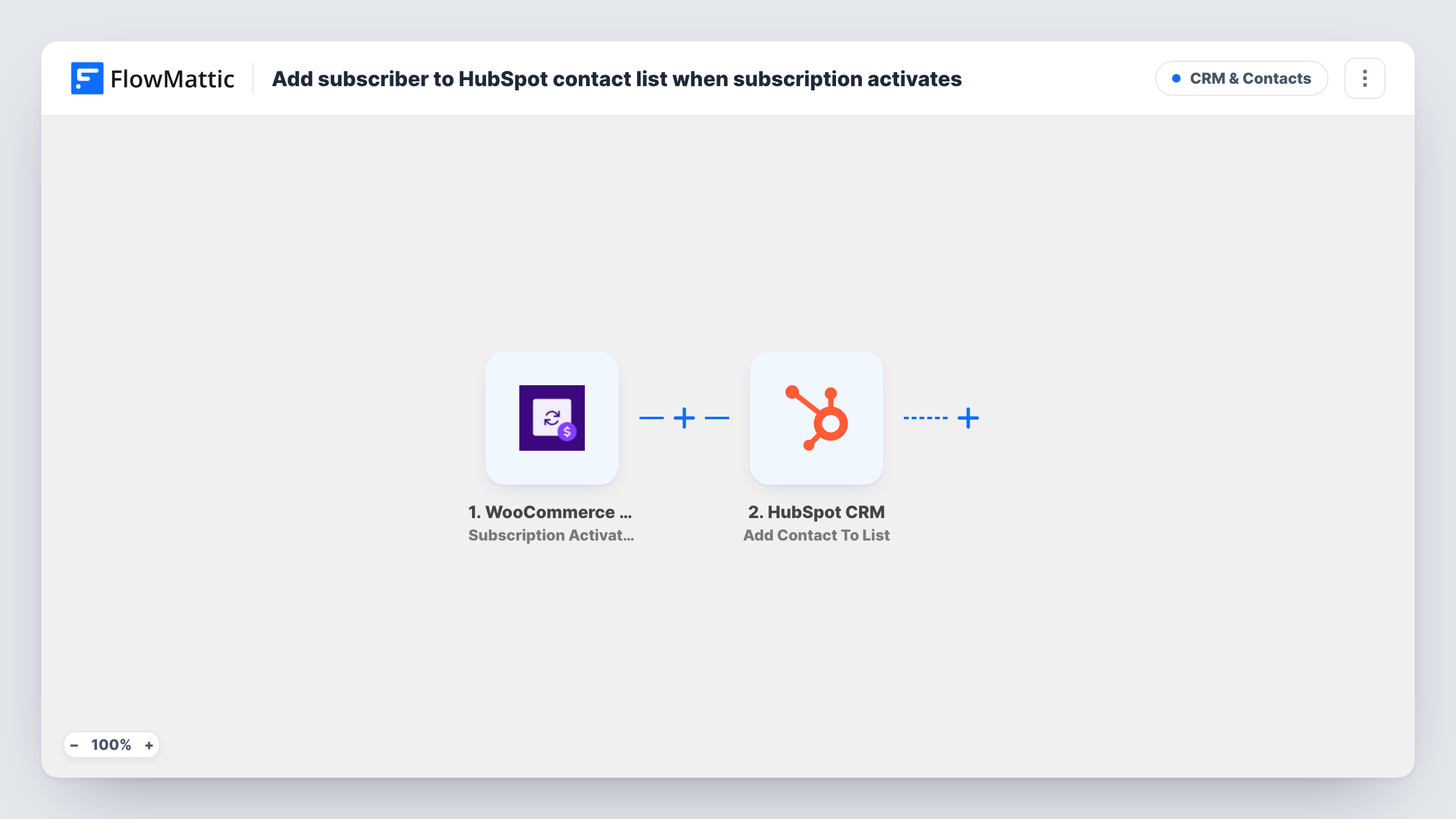
When a WooCommerce subscription becomes active, FlowMattic creates the subscriber as a HubSpot contact and adds that contact to a static HubSpot list you pick, ready for follow-up.
 WooCommerce Subscriptions
 HubSpot CRM
3 steps Setup ~5 min Used on 2.0k sites Free to import
What this workflow does
Paying subscribers are the people your sales and success teams most want to see in HubSpot, grouped so they can be emailed or reviewed together. Keeping that list up to date by hand means exporting from WooCommerce. This workflow adds each subscriber to HubSpot when their subscription turns active.
The WooCommerce Subscriptions trigger fires when a subscription's status is set to active. That covers a brand-new subscription once its first payment goes through, and also one that becomes active again after being on hold. The subscription and customer details are passed on.
Two HubSpot steps follow. Create Contact makes a new HubSpot contact; map the customer's email, name and any other fields you want. Add Contact To List then puts that contact on a static list. Both steps ship unmapped, so after import you connect HubSpot, map the contact details, choose the list, and map the contact from the previous step into it.
The HubSpot Create Contact action never updates an existing record. If the subscriber's email is already a HubSpot contact, for example after a reactivation, HubSpot may refuse the duplicate. Task History shows the response from each HubSpot step, so test with both a new and a returning subscriber.
Subscriber segment for a box service
A monthly snack-box shop adds every newly active WooCommerce subscriber to a HubSpot list, which its team uses for welcome calls and surveys.
Customer success for a SaaS on WordPress
A software seller running WooCommerce Subscriptions gives each new paying customer a HubSpot contact on an onboarding list for the success team.
Members list for a paid community
A community sells memberships as WooCommerce subscriptions and keeps a HubSpot list of active members for event invitations.
How this workflow runs
What happens at each step once the workflow is on, and what you need before you import it.
 WooCommerce Subscriptions Subscription Activated
Fires when a WooCommerce subscription's status is set to active, including subscriptions that are reactivated. The customer and subscription details become available to the HubSpot steps.
- HubSpot CRM Create Contact
Creates a new contact in HubSpot for the subscriber. The step ships unmapped: connect HubSpot and map the customer's email, first name, last name and any other details you want on the contact.
- HubSpot CRM Add Contact To List
Adds the contact to a static HubSpot list. The step ships unmapped: choose the list, and map the contact created in the previous step so HubSpot knows who to add.
What you need
- FlowMatticCore
- WooCommerce Subscriptions PluginPlugin
- HubSpot CRM AccountAccount
After importing, map your own data. To keep the template universal, not every step is pre-filled. Open each step in the builder and connect your accounts and fields (channels, lists, sheets, recipients) before you switch the workflow on.
Make it yours
Changes worth making after you import it.
- Create the static list in HubSpot before you set up the last step, and give it a clear name such as "Active subscribers", so you can pick it straight away.
- Map the subscription product or plan into a HubSpot contact property, so your team can see what each subscriber pays for without opening WooCommerce.
- Run one test with a brand-new email and one with an email already in HubSpot, then compare both runs in Task History before turning the workflow on.
Questions about this workflow
Does a reactivated WooCommerce subscription run this workflow again?
Yes. The trigger fires whenever a subscription's status is set to active, so a subscription coming back from on hold starts another run. The Create Contact step may then hit an existing HubSpot contact.
What if the subscriber is already a HubSpot contact?
Create Contact is create-only, so HubSpot may refuse a contact with an email it already holds. Check Task History for what HubSpot returned on that run.
Will this work with an active list in HubSpot for my subscribers?
No. This template's list step targets a static HubSpot list only. HubSpot fills active lists from their own filters, so pick a static list here, or build an active list on a property you map.
Are my current WooCommerce subscribers added when I turn this on?
No. Only subscriptions that become active after the workflow is switched on start a run. Import existing subscribers into HubSpot separately.
More CRM & Contacts workflows
Other ready-to-import templates from the same category.






Import this workflow into your WordPress site
Download the JSON, import it from the Workflows screen and connect your accounts. Every run stays on your server, with no per-task fees.
30-day money-back guarantee Unlimited workflows and runs Self-hosted