

Analyze the AI Response and send alerts to team on Slack
Each reply your FlowMattic Chatbot gives is sent to ChatGPT with a prompt you write, and ChatGPT’s analysis is posted to a Slack channel so your team can review the bot’s answers.
 FlowMattic Chatbot
 OpenAI (ChatGPT)
 Slack
Slack3 steps Setup ~5 min Used on 2.9k sites Free to import
What this workflow does
A support chatbot answers visitors when nobody is watching. That is the point, but you still want to know when it gives a weak, wrong or off-brand answer. Reading every transcript is slow. This workflow has ChatGPT review each reply and puts the review where your team already reads messages.
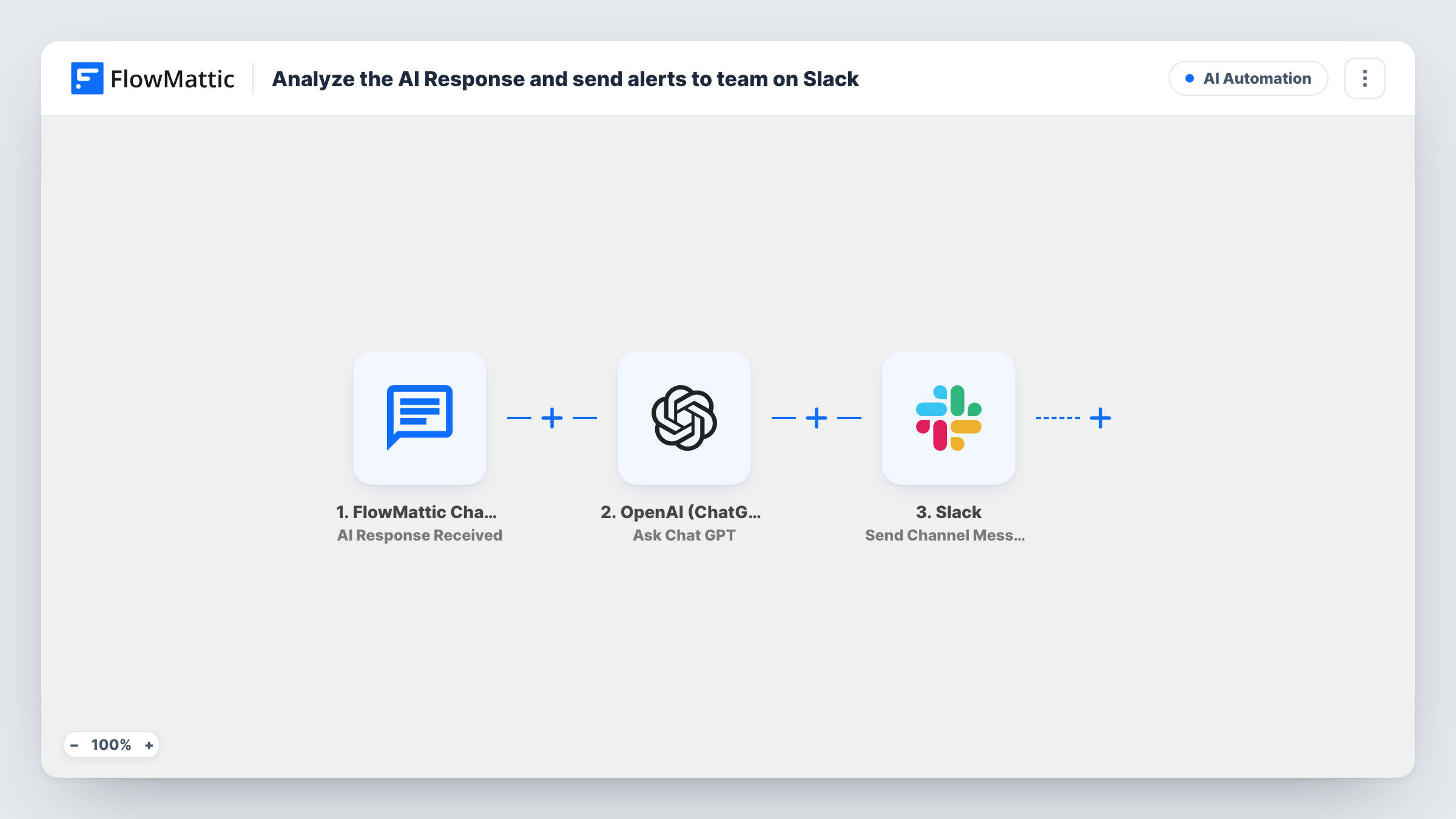
The trigger is AI Response Received from the FlowMattic Chatbot, which fires when a response is received from the AI. FlowMattic sends that response to OpenAI (ChatGPT) with the Ask Chat GPT action. You write the prompt, for example asking it to rate the answer and flag anything that needs a human. ChatGPT's reply then goes to Slack as a message in the channel you choose.
As imported, every chatbot response produces a Slack message, whatever ChatGPT concludes. To post only flagged replies, ask ChatGPT to start its answer with a fixed word and add a Filter on that word before the Slack step. Each run, with the prompt and reply, is listed in Task History.
Quality review of a new chatbot
In the first weeks after launching the FlowMattic Chatbot, the support lead reads ChatGPT's notes on each answer in Slack and fixes the data sources behind weak ones.
Spotting sales opportunities
Ask ChatGPT whether the conversation shows buying interest. With a Filter added, the sales channel only sees replies it marks as a lead.
Catching risky answers
Prompt ChatGPT to flag replies that mention refunds, legal terms or medical advice, so a person can follow up with the visitor.
How this workflow runs
What happens at each step once the workflow is on, and what you need before you import it.
 FlowMattic Chatbot AI Response Received
Runs when your FlowMattic Chatbot receives a response from the AI. The response is passed on so ChatGPT can analyse it in the next step.
- OpenAI (ChatGPT) Ask Chat GPT
Sends the chatbot's response to ChatGPT with the prompt you write. The template ships without a prompt, so set out what ChatGPT should check and how it should answer.
- Slack Send Channel Message
Posts ChatGPT's analysis to the Slack channel you choose. Connect your Slack workspace and map the ChatGPT reply, plus the original response if you want both in the message.
What you need
- FlowMatticCore
- OpenAI (ChatGPT) AccountAccount
- Slack AccountAccount
After importing, map your own data. To keep the template universal, not every step is pre-filled. Open each step in the builder and connect your accounts and fields (channels, lists, sheets, recipients) before you switch the workflow on.
Make it yours
Changes worth making after you import it.
- Ask ChatGPT to start its reply with OK or REVIEW, then add a Filter before Slack that continues only when the reply contains REVIEW.
- For a private channel, switch the Slack step to Send Private Channel Message, since Send Channel Message is meant for regular channels.
- Include the chatbot's original response in the Slack message as well as ChatGPT's verdict, so the team can judge the answer without opening the chat.
Questions about this workflow
Does every FlowMattic Chatbot reply post to Slack?
Yes, as imported. There is no Filter, so each response runs all three steps. Add a Filter before the Slack step to post only the replies ChatGPT flags.
Do I need an OpenAI account for the ChatGPT step?
Yes. The Ask Chat GPT step runs through your OpenAI connection, so each analysed reply is a request on your OpenAI account.
Does ChatGPT change what the chatbot told the visitor?
No. The workflow starts after the response is received. The analysis only goes to Slack, and the visitor never sees it.
More AI Automation workflows
Other ready-to-import templates from the same category.





Import this workflow into your WordPress site
Download the JSON, import it from the Workflows screen and connect your accounts. Every run stays on your server, with no per-task fees.
30-day money-back guarantee Unlimited workflows and runs Self-hosted