

Classify WordPress users by region using ethnicity prediction for new user registrations
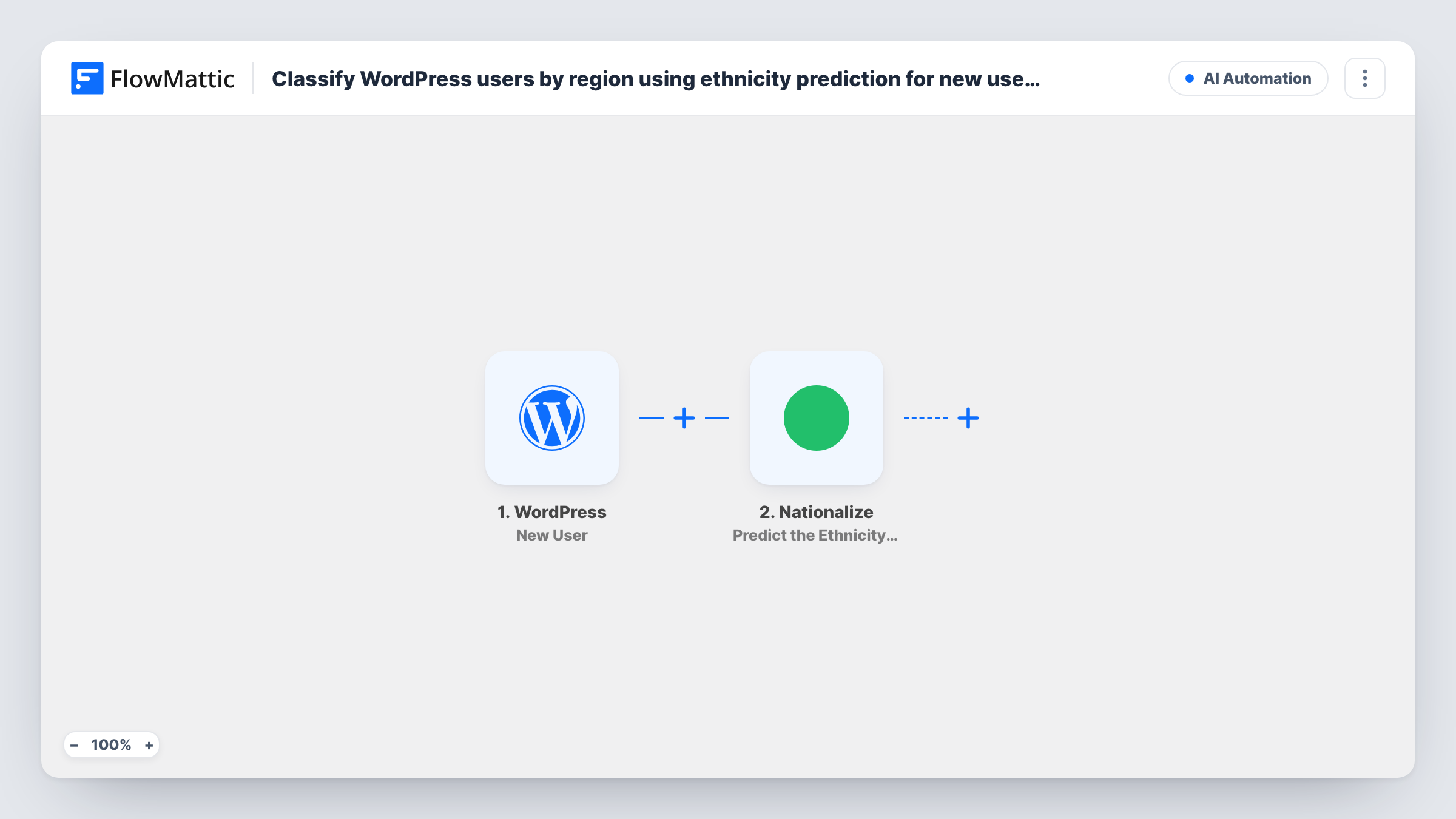
When a new user registers on WordPress, FlowMattic sends their name to Nationalize for a likely-country prediction and stores the result in that user’s metadata.
 WordPress
 Nationalize
3 steps Setup ~5 min Used on 392 sites Free to import
What this workflow does
Sites with an international audience sometimes want a rough idea of where their members come from, for example to plan content in other languages or time events across regions. This workflow adds a name-based guess to each new account, stored with the user in WordPress.
The WordPress New User trigger fires for every new account, whether someone signs up, an admin adds them, or a plugin or import creates them. FlowMattic hands the account's user ID and profile fields to the Nationalize and metadata steps.
A Nationalize step then predicts the likely nationality behind the person's last or full name. It ships unmapped, so after import you map the name from the trigger into it. Nationalize only sees the name, so the answer is a statistical guess about the name, not something the person told you. Treat it as approximate and make sure your privacy policy covers storing it.
The last step, WordPress Update User Meta, writes the prediction to the new user's metadata. Map the user ID from the trigger, choose a meta key such as a region field, and map the country Nationalize returned. Register a test account with a full name and check Task History to see the prediction before you use it anywhere.
Planning content in more languages
A community site stores a likely country for each new member and reviews the totals before deciding which language to add next.
Scheduling live sessions across time zones
An online school looks at the predicted countries of new students to pick webinar times that suit most of them.
Segmenting newsletters by region
A membership site uses the stored region meta in its own segmenting tools to send regional event news, accepting that some guesses will be wrong.
How this workflow runs
What happens at each step once the workflow is on, and what you need before you import it.
 WordPress New User
Fires for every new WordPress account, including ones admins or plugins create. The new user's ID, name fields and email are passed to the next steps.
- Nationalize Predict the Ethnicity of a Name
Predicts the likely nationality of a last or full name with Nationalize. Map the new user's name into the step after import; it returns a guess, not a confirmed fact.
- WordPress Update User Meta
Writes the prediction to the new user's metadata. After import, map the user ID from the trigger, set the meta key you want to use and map the country Nationalize returned.
What you need
- FlowMatticCore
- Nationalize AccountAccount
After importing, map your own data. To keep the template universal, not every step is pre-filled. Open each step in the builder and connect your accounts and fields (channels, lists, sheets, recipients) before you switch the workflow on.
Make it yours
Changes worth making after you import it.
- Make first and last name part of your registration form, because WordPress's default sign-up only asks for a username and email and Nationalize needs a name.
- Put a Filter between the New User trigger and the Nationalize step that continues only when the last name is not empty, so accounts without a name don't send blanks.
- Store the probability Nationalize returns in a second meta key, if a test run shows one, so you can ignore low-confidence guesses later.
- Use a clear meta key name such as predicted_country, so nobody mistakes the value for a country the user entered.
Questions about this workflow
How accurate is the Nationalize prediction for WordPress users?
It's a guess from the name alone. Many names are common in several countries, and people live far from where their name is common, so treat the stored value as approximate.
What if a new user registers without a name?
Nationalize has nothing to work with and the prediction will be empty or unhelpful. Add name fields to your registration form, or a Filter between the trigger and the Nationalize step.
Where can I see the predicted region for a user?
In the user's metadata under the meta key you set in the Update User Meta step. Plugins that show or export user meta can display it.
Are existing WordPress users classified too?
No. Only accounts created after the workflow is turned on start a run. Older users would need a separate process.
More AI Automation workflows
Other ready-to-import templates from the same category.








Import this workflow into your WordPress site
Download the JSON, import it from the Workflows screen and connect your accounts. Every run stays on your server, with no per-task fees.
30-day money-back guarantee Unlimited workflows and runs Self-hosted