

Create a ClickUp onboarding task for each new Rippling hire
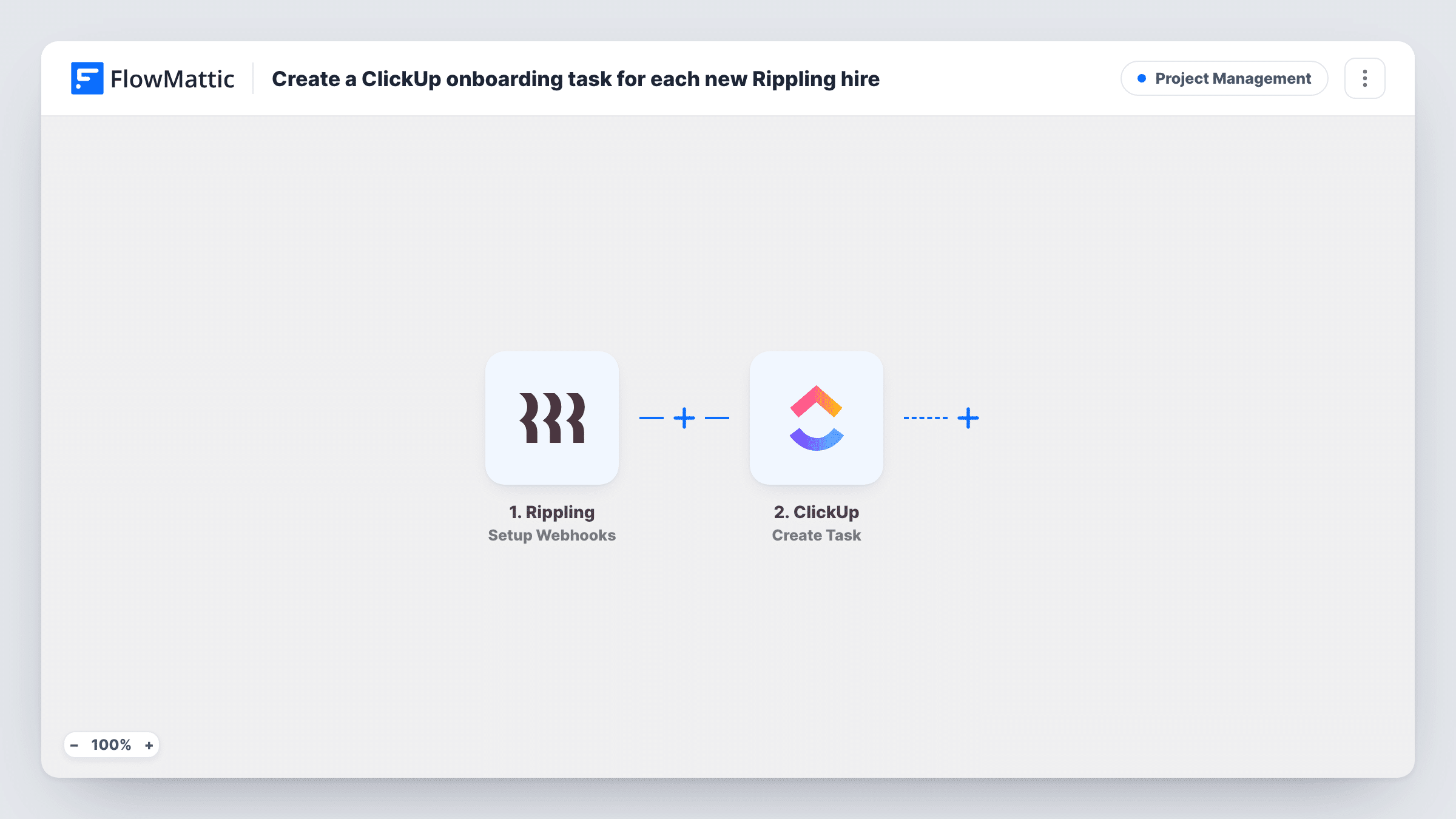
Create a ClickUp task from Rippling hire data, so each new employee gets an onboarding task your team can assign, track and close in ClickUp. You set the Rippling trigger to its new-employee event.
 Rippling
 ClickUp
2 steps Setup ~5 min Used on 2.2k sites Productivity Free to import
What this workflow does
HR adds a new hire in Rippling, but the people who prepare a laptop, accounts and a first-week plan often work in ClickUp. When nobody passes the news along, onboarding starts late. This workflow opens a ClickUp task from the Rippling data so the work is visible where your team plans it.
The Rippling trigger is called Setup Webhooks. It fires on the Rippling event you specify when you set it up, so for this workflow you choose the event Rippling sends when a new employee is added. Whatever employee data comes with that event, such as a name or start date, is passed on for mapping.
The next step runs Create Task in ClickUp. You pick where the task goes and build its name and description from the Rippling data, for example "Onboard" followed by the employee's name. One event creates one task. Task History lists each run, which helps you confirm the right Rippling event is reaching FlowMattic.
IT equipment and account setup
Your IT lead works from a ClickUp list. Each new hire added in Rippling shows up there as a task to order a laptop and create logins before day one.
Manager welcome checklist
Put the hire's name and start date in the task so the hiring manager sees in ClickUp when to plan the first-week schedule.
Growing startup with frequent hires
When several people join each month, an onboarding task per hire keeps ClickUp in step with Rippling without HR posting updates by hand.
How this workflow runs
What happens at each step once the workflow is on, and what you need before you import it.
 Rippling Setup Webhooks
Fires on the Rippling event you specify during setup. Choose the event for a newly added employee so each new hire starts a run, and the employee data in that event becomes available to map.
- ClickUp Create Task
Opens one ClickUp task for each Rippling event that reaches FlowMattic. Connect your ClickUp account, choose where the task should go, and map the Rippling employee data into the task name and description.
What you need
- FlowMatticCore
- Rippling AccountAccount
- ClickUp AccountAccount
After importing, map your own data. To keep the template universal, not every step is pre-filled. Open each step in the builder and connect your accounts and fields (channels, lists, sheets, recipients) before you switch the workflow on.
Make it yours
Changes worth making after you import it.
- Add a test employee in Rippling, or wait for a real hire, so FlowMattic captures the event. You can then see exactly which employee details Rippling includes before mapping the task.
- Add a Delay before the ClickUp step if you prefer the task to appear closer to the start date rather than the moment the hire is entered.
- Use a Router with one ClickUp step per route, each with its own condition on a value such as department (if Rippling includes it), if different teams onboard different roles.
Questions about this workflow
Which Rippling event does this ClickUp workflow listen to?
The Rippling trigger fires on whichever event you specify when you set it up. Pick the one Rippling sends for a new employee, then test with a real or test hire to confirm it fires.
Does it create a full onboarding checklist in ClickUp?
It creates one task per event. If you want subtasks or a checklist, add them in ClickUp after the task appears, or extend the workflow with more ClickUp steps.
Will employees hired before I import get tasks?
No. Only events Rippling sends after the workflow is on start a run, so past hires are not added to ClickUp.
What hire details can I put in the ClickUp task?
Whatever Rippling includes in the event you chose. Run a test, look at the captured data in FlowMattic, and map those fields into the task.
More Project Management workflows
Other ready-to-import templates from the same category.




Import this workflow into your WordPress site
Download the JSON, import it from the Workflows screen and connect your accounts. Every run stays on your server, with no per-task fees.
30-day money-back guarantee Unlimited workflows and runs Self-hosted