

Create a ClickUp task to review each Qlik app event
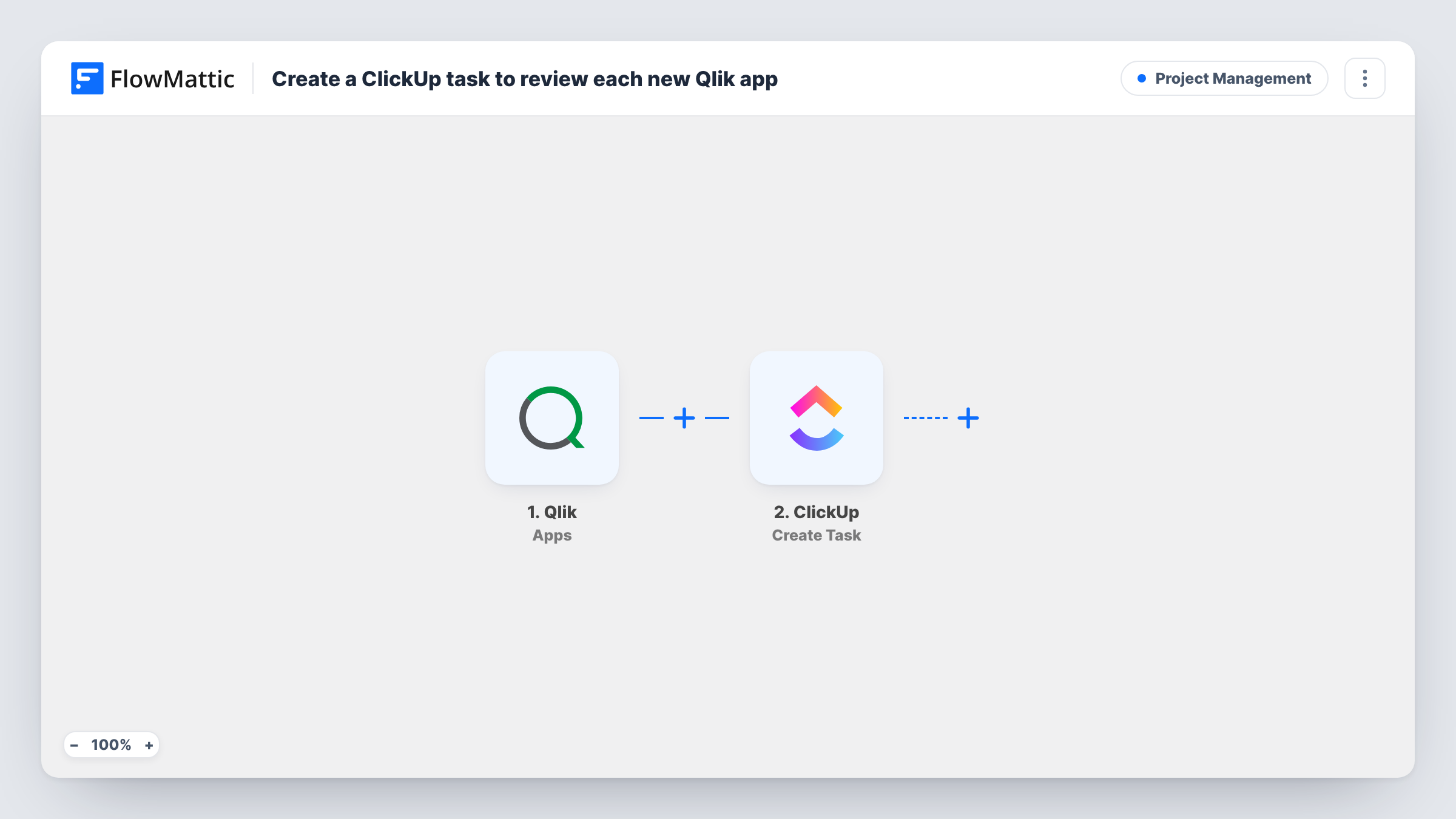
For every Qlik app event your webhook sends, such as a new or published app, FlowMattic creates a ClickUp task so someone on your team reviews the change.
 Qlik
Qlik
 ClickUp
2 steps Setup ~5 min Used on 1.7k sites Productivity Free to import
What this workflow does
When anyone can create or publish Qlik apps, a governance check often depends on someone remembering to look. This workflow puts a review task in ClickUp for each Qlik app event you subscribe to, so new and changed apps land in a review queue instead of going unnoticed.
The Qlik Apps trigger listens for events from a webhook you set up in Qlik. FlowMattic describes it as covering apps that are created, deleted, data updated, reloaded, published or exported. Qlik lets you choose which events the webhook sends: to review only new apps, subscribe it to the created event alone, and add published if those need a look too.
The ClickUp Create Task step makes one task per event. It ships unmapped, so after import you connect ClickUp, choose where review tasks go, and map Qlik fields into the task, for example the app name and event type in the title.
Each event the webhook delivers becomes its own task, so subscribing to frequent events such as reloads creates many tasks. Trigger a test event in Qlik and open Task History to see the fields Qlik sent and the task ClickUp created.
Governance review of new Qlik apps
A BI lead subscribes the webhook to created events, so every new app in the tenant becomes a ClickUp task to check naming, data sources and access before wider use.
Sign-off before apps go to users
A Qlik team receives a ClickUp task for each published app and assigns it to a reviewer who confirms the sheets and figures are correct.
Follow-up on deleted apps
An admin subscribes to delete events and gets a task to confirm with the app's owner that nothing still depends on the removed app.
How this workflow runs
What happens at each step once the workflow is on, and what you need before you import it.
 Qlik Apps
Receives whichever app events your Qlik webhook delivers, from new and published apps to reloads, data updates, exports and deletions. Subscribe the webhook only to the events that should produce a review task.
- ClickUp Create Task
Creates a review task in ClickUp for each Qlik event. Nothing is set in it on import, so connect ClickUp, pick the destination for review tasks and map the app name and event type into the task.
What you need
- FlowMatticCore
- Qlik AccountAccount
- ClickUp AccountAccount
After importing, map your own data. To keep the template universal, not every step is pre-filled. Open each step in the builder and connect your accounts and fields (channels, lists, sheets, recipients) before you switch the workflow on.
Make it yours
Changes worth making after you import it.
- Keep reload events out of the Qlik webhook unless you really want a task for each one; scheduled reloads can fire often.
- Put the event type and the app name in the ClickUp task title, so reviewers can sort a busy list by what happened.
- If created and published events need different reviewers, add a Router between the Qlik trigger and the ClickUp step with one route per event type. Move the existing ClickUp step into one route and add a second Create Task step to the other.
- Use a dedicated ClickUp list for Qlik reviews, which keeps them apart from your team's project work.
Questions about this workflow
Does every Qlik reload create a ClickUp task?
Only if the Qlik webhook is subscribed to reload events. Each event the webhook sends starts a run and creates one task, so leave out the events you don't want to review.
Can the ClickUp review task include a link to the Qlik app?
If the Qlik event carries the app's ID or link, you can map it into the task description. Trigger a test event and check its fields in FlowMattic before you rely on it.
What should the Qlik webhook be set to for new apps only?
Select only the created event when you set up the webhook in Qlik. The Apps trigger then receives new-app events and nothing else, so each task stands for a newly created app.
Will the Qlik review tasks have an assignee in ClickUp?
Nobody until you set it up. The Create Task step ships without mapping, so after import choose the location and, if ClickUp offers an assignee option in the step, pick the reviewer there.
More Project Management workflows
Other ready-to-import templates from the same category.



Import this workflow into your WordPress site
Download the JSON, import it from the Workflows screen and connect your accounts. Every run stays on your server, with no per-task fees.
30-day money-back guarantee Unlimited workflows and runs Self-hosted