

Create a Google Calendar event for each new Kylas CRM meeting
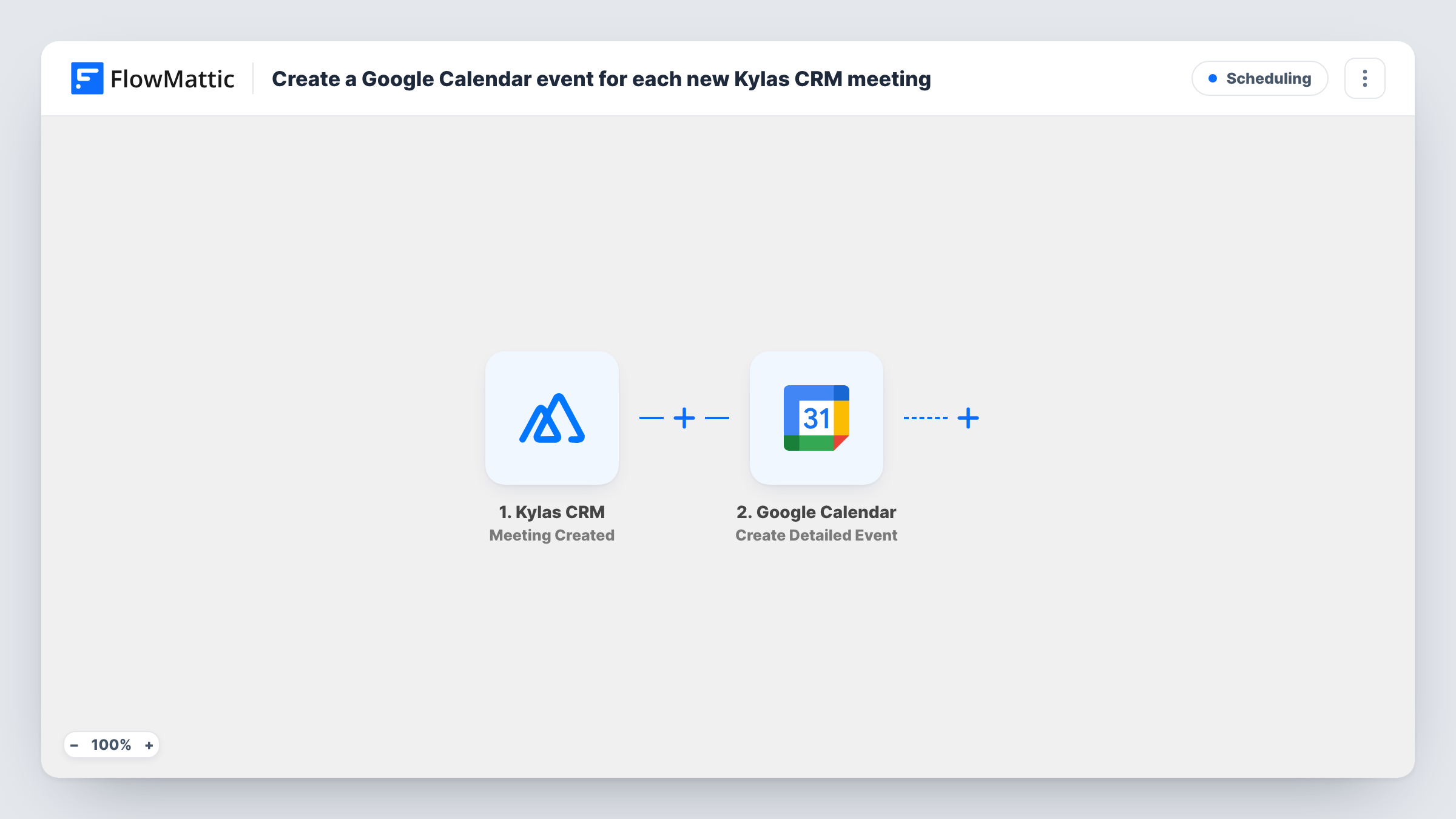
When a meeting is created in Kylas CRM, FlowMattic adds a matching event to Google Calendar with the title, time and details you map, so reps see CRM meetings in their calendar.
 Kylas CRM
 Google Calendar
2 steps Setup ~5 min Used on 2.8k sites Free to import
What this workflow does
Reps book meetings in Kylas CRM, but they plan their day in Google Calendar. When the two don't match, meetings get double-booked or forgotten. This workflow puts every new Kylas meeting on a Google calendar, so the CRM stays the place you schedule and the calendar shows the result.
The Kylas CRM trigger receives the meeting events Kylas sends. FlowMattic describes it as firing when a meeting is created, updated or deleted, so the webhook choice in Kylas matters. When you set it up, subscribe the webhook only to the Meeting Created event. If updates or deletions are also selected, each edit or removal would create another calendar event.
The Google Calendar step runs Create Detailed Event, which adds a new event with detailed options. It ships unmapped: after import you connect your Google account, choose the calendar and map the meeting's title, start and end time and description from Kylas, plus the location or attendees if the meeting has them.
Create a test meeting in Kylas and open Task History. Check that the times landed correctly, since start and end values have to arrive in a format Google Calendar accepts, and adjust the mapping if they didn't.
Sales demos on the rep's calendar
A rep schedules a product demo against a deal in Kylas, and the event appears in their Google Calendar with the prospect's name in the title.
A shared team calendar of client meetings
A sales manager points the workflow at a shared Google calendar, so the whole team can see which client meetings are booked this week.
Phone reminders through Google Calendar
Field reps who carry only their phones get Google Calendar's own reminders for meetings that were entered in the CRM.
How this workflow runs
What happens at each step once the workflow is on, and what you need before you import it.
 Kylas CRM Meeting Created
Receives meeting events from your Kylas webhook. Subscribe the webhook only to Meeting Created, so each new meeting starts one run and later edits or deletions don't add events.
- Google Calendar Create Detailed Event
Creates a Google Calendar event with detailed options for the Kylas meeting. After import, choose the calendar and map the meeting title, start and end time and description.
What you need
- FlowMatticCore
- Kylas CRM AccountAccount
- Google Calendar AccountAccount
After importing, map your own data. To keep the template universal, not every step is pre-filled. Open each step in the builder and connect your accounts and fields (channels, lists, sheets, recipients) before you switch the workflow on.
Make it yours
Changes worth making after you import it.
- Put the related Kylas lead or deal name in the event title, so the calendar entry says who the meeting is with at a glance.
- If your reps use different calendars, put a Router between the Kylas trigger and the Google Calendar step with one route per meeting owner, each with its own Create Detailed Event step, and owner conditions that can't both match.
- Map the meeting's description or agenda into the event description, so the notes from Kylas travel with the calendar entry.
Questions about this workflow
Will rescheduling a Kylas meeting update the Google Calendar event?
No. The workflow only creates events, and with the webhook set to Meeting Created only, a reschedule doesn't start a run. Move the calendar event by hand, or build a separate workflow for updates.
What if the Kylas webhook also sends updates and deletions?
Then each of those events starts a run too, and Create Detailed Event adds a new calendar entry every time. Subscribe the webhook to Meeting Created only to avoid duplicates.
Which Google calendar do the Kylas meetings go to?
The calendar you choose in the Create Detailed Event step after import. It can be a rep's own calendar or a shared team calendar your Google account can edit.
Are meeting attendees invited to the Google Calendar event?
Only if you map attendee emails from the Kylas meeting into the event. Check a test run to see which participant details Kylas sends.
More Scheduling workflows
Other ready-to-import templates from the same category.




Import this workflow into your WordPress site
Download the JSON, import it from the Workflows screen and connect your accounts. Every run stays on your server, with no per-task fees.
30-day money-back guarantee Unlimited workflows and runs Self-hosted