

Create a HubSpot CRM contact from each new Kustomer customer
Whenever a new customer record is created in Kustomer, this workflow creates a matching contact in HubSpot CRM, so people who first reach your support team also show up for sales and marketing.
 Kustomer
 HubSpot CRM
2 steps Setup ~5 min Used on 2.2k sites Free to import
What this workflow does
Support and sales often keep separate lists of the same people. A customer who first writes to your Kustomer inbox may never appear in HubSpot, so the sales team doesn't know they exist and marketing can't include them. This workflow copies each new Kustomer customer into HubSpot as a contact.
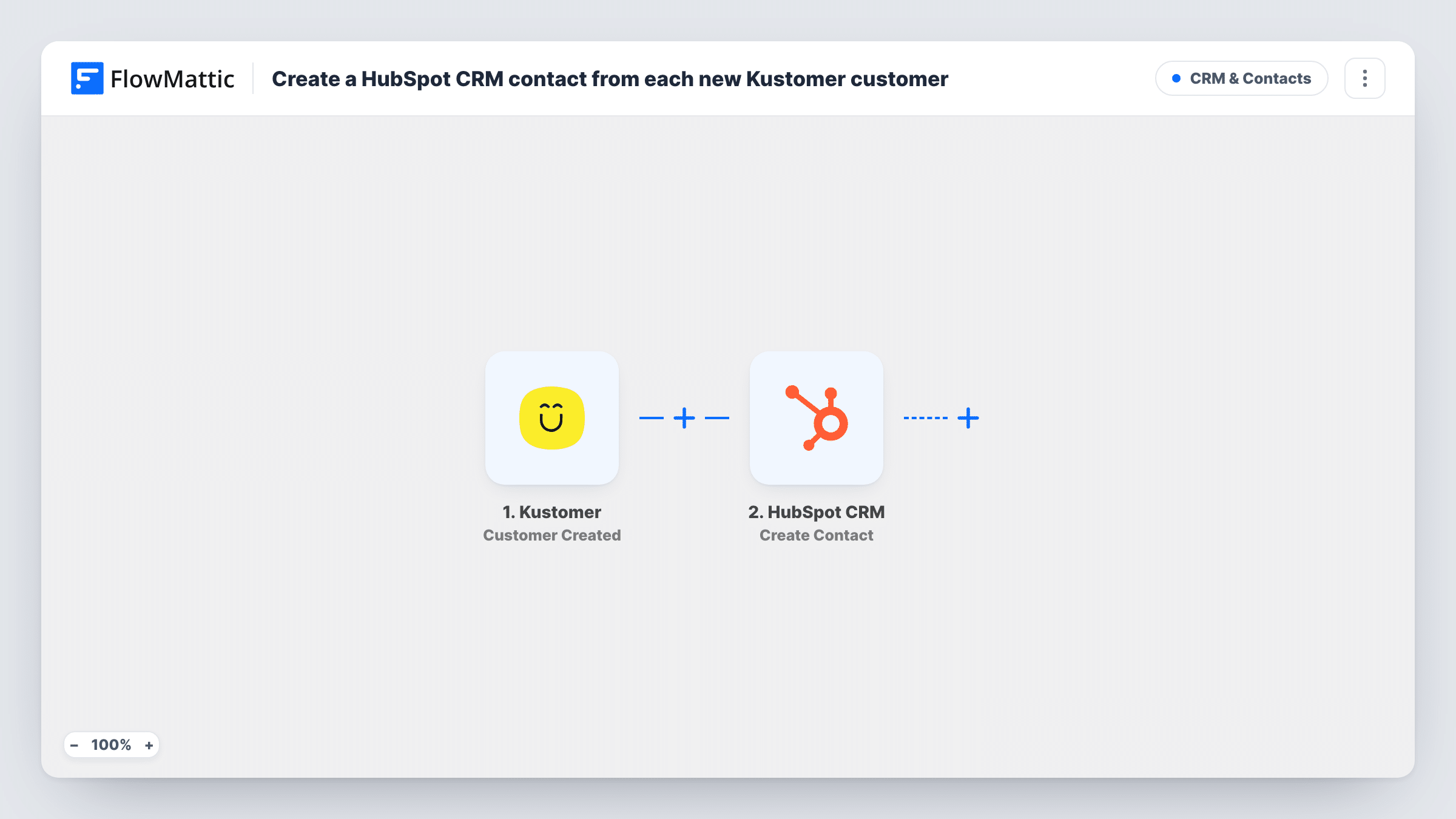
The Kustomer trigger fires when a new customer is created there. The customer data Kustomer sends, such as name, email and phone where it has them, becomes fields you can map. FlowMattic then runs HubSpot CRM's Create Contact action with the values you map into it.
HubSpot's step here is create-only and doesn't search for a matching record first. When the email already belongs to a HubSpot contact, HubSpot may turn the request down, and the run's entry in Task History holds its reply. Updates to an existing Kustomer customer don't run this workflow, because the trigger reacts to new customers only.
Support-first software companies
Users often contact support before they speak to sales. Each new Kustomer customer appears in HubSpot, where account managers can see them.
Marketing lists from support contacts
New customers who come in through Kustomer become HubSpot contacts, so your marketing team can decide whether to add them to a list or sequence.
Ecommerce brands with a separate help desk
Shoppers who open a support conversation get a Kustomer customer record, and the HubSpot contact lets your CRM show them alongside other buyers.
How this workflow runs
What happens at each step once the workflow is on, and what you need before you import it.
 Kustomer Customer Created
Fires when a new customer is created in Kustomer. The customer's details from Kustomer are passed on for the HubSpot step to use.
- HubSpot CRM Create Contact
Creates a contact in HubSpot CRM from the Kustomer customer. Map the customer's email and name from Kustomer into the contact, then connect your HubSpot account and run a test.
What you need
- FlowMatticCore
- Kustomer AccountAccount
- HubSpot CRM AccountAccount
After importing, map your own data. To keep the template universal, not every step is pre-filled. Open each step in the builder and connect your accounts and fields (channels, lists, sheets, recipients) before you switch the workflow on.
Make it yours
Changes worth making after you import it.
- Kustomer customers who first reach you by chat or SMS may have no email address. Add a Filter that continues only when the email is not empty if you want HubSpot contacts with an email only.
- Create one customer in Kustomer after import and check Task History to see which fields Kustomer sent before you finish the HubSpot mapping.
- If only customers from one Kustomer channel or brand belong in HubSpot, check a test run for a field that tells them apart and add a Filter on it after the trigger.
Questions about this workflow
What happens if the Kustomer customer is already a HubSpot contact?
This template never searches HubSpot before creating. If the email is already on a contact, HubSpot may reject the new one, and you can read its reply on that run in Task History.
Does a change to a Kustomer customer update the HubSpot contact?
No. The trigger is Customer Created, so later edits in Kustomer don't run the workflow. Kustomer also offers a Customer Updated trigger in FlowMattic if you want to build a separate flow.
Do existing Kustomer customers get copied to HubSpot?
No. Only customers created after you turn the workflow on reach HubSpot. Bring earlier Kustomer customers across with a one-time export and HubSpot's own import tool.
Which HubSpot properties can I fill from Kustomer?
Any value the Kustomer event carries can be mapped into the fields the HubSpot step offers. Run a test to see both sides before deciding.
More CRM & Contacts workflows
Other ready-to-import templates from the same category.





Import this workflow into your WordPress site
Download the JSON, import it from the Workflows screen and connect your accounts. Every run stays on your server, with no per-task fees.
30-day money-back guarantee Unlimited workflows and runs Self-hosted