

When new form submission is received in FormCrafts, create a new user in WordPress, and add a new subscriber in Sendinblue
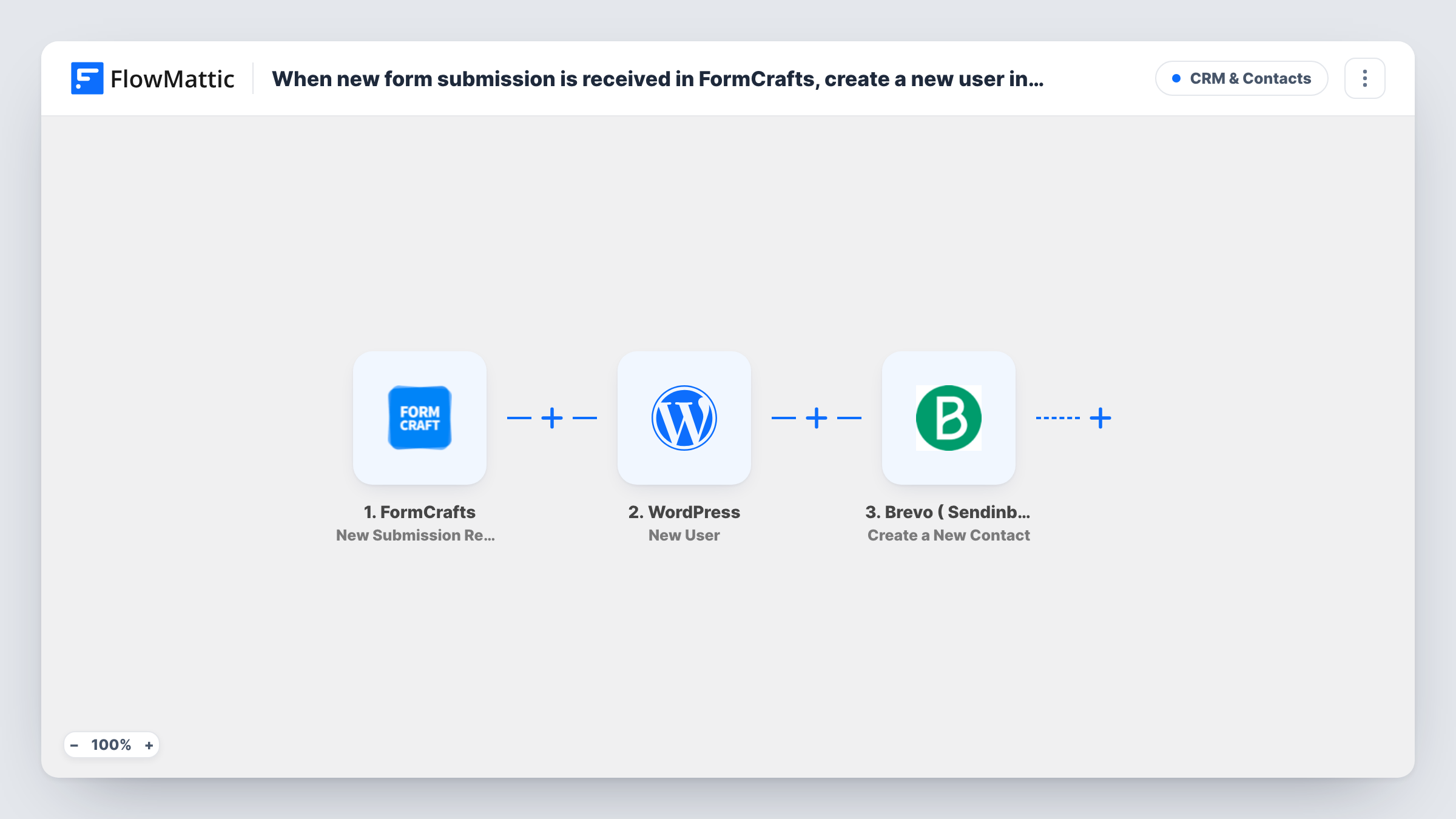
Each FormCrafts submission creates a WordPress user account from the submitted details, then adds the same person to Brevo (Sendinblue) as a contact, so sign-up and email list happen in one run.
 FormCrafts
 WordPress
 Brevo ( Sendinblue )
3 steps Setup ~5 min Used on 340 sites Free to import
What this workflow does
A FormCrafts form is a quick way to collect registrations, but the answers sit in FormCrafts until someone acts on them. If each person also needs a login on your WordPress site and a place on your Brevo mailing list, that is two manual jobs per entry. This workflow does both from the one submission.
The FormCrafts trigger fires when a new submission arrives. FlowMattic passes the answers to the WordPress step, which creates a new user on the site running FlowMattic. You map the submitted email and name into the user details. The run then moves to Brevo ( Sendinblue ), where Create a New Contact adds the person using the same submitted data.
There is no check between the steps. Every submission goes through both actions in order. If that email already has an account, WordPress keeps the one it has and the step returns its user ID, shown in Task History.
Member registration for a club site
New members fill in a FormCrafts sign-up form. Each one gets a WordPress account for the members area and lands in Brevo for club newsletters.
Course or workshop enrolment
Students register through a FormCrafts form on your landing page. The workflow creates their site login for course pages and adds them to Brevo for session reminders you send from there.
Client portal access
Clients request portal access with a FormCrafts form. They get a WordPress user you can grant access to, and a Brevo contact for service updates.
How this workflow runs
What happens at each step once the workflow is on, and what you need before you import it.
 FormCrafts New Submission Received
Fires when FormCrafts receives a new submission on the connected form. The submitted answers, such as name and email, become available to map in the WordPress and Brevo steps.
- WordPress New User
Registers the FormCrafts respondent as a new WordPress user on your site. Map the submitted email and name into the user details, then run a test to see which other values the step accepts.
- Brevo ( Sendinblue ) Create a New Contact
Adds the person to Brevo (Sendinblue) as a new contact. Map the submitted email and any name fields, and connect your Brevo account when you import the workflow.
What you need
- FlowMatticCore
- FormCrafts AccountAccount
- Brevo ( Sendinblue ) AccountAccount
After importing, map your own data. To keep the template universal, not every step is pre-filled. Open each step in the builder and connect your accounts and fields (channels, lists, sheets, recipients) before you switch the workflow on.
Make it yours
Changes worth making after you import it.
- Make the email field required in FormCrafts. Both the WordPress user and the Brevo contact depend on it, and a blank email leaves those steps nothing to work with.
- Add a Filter between the FormCrafts trigger and the WordPress step that continues only when a consent checkbox in the form is ticked, if you need permission before creating accounts and contacts.
- Submit one test entry after import so FlowMattic captures the FormCrafts fields, then map them in both action steps and check the result in Task History.
Questions about this workflow
What happens if the FormCrafts email already belongs to a WordPress user?
WordPress won't add a second account for a registered address, so the New User step returns the existing user's ID for that entry. Task History shows the ID it returned.
Does the Brevo step update a contact that already exists?
Create a New Contact is not an update action, and Brevo may refuse an email that is already in your account, and Task History shows its response. Test with a known contact before you turn the workflow on.
What role do FormCrafts registrants get in WordPress?
That depends on what you set in the New User step after import. Run a test and check the step's options, or your site's default role, before you go live.
Does this change how FormCrafts stores my submissions?
No. FlowMattic just reads each FormCrafts entry. FormCrafts keeps the entry and its own notifications as before.
More CRM & Contacts workflows
Other ready-to-import templates from the same category.







Import this workflow into your WordPress site
Download the JSON, import it from the Workflows screen and connect your accounts. Every run stays on your server, with no per-task fees.
30-day money-back guarantee Unlimited workflows and runs Self-hosted