

Create ClickUp tasks for new submissions in Jotform
Each new Jotform submission creates a task in ClickUp with the answers you map into it, so requests collected by your forms turn straight into work your team can assign and track.
 Jotform
 ClickUp
2 steps Setup ~5 min Used on 2.5k sites Productivity Free to import
What this workflow does
Jotform is good at collecting requests, but its inbox is not where your team plans its work. If tasks live in ClickUp, every submission has to be read and copied over by hand, and some get missed. This workflow creates the ClickUp task as soon as the form is submitted.
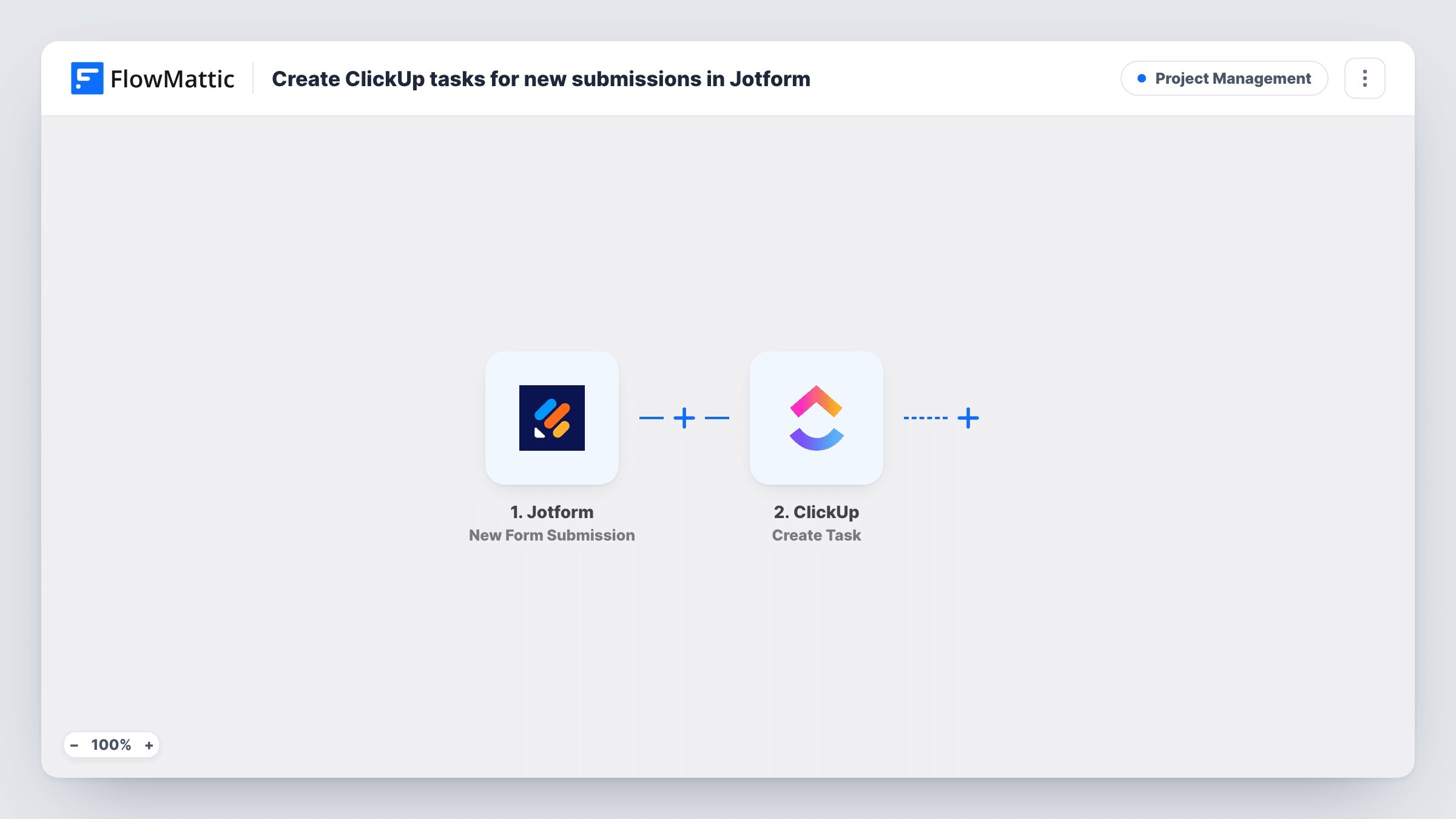
The Jotform trigger picks up each new form submission, and FlowMattic receives the respondent's answers. In the next step, the Create Task action in ClickUp builds a task from them. You choose which answers to map, for example a short summary for the task name and the full request, contact details and any deadline the person gave for the description.
The template has only these two steps. Each submission becomes one new task, and nothing is checked in between, so plan a Filter if some answers should not create work. Jotform keeps its own copy of the submission as usual. In FlowMattic, Task History lists every run with the answers received and what ClickUp sent back.
Design or content requests from colleagues
A marketing team takes briefs through a Jotform request form. Each brief arrives in ClickUp as a task the team lead can assign and give a due date.
Client onboarding questionnaires
New clients complete a Jotform questionnaire. Their answers become a ClickUp task, so the account manager has a to-do with everything needed to start the setup.
Maintenance or repair reports
Tenants or staff report problems on a Jotform form. Every report turns into a ClickUp task that the maintenance team works through and closes when done.
How this workflow runs
What happens at each step once the workflow is on, and what you need before you import it.
 Jotform New Form Submission
Starts the workflow whenever a Jotform form receives a new submission. The respondent's answers are handed to FlowMattic, ready to place into the ClickUp task.
- ClickUp Create Task
Builds a new ClickUp task out of the Jotform answers you map, such as a summary for the task name and the remaining answers in the description. Connect your ClickUp account on import and run a test to see the result.
What you need
- FlowMatticCore
- Jotform AccountAccount
- ClickUp AccountAccount
After importing, map your own data. To keep the template universal, not every step is pre-filled. Open each step in the builder and connect your accounts and fields (channels, lists, sheets, recipients) before you switch the workflow on.
Make it yours
Changes worth making after you import it.
- If your form asks how urgent a request is, add a Filter so only answers marked urgent create a task, or use a Router to send urgent and routine requests to separate Create Task steps.
- Include the respondent's name and email in the task description, so whoever works the task knows who asked and how to reach them.
- Submit a test entry on your Jotform form before mapping, so every answer field shows up in FlowMattic and you can place each one in the task.
Questions about this workflow
Does each Jotform submission create its own ClickUp task?
Yes. One submission gives one task. The template has no Filter, so every new submission the trigger receives produces a task.
Can file uploads from Jotform be added to the ClickUp task?
The workflow passes whatever Jotform sends for the submission. If an upload field arrives as a link, you can map that link into the task description. Check a test run to see how your upload fields come through.
Does this change anything in my Jotform account?
No. The workflow only receives new submissions. Jotform keeps storing entries and sending its own notifications exactly as you have set them up.
Will older Jotform submissions be turned into tasks?
No. Only submissions made after the workflow is switched on start a run. Entries already in Jotform are not copied to ClickUp.
More Project Management workflows
Other ready-to-import templates from the same category.




Import this workflow into your WordPress site
Download the JSON, import it from the Workflows screen and connect your accounts. Every run stays on your server, with no per-task fees.
30-day money-back guarantee Unlimited workflows and runs Self-hosted