

Create Modern Event Calendar categories from new WordPress post categories
When you add a new post category in WordPress, this workflow creates a matching event category in Modern Event Calendar, so events can be grouped under the same topics as your posts.
 WordPress
 Modern Event Calendar
2 steps Setup ~5 min Used on 626 sites Free to import
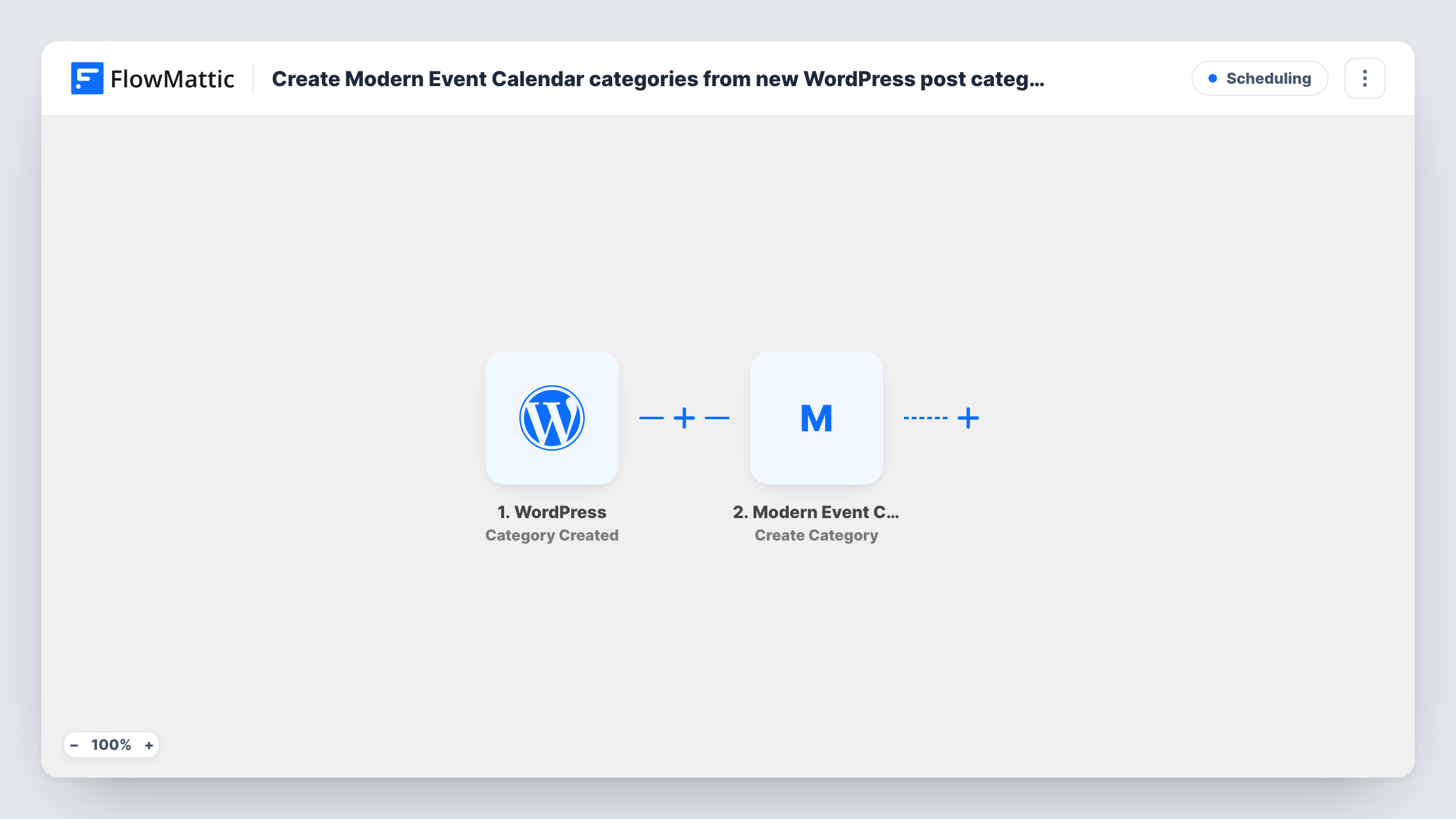
What this workflow does
Sites that publish both articles and events often want the same topics on both sides. Modern Event Calendar keeps its own event categories, separate from the categories you use for posts, so a new topic usually means creating it twice. This workflow removes the second step.
The WordPress trigger fires when a new category is created on your site. FlowMattic receives the category data and passes it to the Modern Event Calendar step, which creates a new event category term. You map the post category's name into it.
Since WordPress, Modern Event Calendar and FlowMattic all sit on one site, the category data stays there. The workflow only reacts to new categories. Renaming or deleting a post category later does not change the event category, and categories that existed before import are not copied.
A school with news and events
Adding a post category such as Sports Day gives you an event category with the same name, ready for the fixtures you publish in the calendar.
A venue that blogs about its programme
Each new genre you create for blog posts, such as Jazz or Comedy, appears as an event category too, so gigs and articles share the same labels.
A membership site planning workshops
When the editor sets up a new topic category for articles, the matching event category is already there when the first workshop on that topic is scheduled.
How this workflow runs
What happens at each step once the workflow is on, and what you need before you import it.
 WordPress Category Created
Fires when a new category is created in WordPress. The category's details, such as its name, are passed on to the next step.
- Modern Event Calendar Create Category
Creates a new event category in Modern Event Calendar. Map the WordPress category name into it so the two categories carry the same label.
What you need
- FlowMatticCore
- Modern Event Calendar PluginPlugin
After importing, map your own data. To keep the template universal, not every step is pre-filled. Open each step in the builder and connect your accounts and fields (channels, lists, sheets, recipients) before you switch the workflow on.
Make it yours
Changes worth making after you import it.
- Add a Filter after the trigger if only some post categories should exist on the calendar, for example continue only when the category name contains Event.
- Create one test category after import and check the event categories screen in Modern Event Calendar before you rely on the workflow.
- For categories that already exist on your site, create the matching event categories by hand once. The workflow only covers ones added from now on.
Questions about this workflow
Does renaming a WordPress category rename the Modern Event Calendar category?
No. The trigger only fires when a category is created. Later renames or deletions on the post side leave the event category as it is.
Do I need Modern Event Calendar on the same site?
Yes. The Create Category step works with the Modern Event Calendar plugin installed on the same WordPress site as FlowMattic.
Will my existing WordPress post categories be copied to the event calendar?
No. Only categories created after the workflow is switched on start a run. Add older ones to Modern Event Calendar yourself if you need them there.
More Scheduling workflows
Other ready-to-import templates from the same category.






Import this workflow into your WordPress site
Download the JSON, import it from the Workflows screen and connect your accounts. Every run stays on your server, with no per-task fees.
30-day money-back guarantee Unlimited workflows and runs Self-hosted