

When a new Bookingmood booking is created, add a Google Calendar event and notify the team in Slack
When a guest books through Bookingmood, this workflow puts the stay on your Google Calendar and tells the team in a Slack channel, so the schedule and the people who prepare for guests both get the news.
 Bookingmood
 Google Calendar
 Slack
3 steps Setup ~5 min Used on 3.4k sites Free to import
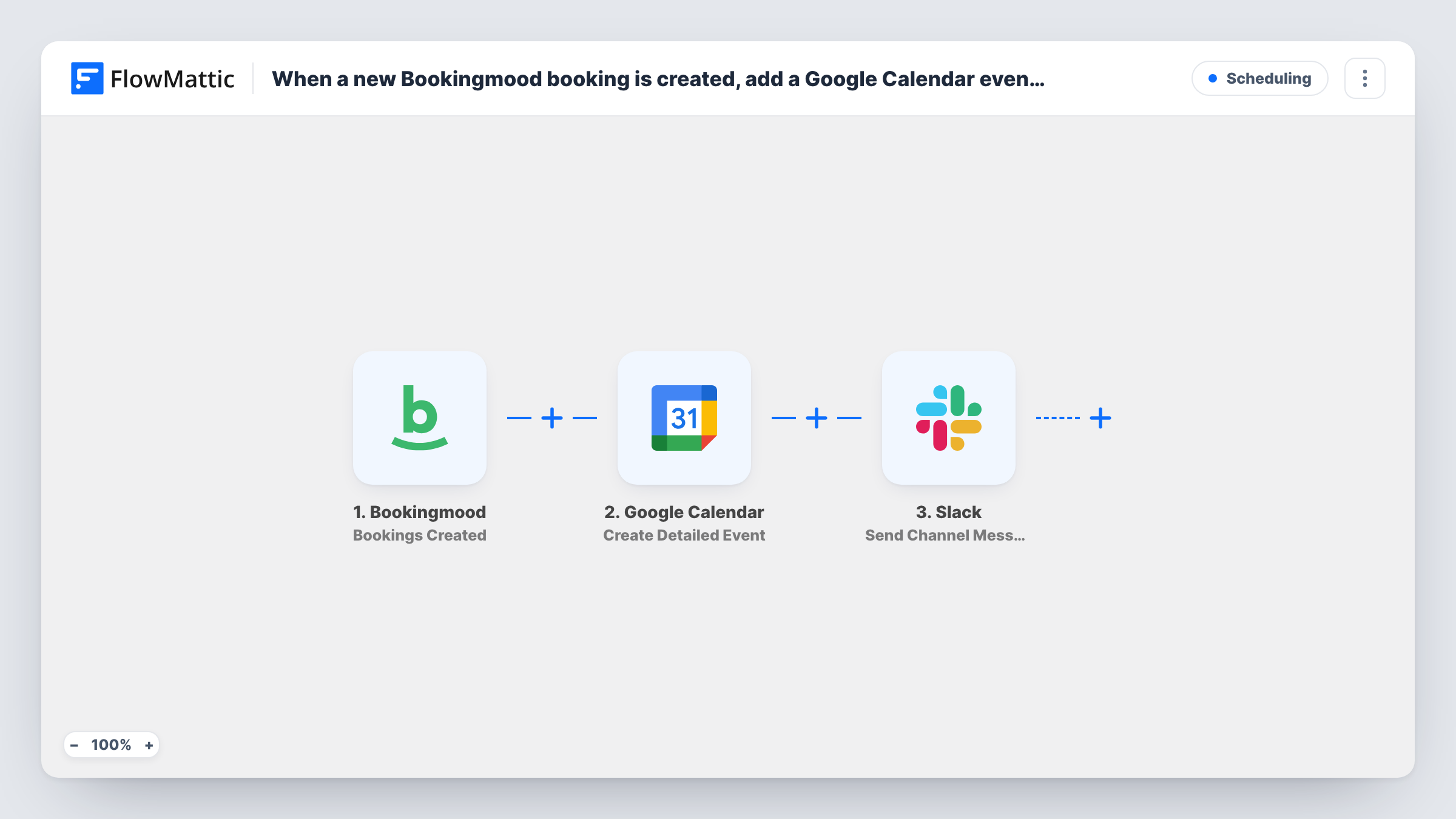
What this workflow does
A new booking usually means work for several people: someone plans the arrival, someone prepares the room or unit, someone checks payment. Keeping a calendar current and telling the team by hand is easy to forget on a busy day. This workflow does both for each booking.
The Bookingmood trigger is Bookings Created, which fires when a booking is made. Its details, like the stay dates and guest information shown in your test run, are available to both later steps.
First, Google Calendar runs Create Detailed Event in the calendar you pick, with the booking dates as the event times and a title and description you build from the booking. Then the Slack step posts a message to the channel you choose, so housekeeping, reception or whoever is on duty knows a new guest is coming.
Both steps run for every new booking. Later changes or cancellations in Bookingmood don't update the calendar event or send another Slack message, as this workflow only reacts to bookings being created.
Small guesthouse team
Reception and housekeeping share a Slack channel, and each new Bookingmood booking appears there while the stay is added to the shared calendar.
Holiday home managed for owners
A property manager sees each booking on a Google Calendar per property, and the cleaning crew gets a Slack note to plan the changeover.
Activity or tour bookings
A tour operator taking bookings in Bookingmood puts each one on the guides' calendar and posts the group details in Slack.
How this workflow runs
What happens at each step once the workflow is on, and what you need before you import it.
 Bookingmood Bookings Created
Starts the workflow when a booking is created in Bookingmood. The booking dates and guest details become available to the calendar and Slack steps.
- Google Calendar Create Detailed Event
Adds the booking to a Google Calendar as a detailed event. Map the stay's start and end to the event times and write the title from the guest name and unit.
- Slack Send Channel Message
Tells the team about the booking in the Slack channel you set. Write the text and include booking details such as dates and guest name from the trigger.
What you need
- FlowMatticCore
- Bookingmood AccountAccount
- Google Calendar AccountAccount
- Slack AccountAccount
After importing, map your own data. To keep the template universal, not every step is pre-filled. Open each step in the builder and connect your accounts and fields (channels, lists, sheets, recipients) before you switch the workflow on.
Make it yours
Changes worth making after you import it.
- Map the calendar event's link from the Google Calendar step into the Slack message, if your test run shows one, so the team can open the event directly.
- Posting booking alerts to a private channel? Replace the final step with Slack's Send Private Channel Message action.
- Bookingmood has a Calendar Events Cancelled trigger. Use it in a second workflow that posts to the same Slack channel, so the team also hears about cancellations.
Questions about this workflow
What happens when a Bookingmood booking is cancelled?
Nothing in this workflow. It only runs when a booking is created, so the calendar event stays and no Slack message is sent. Use a separate workflow for cancellations.
Can I send the Slack alert without adding a calendar event?
Yes. Delete the Google Calendar step after import, and the Slack message still goes out for each new booking.
Which Google Calendar does the booking go into?
The one you pick in the Google Calendar step. It can be any calendar the connected Google account is allowed to add events to.
Are past Bookingmood bookings added?
No. The trigger fires for bookings created after the workflow is on. Bookings made earlier need adding to the calendar by hand.
More Scheduling workflows
Other ready-to-import templates from the same category.







Import this workflow into your WordPress site
Download the JSON, import it from the Workflows screen and connect your accounts. Every run stays on your server, with no per-task fees.
30-day money-back guarantee Unlimited workflows and runs Self-hosted