

Create new contact in FluentCRM when new opportunity created webhook received in Flowlu
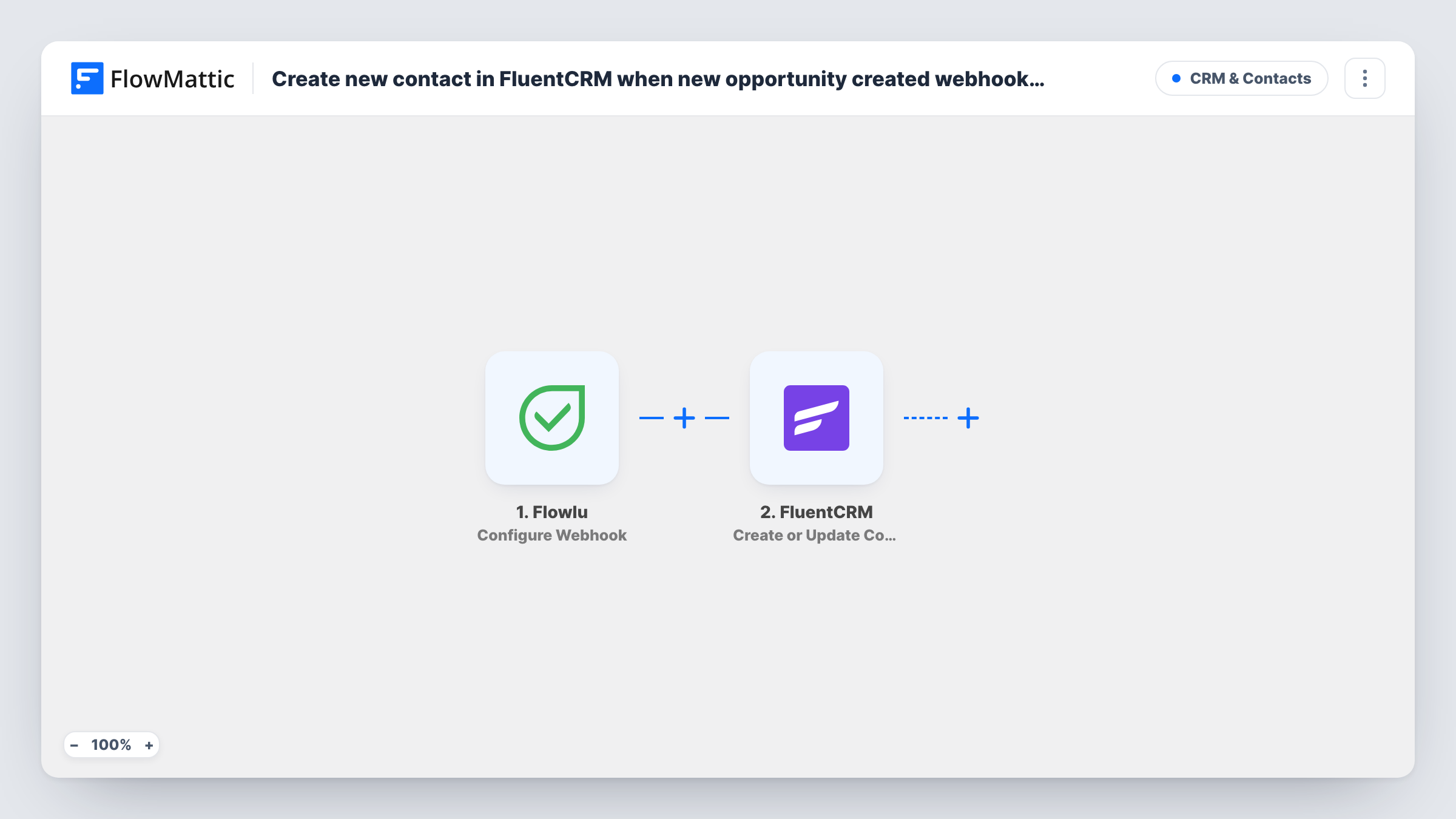
When Flowlu sends a new-opportunity webhook to FlowMattic, this workflow creates the matching contact in FluentCRM, or updates it if that email address is already there, so your sales leads are ready for email follow-up.
 Flowlu
 FluentCRM
2 steps Setup ~5 min Used on 2.5k sites Free to import
What this workflow does
Flowlu is where your sales pipeline lives, but your emails go out from FluentCRM on your WordPress site. Each new opportunity means a person you may want to email, and copying their details between the two by hand is slow and easy to forget. This workflow moves that contact across as soon as Flowlu reports the opportunity.
The Flowlu trigger is a webhook. FlowMattic gives you its URL, and you add it in Flowlu for the new-opportunity event. Flowlu's webhooks cover several event categories, CRM among them, so pick only the one this flow is meant for. Whatever data Flowlu includes with the opportunity becomes available to map.
Next, FluentCRM uses that data to create a contact, matching on email address. If a contact with that address already exists, FluentCRM updates it instead of adding a second record. FluentCRM needs an email to work with, so send a test opportunity first and confirm an address comes through from the linked contact. Task History shows every run and the data each step received.
Nurture emails for open deals
Each new Flowlu opportunity puts the buyer into FluentCRM, where you can add them to a list or sequence while the sales team works the deal.
Agency pipeline and newsletter in one place
Your agency tracks proposals in Flowlu and sends a monthly newsletter from WordPress. New opportunities keep the FluentCRM audience current without exports.
Repeat clients with fresh opportunities
A past client opens a new opportunity in Flowlu. Their existing FluentCRM contact is updated rather than duplicated, so their email history stays on one record.
How this workflow runs
What happens at each step once the workflow is on, and what you need before you import it.
 Flowlu Configure Webhook
Receives webhook calls from Flowlu. Add the FlowMattic URL in Flowlu for the new-opportunity event, then create a test opportunity so the data it sends is captured for mapping.
- FluentCRM Create or Update Contact
Creates a FluentCRM contact from the opportunity data, or updates the existing contact with the same email address. Map the email plus any name or company values Flowlu sends.
What you need
- FlowMatticCore
- Flowlu AccountAccount
- FluentCRM PluginPlugin
After importing, map your own data. To keep the template universal, not every step is pre-filled. Open each step in the builder and connect your accounts and fields (channels, lists, sheets, recipients) before you switch the workflow on.
Make it yours
Changes worth making after you import it.
- If your Flowlu webhook also sends other CRM events, add a Filter after the trigger that continues only for new opportunities, so updates and other records don't create contacts.
- Add a FluentCRM step after the contact step to apply a tag or list such as Flowlu Leads, so you can segment these contacts in your campaigns.
- Add a Filter that stops the run when the email value is empty, which keeps opportunities without a linked contact email out of FluentCRM.
Questions about this workflow
Does a Flowlu opportunity always include an email address?
Only if Flowlu sends one with the event, usually from the contact linked to the opportunity. Create a test opportunity and check the captured data. Without an email, FluentCRM has nothing to match the contact on.
What happens when the Flowlu buyer already has a FluentCRM record?
The step matches on email address, so FluentCRM updates the existing contact with the values you map instead of creating a duplicate.
Will older Flowlu opportunities be copied into FluentCRM?
No. Flowlu calls the webhook when events happen, so only opportunities created after you set it up reach FluentCRM.
Does this send anything back to Flowlu?
No. Data flows one way, from Flowlu into FluentCRM. Your Flowlu opportunity is not changed by the workflow.
More CRM & Contacts workflows
Other ready-to-import templates from the same category.




Import this workflow into your WordPress site
Download the JSON, import it from the Workflows screen and connect your accounts. Every run stays on your server, with no per-task fees.
30-day money-back guarantee Unlimited workflows and runs Self-hosted