

Create Support Ticket in Fluent Support When Order is Refunded in FluentCart
When an order is refunded in FluentCart, FlowMattic opens a Fluent Support ticket for that customer, so your team has a tracked task to follow up on each refund.
 FluentCart
 Fluent Support
2 steps Setup ~5 min Used on 2.9k sites Free to import
What this workflow does
A refund usually means something went wrong: a damaged item, a wrong size, a service that didn't fit. Processing the money is only half the job. This workflow puts each refund in front of your support team as a ticket, where someone can ask what happened, offer an exchange or note the reason for later.
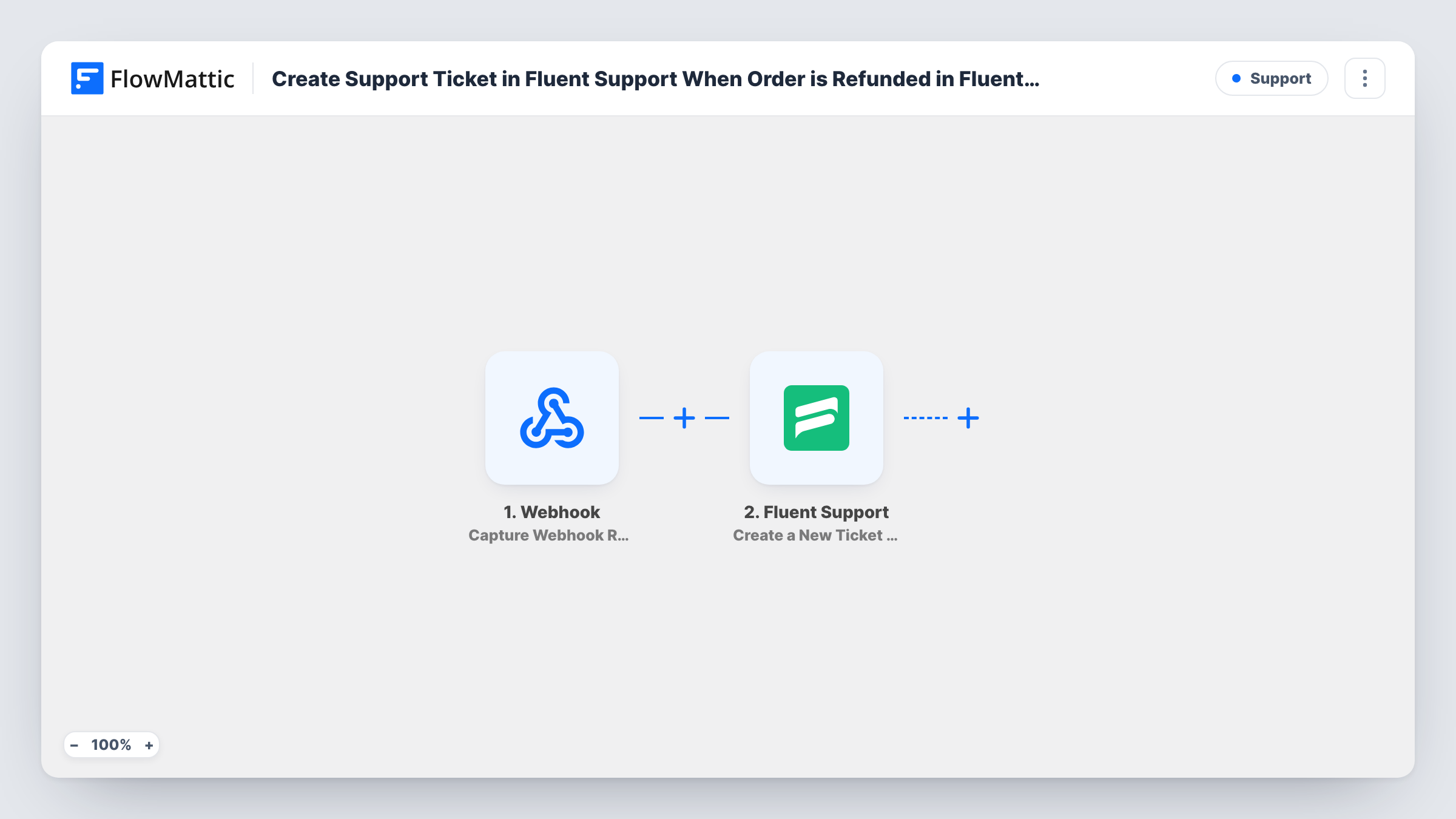
Both plugins run inside WordPress. The FluentCart Order Refunded trigger fires when an order is refunded and passes the order and customer details on. The Fluent Support step, Create a New Ticket Using Customer, then opens a ticket on the same site.
Nothing in the ticket step is filled in yet. After import you map the customer's email and name from the refunded order, so Fluent Support files the ticket under the right customer, then write a subject and body. Including the order number and refund amount in the ticket saves your agent from looking them up.
Each Order Refunded event from FluentCart opens one ticket, and there is no Filter to narrow that. Run a test refund on a sample order and check Task History to see the ticket Fluent Support created.
Follow up on why a buyer wanted their money back
A clothing shop's support agent gets a ticket for each FluentCart refund and emails the customer to ask about fit, logging the answer on the ticket.
Exchange offers for digital products
A seller of templates turns each refund into a ticket so an agent can suggest a different product before the customer moves on.
Refund log the whole team can search
A store owner uses Fluent Support's ticket list as a searchable record of refunds, with notes on each case.
How this workflow runs
What happens at each step once the workflow is on, and what you need before you import it.
 FluentCart Order Refunded
Fires when an order is refunded in FluentCart. The order's details, such as the customer's email, the order number and the amounts, are passed on for the ticket.
- Fluent Support Create a New Ticket Using Customer
Opens a new Fluent Support ticket. The step ships unmapped: map the customer's email and name from FluentCart, then write a subject and body that include the order number and refund amount.
What you need
- FlowMatticCore
- FluentCart PluginPlugin
- Fluent Support PluginPlugin
After importing, map your own data. To keep the template universal, not every step is pre-filled. Open each step in the builder and connect your accounts and fields (channels, lists, sheets, recipients) before you switch the workflow on.
Make it yours
Changes worth making after you import it.
- Start the ticket subject with a fixed word such as "Refund" followed by the order number, so agents can spot these tickets in the inbox.
- If only larger refunds need a follow-up, add a Filter between the FluentCart trigger and the Fluent Support step on the refund amount. Set the threshold yourself.
- Put the refunded items into the ticket body, so the agent can see what came back without opening the order.
Questions about this workflow
Does the FluentCart customer get an email about the ticket?
That depends on your Fluent Support notification settings, not on this workflow. Check them before going live if you don't want customers to receive a ticket confirmation.
Are partial refunds turned into tickets as well?
Each Order Refunded event from FluentCart starts a run. Make a partial refund on a test order to see whether your setup reports it, and check Task History.
What if the customer isn't in Fluent Support yet?
Map the email and name and test with a new address. If no ticket appears, add Fluent Support's Create OR Get Customer Info between the trigger and the ticket step and map the email into both.
Does a second refund on the same FluentCart order open another ticket?
If FluentCart reports it as a new Order Refunded event, yes. Each event runs the workflow once and creates its own Fluent Support ticket.
More Support workflows
Other ready-to-import templates from the same category.






Import this workflow into your WordPress site
Download the JSON, import it from the Workflows screen and connect your accounts. Every run stays on your server, with no per-task fees.
30-day money-back guarantee Unlimited workflows and runs Self-hosted