

When a form submission is received in Gravity Forms, create a new ticket in Desku.io, and email the ticket details using Email Module
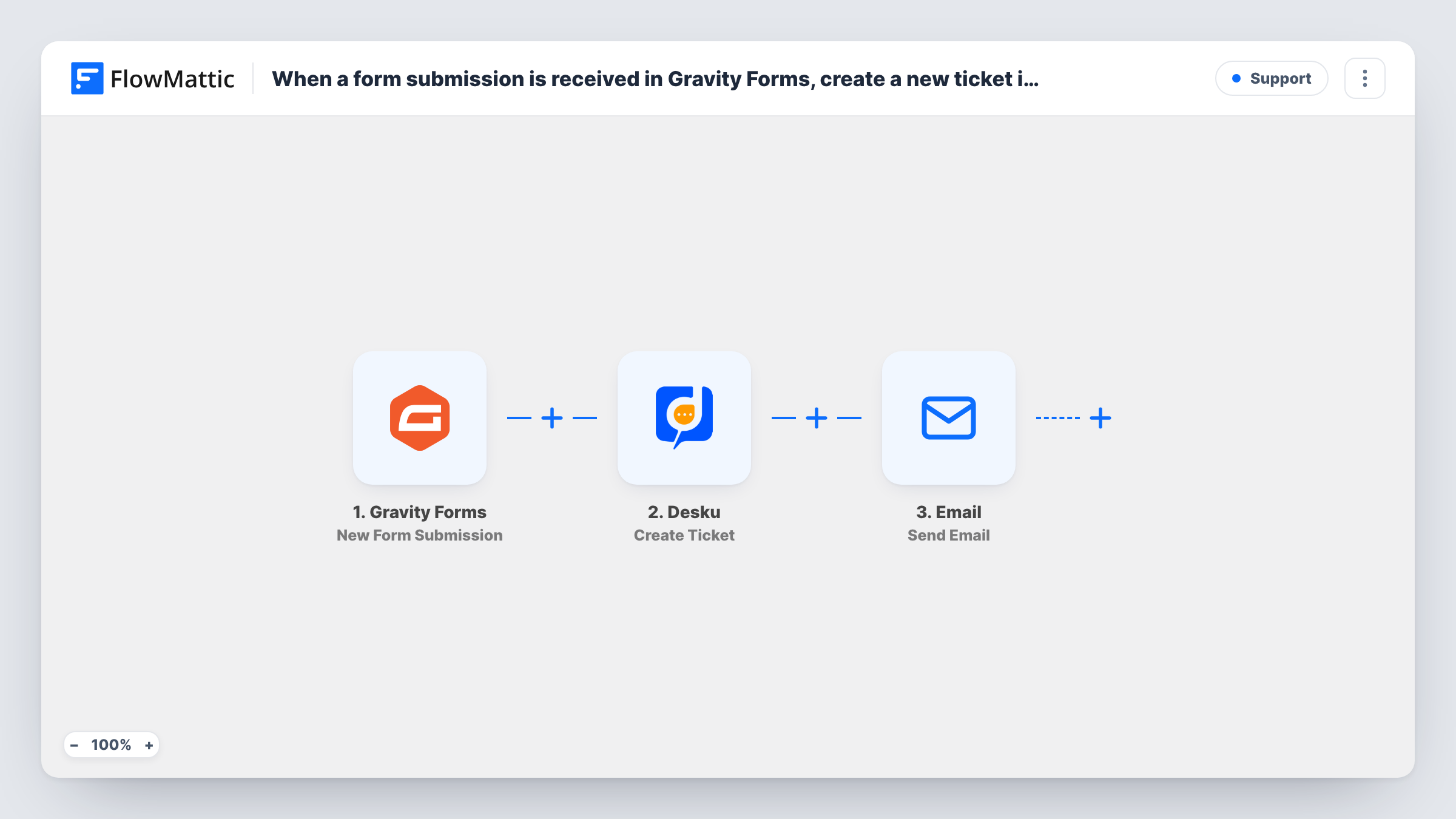
Each Gravity Forms submission opens a new ticket in Desku, then FlowMattic’s Email module sends a message with the ticket details to the address you set, such as your support inbox or the customer.
 Gravity Forms
 Desku
Desku
 Email
Email3 steps Setup ~5 min Used on 1.7k sites Free to import
What this workflow does
Support requests that arrive through a website form can sit in the WordPress entries screen until someone copies them into the help desk. This workflow turns each Gravity Forms entry into a Desku ticket straight away and sends an email about it, so the request is tracked and someone hears about it.
The Gravity Forms trigger starts a run when the form you connect receives a new submission. Each answer from that entry can be placed into the next two steps.
The Desku step creates a new ticket. After import you connect your Desku account and map the form fields into the ticket, for example the subject, the message and the requester's email. The final step uses FlowMattic's Email module to send a message through WordPress mail or the SMTP account you configure.
The Desku and Email steps both arrive blank. You decide who the email goes to: your support team as an alert, or the customer as a receipt. You can include details Desku returns for the new ticket, once a test submission shows you what comes back. Task History lists both responses for every run.
Help requests from a website support form
A software vendor's Gravity Forms support form opens a Desku ticket for each request and emails the support inbox so the on-call agent sees it.
Confirmation for customers who write in
A service business emails each person who submits its Gravity Forms contact form, confirming their request has been logged as a Desku ticket.
Repair and returns requests
A retailer's returns form in Gravity Forms opens a Desku ticket with the order number from the form and emails the warehouse lead with the details.
How this workflow runs
What happens at each step once the workflow is on, and what you need before you import it.
 Gravity Forms New Form Submission
Starts the workflow when the connected Gravity Forms form receives a new submission. Every field from the entry becomes available to the Desku and Email steps.
- Desku Create Ticket
Creates a new ticket in Desku from the entry. The step ships unmapped: connect Desku and map the form's subject, message and requester details into the ticket.
 Email Send Email
Delivers a message through your site's WordPress mail, or through an SMTP account if you enter one. Set the recipient, subject and body after import, and map in form answers or ticket details returned by the Desku step.
What you need
- FlowMatticCore
- Gravity Forms PluginPlugin
- Desku.io AccountAccount
After importing, map your own data. To keep the template universal, not every step is pre-filled. Open each step in the builder and connect your accounts and fields (channels, lists, sheets, recipients) before you switch the workflow on.
Make it yours
Changes worth making after you import it.
- Send a test entry before mapping the Email step, then use the Desku step's output in Task History to pick ticket details for the email body.
- If your site's default mail often lands in spam, enter your SMTP provider's details in the Email step so the ticket email goes out through that account.
- To ticket only some entries, add a Filter between the Gravity Forms trigger and the Desku step that checks a form field, such as a request type. Set it to a field from your own form.
Questions about this workflow
Who receives the email about the Desku ticket?
The address you put in the To field decides it. Map the email field from the Gravity Forms entry to notify the customer, or type your team's address to alert support.
Can the email include the new Desku ticket's details?
Yes, if Desku returns them. The Email step comes after Create Ticket, so whatever that step outputs can be mapped into the message. Run a test submission to see which values Desku returns.
Do I need an SMTP service for the Gravity Forms ticket email?
No. FlowMattic's Email module can send through your WordPress site's own mail. You can also enter SMTP details, which many sites use for more reliable delivery.
Does every Gravity Forms entry become a ticket?
Yes, every new submission on the connected form starts a run. Use a Filter between the trigger and the Desku step if some entries shouldn't become tickets.
More Support workflows
Other ready-to-import templates from the same category.







Import this workflow into your WordPress site
Download the JSON, import it from the Workflows screen and connect your accounts. Every run stays on your server, with no per-task fees.
30-day money-back guarantee Unlimited workflows and runs Self-hosted