

Create tasks in ClickUp for new affiliates in Affiliate for WooCommerce
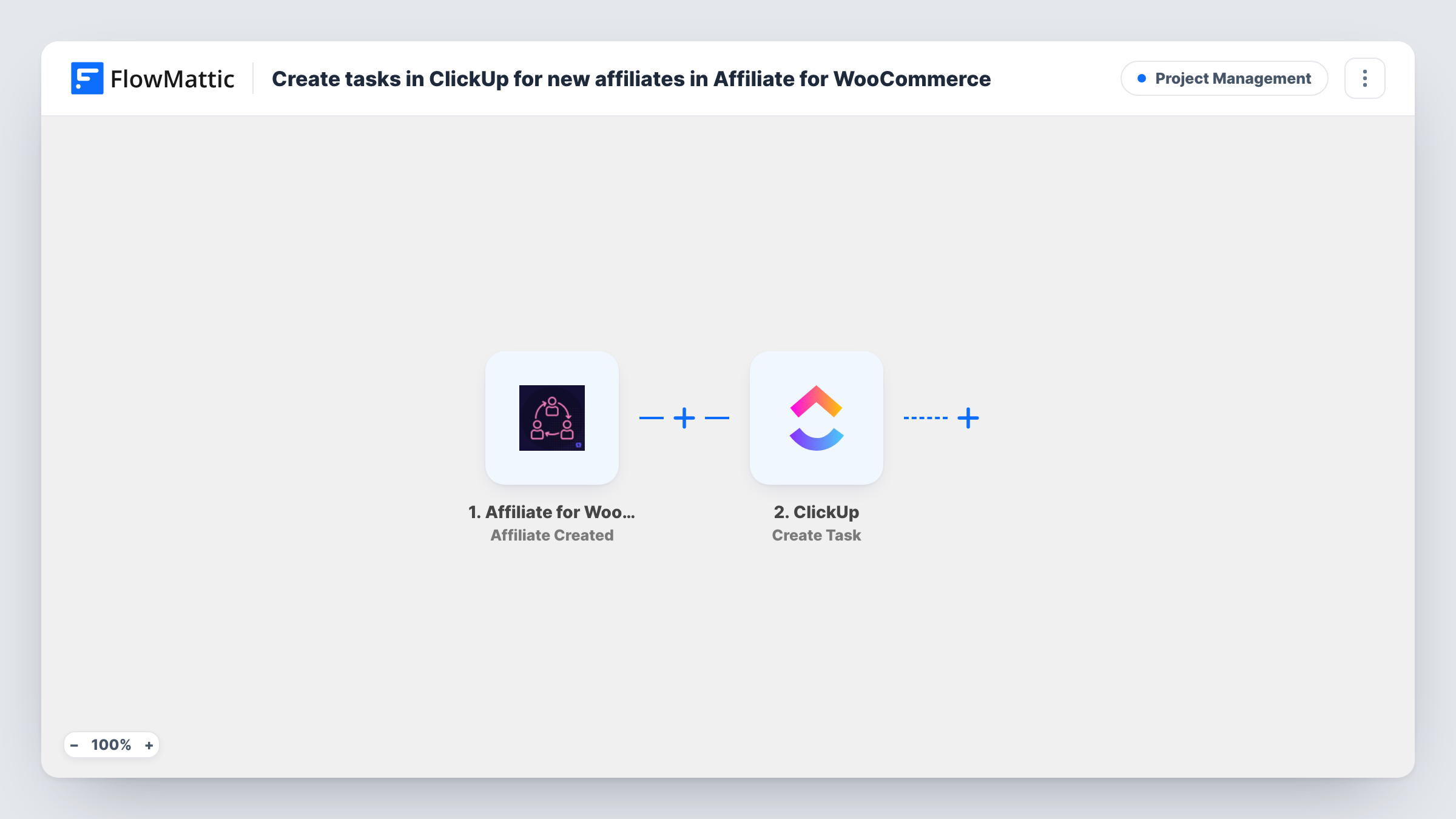
Each time Affiliate for WooCommerce creates a new affiliate, this workflow opens a ClickUp task with their details, so your partner team has an onboarding to-do for every person who joins your program.
 Affiliate for WooCommerce
 ClickUp
2 steps Setup ~5 min Used on 3.2k sites Productivity Free to import
What this workflow does
A new affiliate needs attention: a welcome note, their links and creatives, maybe a check of their website. When sign-ups only show in the WooCommerce admin, those follow-ups depend on someone remembering to look. This workflow turns each new affiliate into a ClickUp task your team can assign and track.
The Affiliate for WooCommerce trigger, Affiliate Created, fires when a new affiliate is created in the plugin on your WordPress site. FlowMattic passes that affiliate's data to the ClickUp step, which creates a task where you point it. You map details such as the affiliate's name and email into the task name and description.
The trigger fires on creation, not approval. If you review applications before approving them, the task can be the reminder to do that review. The flow does not change the affiliate's status in WooCommerce. Each new affiliate runs it once, and Task History keeps a record of every run.
Reviewing affiliate applications
Store owners who approve affiliates by hand get a ClickUp task for every new applicant, so pending applications don't sit unnoticed in the WordPress admin.
Onboarding pack for new partners
The marketing team works through a ClickUp task for each new affiliate: send the welcome email, share banner files and explain the commission terms.
Influencer outreach follow-up
After an outreach campaign, creators who sign up as affiliates appear as tasks for the person who contacted them, ready for a personal thank-you.
How this workflow runs
What happens at each step once the workflow is on, and what you need before you import it.
 Affiliate for WooCommerce Affiliate Created
Fires when a new affiliate is created in Affiliate for WooCommerce on your site. Their details are passed on so you can map them into ClickUp.
- ClickUp Create Task
Opens a ClickUp task for the new affiliate. Set where the task is created, then map affiliate details such as name and email into it and confirm the result with a test run.
What you need
- FlowMatticCore
- Affiliate for WooCommerce PluginPlugin
- ClickUp AccountAccount
After importing, map your own data. To keep the template universal, not every step is pre-filled. Open each step in the builder and connect your accounts and fields (channels, lists, sheets, recipients) before you switch the workflow on.
Make it yours
Changes worth making after you import it.
- If you only want tasks for approved partners, swap the trigger for Affiliate for WooCommerce's Affiliate Approved trigger, which fires when an affiliate is approved.
- Put the affiliate's email in the task description so whoever picks it up can contact them without opening WordPress.
- Register a test affiliate after import so FlowMattic captures the trigger data, then check the ClickUp mapping before switching the workflow on.
Questions about this workflow
Does the ClickUp task appear when the affiliate signs up or when I approve them?
When the affiliate is created. Affiliate for WooCommerce also has an Affiliate Approved trigger in FlowMattic if you would rather create tasks only after approval.
Do I need the Affiliate for WooCommerce plugin on the same site as FlowMattic?
Yes. The trigger listens for affiliates created by the plugin on the WordPress site where FlowMattic is installed.
Will existing affiliates get ClickUp tasks?
No. Only affiliates created after you turn the workflow on start a run. Affiliates already in your program are not touched.
Can the workflow approve the affiliate too?
Not as imported. The Affiliate for WooCommerce app in FlowMattic has an Update Affiliate Status action you could add, but think about whether you want approvals to happen without a review.
More Project Management workflows
Other ready-to-import templates from the same category.




Import this workflow into your WordPress site
Download the JSON, import it from the Workflows screen and connect your accounts. Every run stays on your server, with no per-task fees.
30-day money-back guarantee Unlimited workflows and runs Self-hosted