

Create Zoho Meetings from new Google Calendar events that match a search
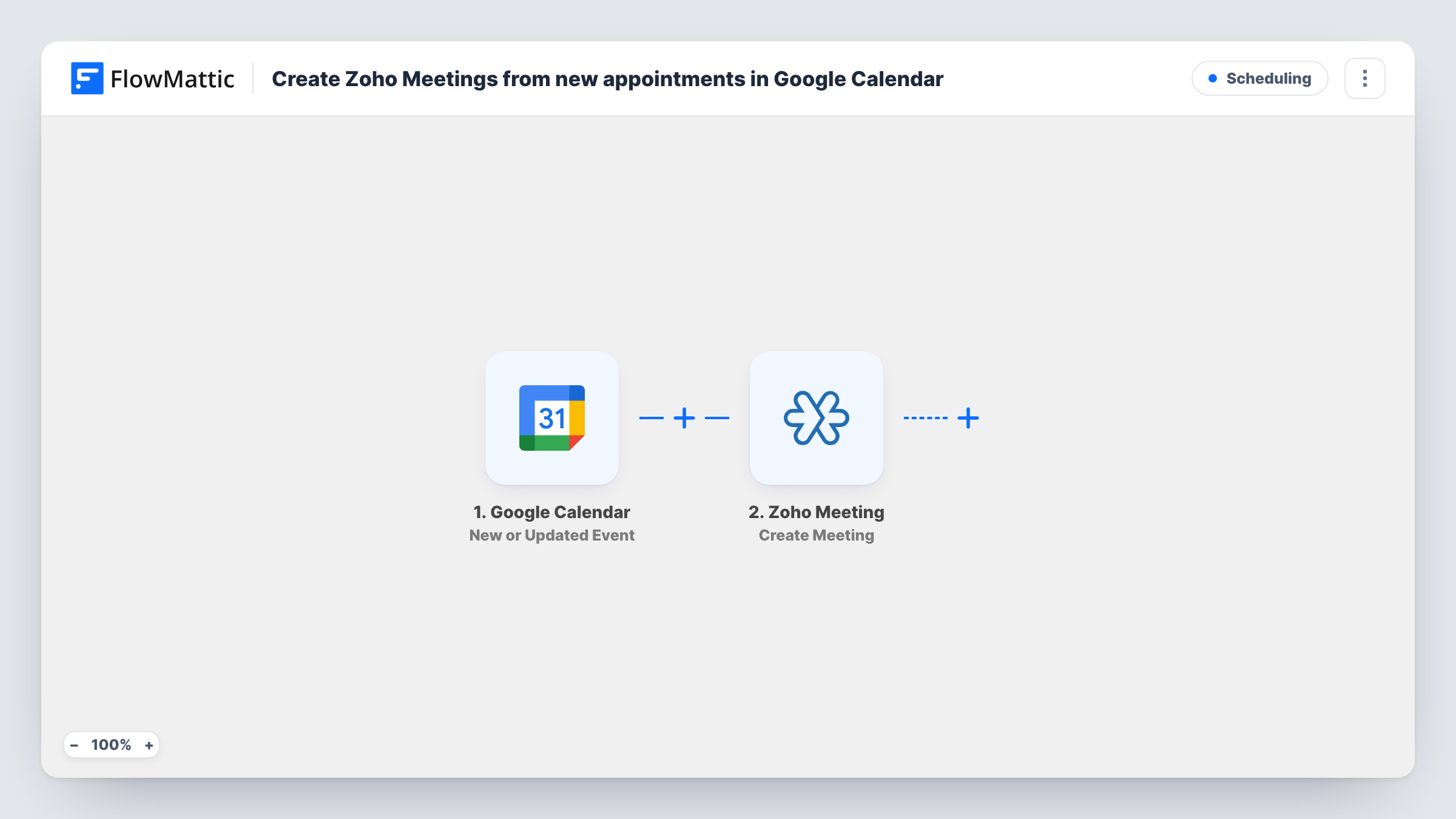
When an event matching your search is created in Google Calendar, FlowMattic creates a Zoho Meeting for it, so appointments you book in your calendar get an online meeting without extra clicks.
 Google Calendar
 Zoho Meeting
2 steps Setup ~5 min Used on 1.5k sites Free to import
What this workflow does
If you book client calls or interviews in Google Calendar but host them in Zoho Meeting, each event needs a second step to set up the meeting. This workflow does that step for events whose details match a search you set, such as the word "appointment".
The Google Calendar New Event Matching Search trigger fires when an event is created that matches your search. After import you connect Google, choose the calendar and enter the search text. Events that don't match, like lunch blocks or reminders, don't start a run.
The Zoho Meeting Create Meeting step then creates a new meeting. It ships unmapped: connect Zoho Meeting and map the event's title, start time and duration into the meeting, plus attendees if you want Zoho to invite them. Check a test run to confirm the time and time zone come through correctly.
The template doesn't write the Zoho Meeting link back into the calendar event. Task History shows each matching event and the meeting Zoho Meeting returned.
Client consultations booked in Calendar
An accountant adds "Appointment" events for client calls in Google Calendar, and each one gets a Zoho Meeting for the call.
Interview slots for a hiring team
A recruiter titles interview events with "Interview" and has a Zoho Meeting created for every one they add.
Online lessons for a tutor
A tutor puts "Lesson" in the title of each session in Google Calendar, so every new lesson has an online meeting ready.
How this workflow runs
What happens at each step once the workflow is on, and what you need before you import it.
 Google Calendar New Event Matching Search
Fires when an event matching your search is created in Google Calendar. Choose the calendar and the search text after import; the event's title, times and attendees are passed on.
- Zoho Meeting Create Meeting
Creates a new meeting in Zoho Meeting from the calendar event. Nothing is mapped yet: connect Zoho and map the event title, start time and duration, then check the meeting after a test.
What you need
- FlowMatticCore
- Google Calendar AccountAccount
- Zoho Meeting AccountAccount
After importing, map your own data. To keep the template universal, not every step is pre-filled. Open each step in the builder and connect your accounts and fields (channels, lists, sheets, recipients) before you switch the workflow on.
Make it yours
Changes worth making after you import it.
- Pick a search word you only use in events that need a meeting, such as "Client call", so personal events never create one.
- Add an Email step after the Zoho Meeting step that sends the meeting link to the attendee from the calendar event.
- Check the time zone of a test meeting against the calendar event, especially if your Google and Zoho accounts are set to different zones.
Questions about this workflow
Which Google Calendar events create a Zoho Meeting?
Only new events that match the search text you set in the trigger. Events without that text don't start a run.
Is the Zoho Meeting link added to the Google Calendar event?
No. The template only creates the meeting. You could add Google Calendar's Update Event action after it, mapping the event from the trigger and the link Zoho Meeting returns.
Do I need both a Google and a Zoho Meeting account?
Yes. You connect the Google account that owns the calendar in the trigger and your Zoho Meeting account in the Create Meeting step.
More Scheduling workflows
Other ready-to-import templates from the same category.




Import this workflow into your WordPress site
Download the JSON, import it from the Workflows screen and connect your accounts. Every run stays on your server, with no per-task fees.
30-day money-back guarantee Unlimited workflows and runs Self-hosted