

When a booking is created in TuCalendi, send an email to your team
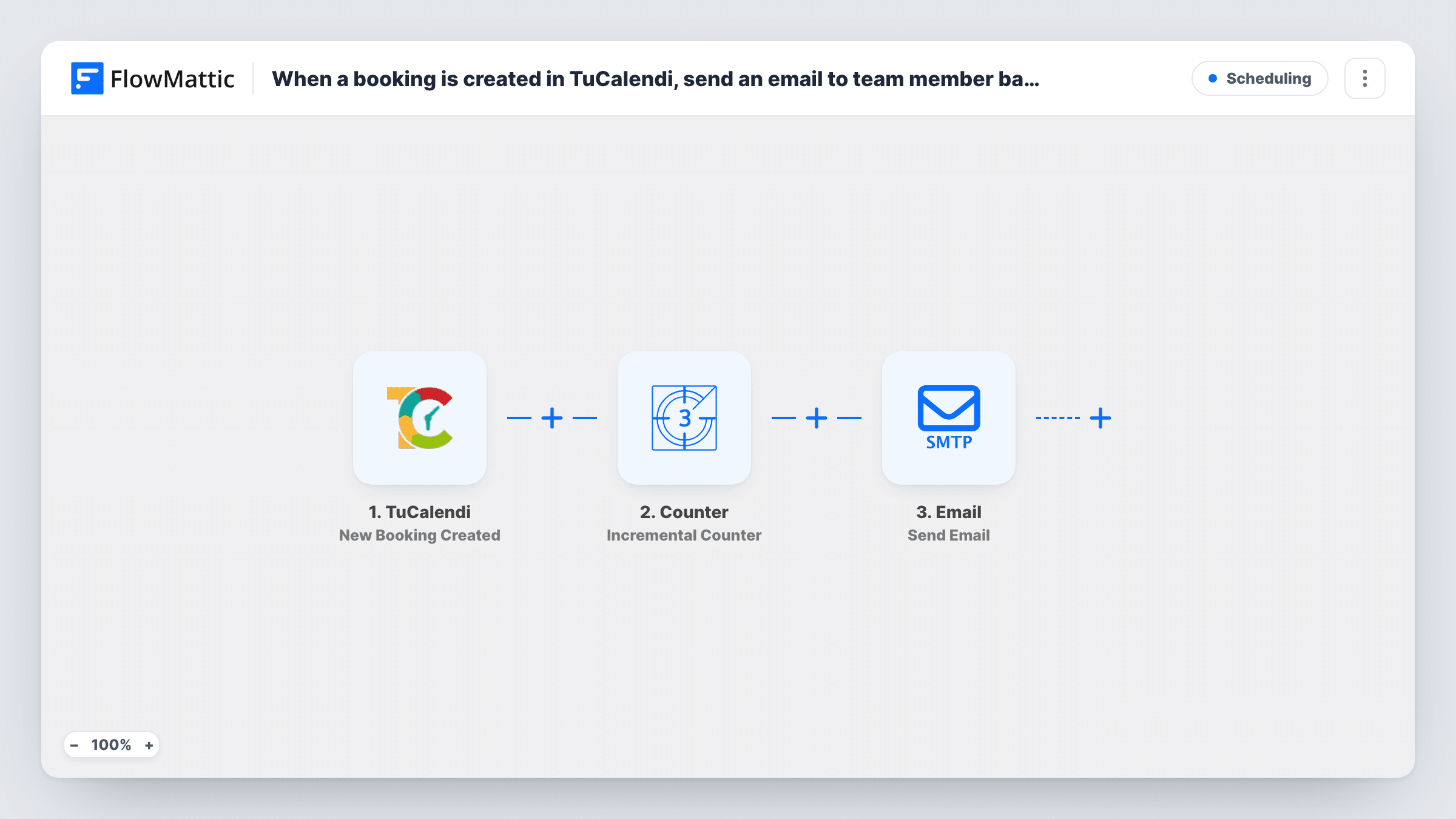
Each new TuCalendi booking sends an email to your team with the booking details you choose, using FlowMattic’s Email module through WordPress mail or your own SMTP account.
 TuCalendi
 Email
Email2 steps Setup ~5 min Used on 3.3k sites Free to import
What this workflow does
When clients book through TuCalendi, the person who owns the calendar is notified, but colleagues who prepare for the meeting often aren't. A receptionist, an assistant or a sales lead may need to know about every booking. This workflow emails them as each booking is created.
The TuCalendi trigger starts a run as soon as someone books a slot. The booking's details, such as the client's name and email, the service and the date and time, are passed on. Make a test booking during setup to see exactly which fields TuCalendi sends.
The Email step then sends the message. It uses FlowMattic's built-in Email module, which can go out through WordPress's own mail function or a custom SMTP account you enter. The template doesn't set a recipient, subject or body, so after import add your team's address, write the subject and map the TuCalendi booking fields into the message.
Each booking sends one email. Changes and cancellations don't start this workflow, since TuCalendi has separate Booking Edited and Booking Cancelled triggers for those.
Front desk prepares for appointments
A physiotherapy clinic's receptionist gets an email for every TuCalendi booking, so the treatment room and paperwork are ready when the patient arrives.
Sales team sees every demo booked
A software company's demo calendar runs on TuCalendi. The whole sales team gets an email with the prospect's name and time, not just the rep who owns the slot.
Assistant keeps a consultant's diary
A consultant's assistant receives each new booking by email and adds travel time and prep notes to the consultant's planner.
How this workflow runs
What happens at each step once the workflow is on, and what you need before you import it.
 TuCalendi New Booking Created
Fires when a booking is created in TuCalendi. The client details, the service booked and the appointment date and time are passed on; check a test booking for the exact field names.
 Email Send Email
Sends the team email through FlowMattic's Email module, using WordPress mail or your SMTP account. Add the team address, write the subject and map the TuCalendi booking details into the message.
What you need
- FlowMatticCore
- TuCalendi AccountAccount
After importing, map your own data. To keep the template universal, not every step is pre-filled. Open each step in the builder and connect your accounts and fields (channels, lists, sheets, recipients) before you switch the workflow on.
Make it yours
Changes worth making after you import it.
- Send to a shared team address, or put extra colleagues in the Email step's CC, so everyone who needs the booking gets the same email.
- Put the client name and appointment time in the subject, so the team can see the booking at a glance in their inbox.
- Add a second workflow on TuCalendi's Booking Cancelled trigger with its own email, so the team also hears when a slot frees up.
- Enter your SMTP account in the Email step if mail sent by your WordPress host doesn't reach your team reliably.
Questions about this workflow
Does the team get an email when a TuCalendi booking is cancelled?
Not from this workflow. It only runs for new bookings. Use the separate Booking Cancelled trigger in another workflow to email the team about cancellations.
Do I need an SMTP account for the email step?
No. FlowMattic's Email module can send through WordPress's own mail function. You can enter a custom SMTP account instead if you want more control over delivery.
Which TuCalendi details can I include in the team email?
Any field the booking passes to FlowMattic. Make a test booking, then map the client name, email, service and time you see into the message.
More Scheduling workflows
Other ready-to-import templates from the same category.





Import this workflow into your WordPress site
Download the JSON, import it from the Workflows screen and connect your accounts. Every run stays on your server, with no per-task fees.
30-day money-back guarantee Unlimited workflows and runs Self-hosted