

Create a WordPress user and enroll them in a LearnDash course when an UpViral reward unlocks
When a participant in your UpViral campaign earns a reward, FlowMattic creates a WordPress account for them and enrolls that user in a LearnDash course, so the course itself can be the prize.
 UpViral
 WordPress
 LearnDash
3 steps Setup ~5 min Used on 2.5k sites Free to import
What this workflow does
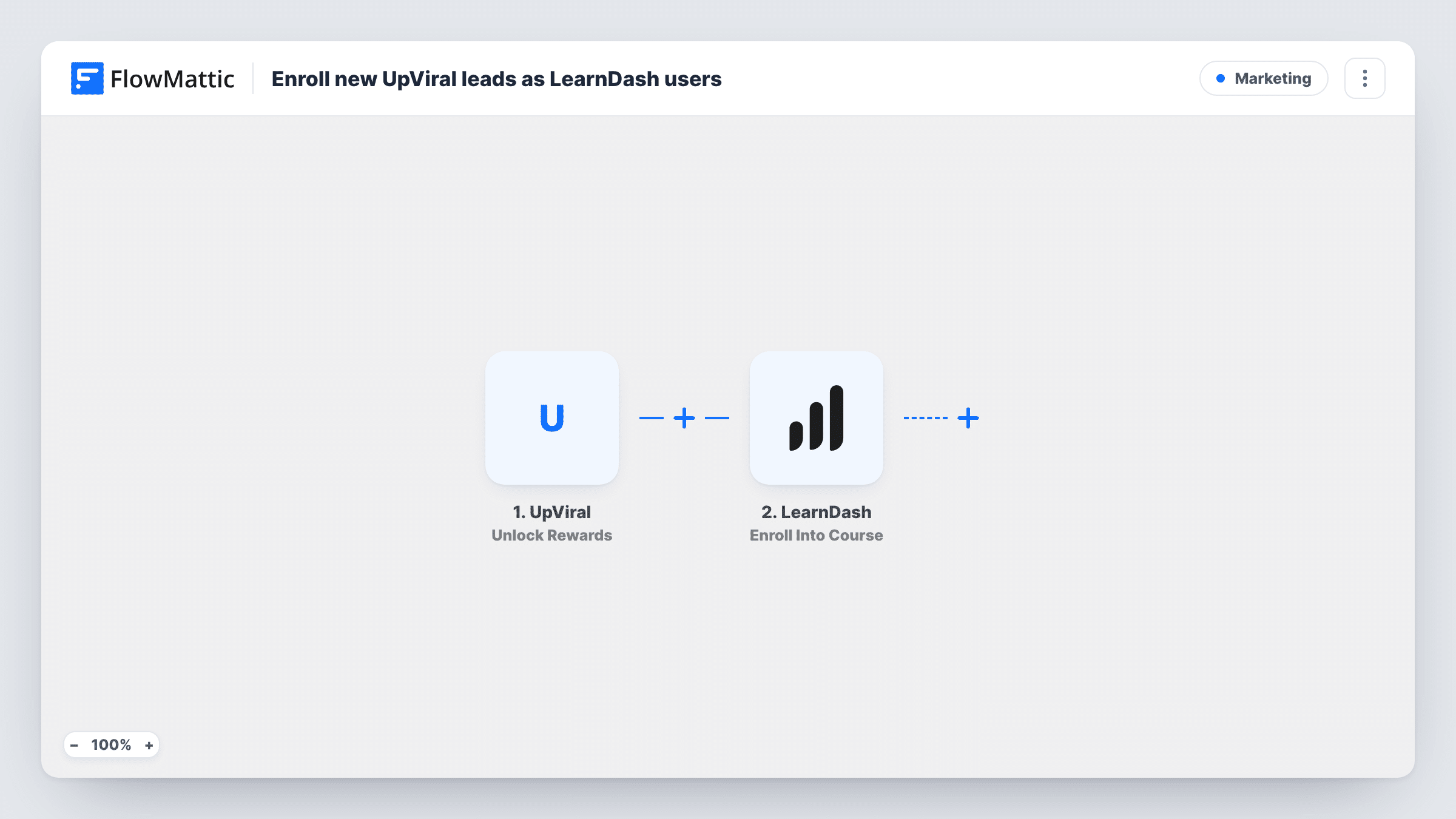
Referral campaigns often promise a course as the prize: share the page with enough friends and you get access. Handing that access out by hand means watching UpViral, creating accounts and enrolling people one at a time. This workflow does those three jobs in order as soon as someone earns the reward.
The UpViral trigger, called Unlock Rewards, fires each time a new reward becomes available to a participant. FlowMattic receives the lead's details from the campaign, such as their name and email address.
Next, the WordPress New User step creates an account on your site from that lead. The last step uses LearnDash to enrol a user into a course. Neither action is mapped in the template: after import you map the UpViral email and name into New User, then in Enroll Into Course choose the course and map the user ID that the New User step returned.
If the lead's email is already registered on your site, WordPress keeps the one account they have; Task History shows which user ID the step returned, and that is the user LearnDash enrols. If your campaign has several reward levels, each one a participant reaches starts the workflow again, so decide whether that matches what you promise at each level. Test with one referral before you launch the campaign.
Free mini-course for three referrals
A coach's UpViral campaign gives a short LearnDash course to anyone who refers three friends, and the account and enrolment are set up as soon as the reward is earned.
Pre-launch waitlist bonus
A course creator building a waitlist rewards early sharers with a bonus module set up as its own LearnDash course.
Member training as a referral prize
A software company offers its LearnDash product training to users who share the launch page, with access granted as each reward is reached.
How this workflow runs
What happens at each step once the workflow is on, and what you need before you import it.
 UpViral Unlock Rewards
Fires when a participant in your UpViral campaign reaches a new reward. The lead's details from the campaign are handed to the WordPress step.
- WordPress New User
Creates a WordPress user from the UpViral lead. The step ships unmapped, so map the lead's email and name. An email with an existing account gets no second one; the step returns that user's ID.
- LearnDash Enroll Into Course
Enrols the user into the LearnDash course you pick. Map the user ID returned by the New User step so the enrolment goes to the account that step created or returned.
What you need
- FlowMatticCore
- UpViral AccountAccount
- LearnDash PluginPlugin
After importing, map your own data. To keep the template universal, not every step is pre-filled. Open each step in the builder and connect your accounts and fields (channels, lists, sheets, recipients) before you switch the workflow on.
Make it yours
Changes worth making after you import it.
- If only one reward level should grant the course, put a Filter between the UpViral trigger and the New User step that checks the reward field a test run shows. Treat that field and value as an example to set for your campaign.
- Before launch, refer yourself with an email that has no account yet, then check in Task History that the Enroll Into Course step received the new user ID.
- Add an Email step after Enroll Into Course that sends the lead a login link and the course name, so they know where to find their reward.
Questions about this workflow
Does the UpViral lead get a WordPress login straight away?
The New User step creates the account during the run. How the person learns their login depends on your setup, so test with your own email or add a step that emails them.
What if the UpViral lead already has an account on my site?
No duplicate account is made for an address WordPress already knows. Task History shows the user ID the step returned, and the LearnDash step enrols that user.
Can each UpViral reward give access to a different LearnDash course?
As imported, every reward goes to the one course you set. For different courses, add a Router between the New User step and the LearnDash step, give each route a condition on a distinct reward name, and put its own Enroll Into Course step on each route.
More Marketing workflows
Other ready-to-import templates from the same category.





Import this workflow into your WordPress site
Download the JSON, import it from the Workflows screen and connect your accounts. Every run stays on your server, with no per-task fees.
30-day money-back guarantee Unlimited workflows and runs Self-hosted