

Format the phone number received in FluentForm submission, and send a WhatsApp welcome message
When a Fluent Forms entry comes in, FlowMattic reformats the phone number the person typed and uses it to send a WhatsApp welcome text through the Cloud API. Free-form WhatsApp text has a 24-hour limit, explained below.
 Fluent Forms
 Number Formatter
 WhatsApp Cloud API
3 steps Setup ~5 min Used on 2.6k sites Free to import
What this workflow does
People type phone numbers in every style: with spaces, brackets, a leading zero or no country code. WhatsApp needs a number it can recognise, so sending to the raw form value can fail. This workflow puts a formatting step between the form and the message.
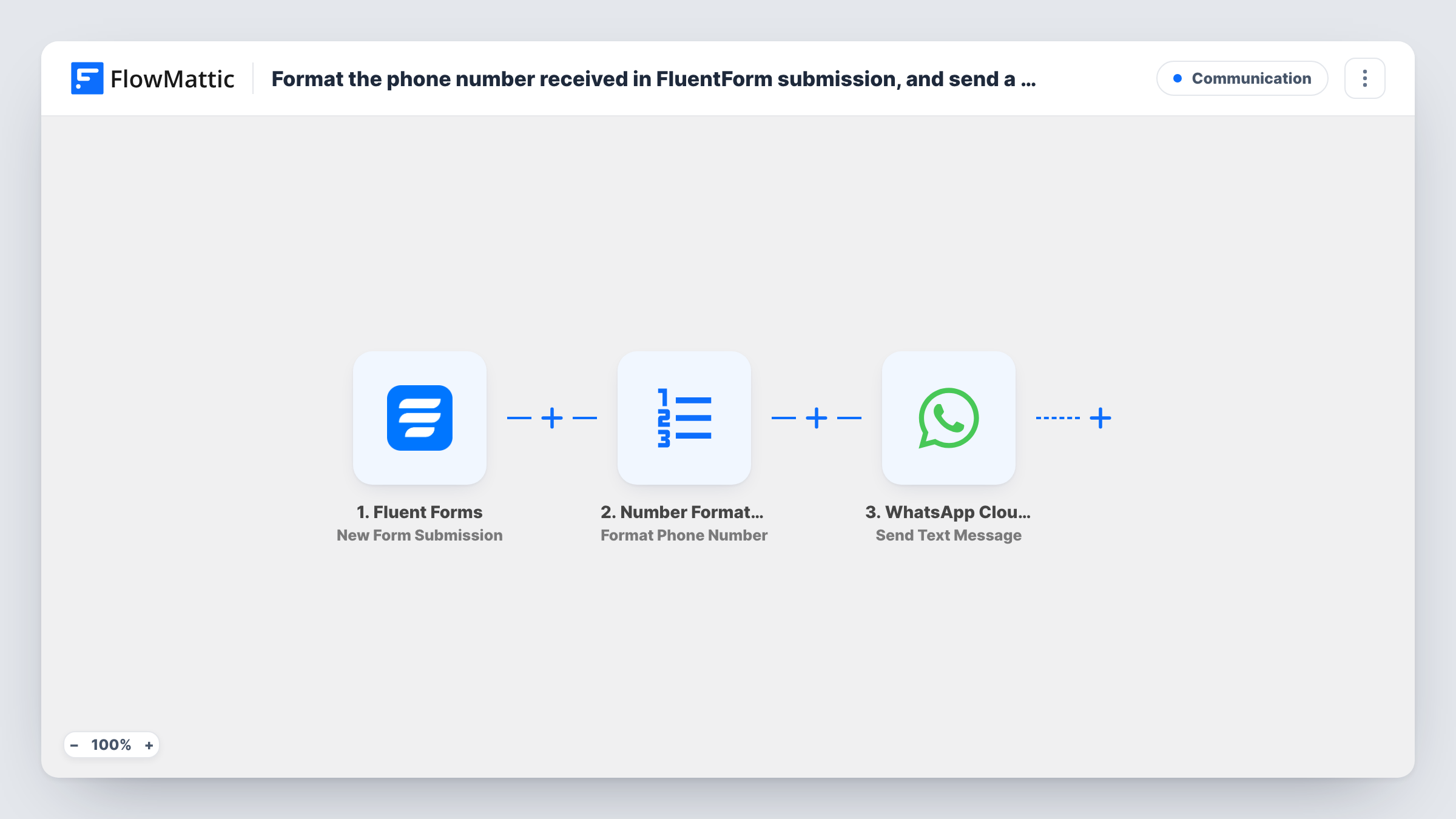
The Fluent Forms New Form Submission trigger starts the workflow when a new submission is received. The phone answer then goes to Format Phone Number from Number Formatter, which formats the given number with or without a country code. The last step, Send Text Message in WhatsApp Cloud API, sends your welcome text to the formatted number.
Know the delivery rule before you rely on it. WhatsApp accepts a free-form text only for someone who messaged your business number in the last 24 hours. Most people filling in a form have never done that, so the welcome text will usually not arrive. For first contact, replace the last step with Send Template Message and use a template WhatsApp has approved. Task History shows the response on each step.
Click-to-chat landing pages
A page asks visitors to message your WhatsApp number first and then fill in a Fluent Forms form. Because they wrote to you recently, the welcome text can reach them.
Cleaner numbers for later steps
Even if you switch to a template message, the Number Formatter step gives you a consistent number you can also map into a CRM or sheet step you add.
Testing your WhatsApp setup
Before sending templates to real leads, you submit the form from your own phone, message the business number, and check that formatting and delivery work.
How this workflow runs
What happens at each step once the workflow is on, and what you need before you import it.
 Fluent Forms New Form Submission
Starts when a new Fluent Forms submission is received. The phone answer and every other field are captured for the next two steps.
- Number Formatter Format Phone Number
Takes the phone number from the form and formats it with or without a country code, as you set it up. Map the form's phone field in, then check the output in a test run.
- WhatsApp Cloud API Send Text Message
Sends a free-form WhatsApp text to the formatted number from your Cloud API business number. It is delivered only if that person messaged your number within the last 24 hours.
What you need
- FlowMatticCore
- Fluent Forms PluginPlugin
- WhatsApp Cloud API AccountAccount
After importing, map your own data. To keep the template universal, not every step is pre-filled. Open each step in the builder and connect your accounts and fields (channels, lists, sheets, recipients) before you switch the workflow on.
Make it yours
Changes worth making after you import it.
- To greet people who have never messaged you, change the last step to Send Template Message and pick a template approved for your WhatsApp Business account.
- Ask for the number with its country code in the form's placeholder or help text, then compare a few test runs to see how Number Formatter handles each style.
- Make the phone field required in Fluent Forms so every run has a number to format, and add a Filter after the trigger if only one form should send messages.
Questions about this workflow
Why might the WhatsApp welcome message not arrive?
Free-form text from the Cloud API is only delivered to people who messaged your business number in the past 24 hours. New form contacts usually haven't, so use Send Template Message with an approved template for them.
What does the Number Formatter step do with the Fluent Forms phone number?
It formats the number with or without a country code, so the WhatsApp step gets one consistent style instead of whatever the visitor typed. Test with a few real formats after import.
What happens if the formatted number is wrong?
The WhatsApp step returns an error and Task History shows it on that step. Check the Number Formatter output for that run to see what was sent.
Does the form submission still save in Fluent Forms?
Yes. The workflow starts after Fluent Forms receives the entry and doesn't change it.
More Communication workflows
Other ready-to-import templates from the same category.





Import this workflow into your WordPress site
Download the JSON, import it from the Workflows screen and connect your accounts. Every run stays on your server, with no per-task fees.
30-day money-back guarantee Unlimited workflows and runs Self-hosted