

Get Zoho Creator records for new support tickets in Fluent Support
Each new Fluent Support ticket starts a run that retrieves records from a Zoho Creator report, giving you a base to build on when you want customer data pulled in for tickets.
 Fluent Support
 Zoho Creator
2 steps Setup ~5 min Used on 1.1k sites Free to import
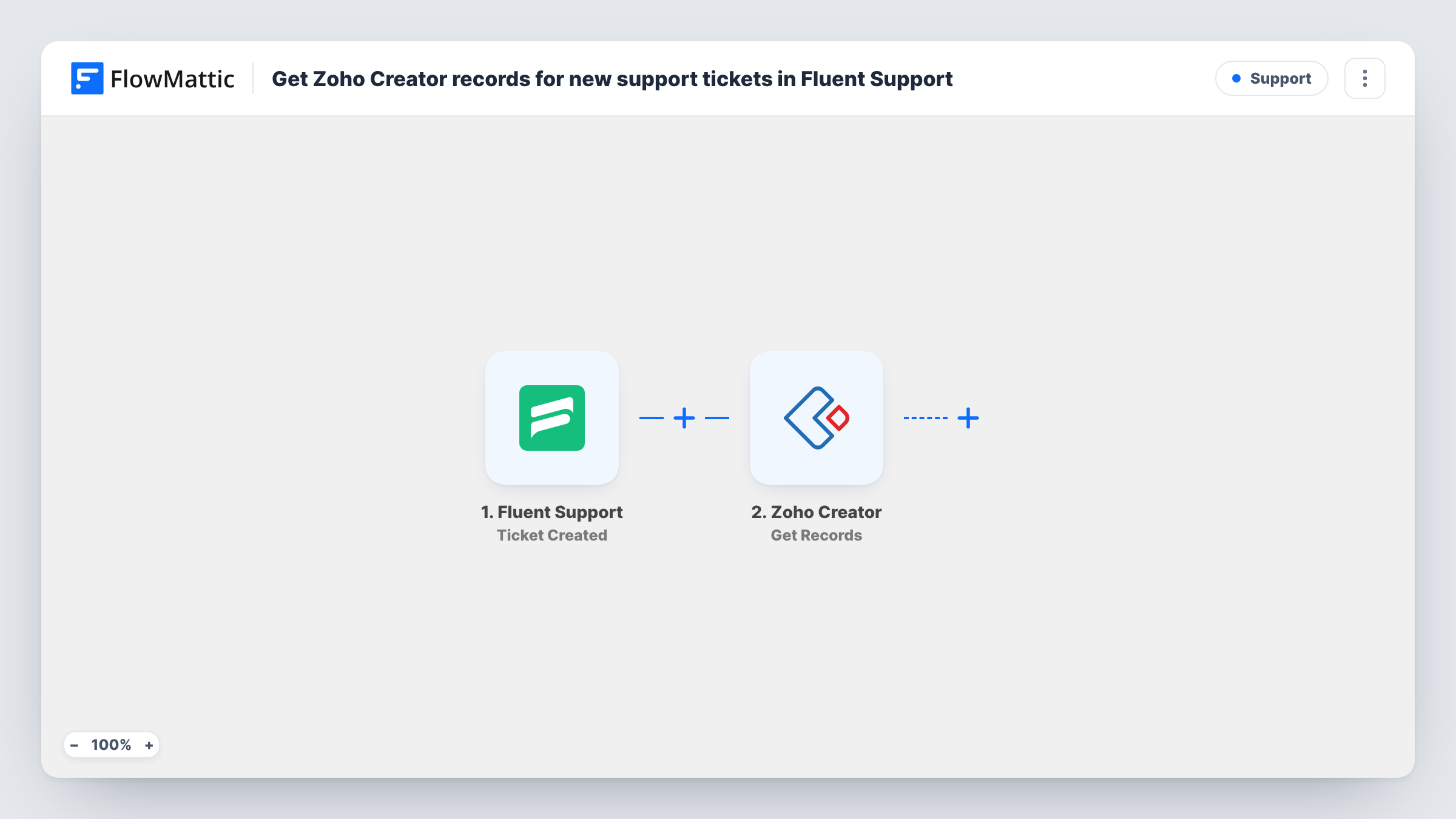
What this workflow does
Support agents often need data kept in a Zoho Creator app, such as orders, licences or service contracts, while they answer a ticket. As a starting point, this template connects new tickets in Fluent Support to a Zoho Creator lookup.
The Fluent Support trigger fires when a new ticket is created, whether a customer or an agent opens it. FlowMattic then runs Get Records in Zoho Creator, which retrieves records from a report. Which records come back depends on how you set up the step, so check it with a test ticket.
The step only reads. As imported, nothing uses the records it returns, and the ticket isn't changed. To put the data in front of your agents, add a step after it, for example a Slack message or an email to the team with the values you map from the result.
Licence details for a software helpdesk
Your licence records live in a Zoho Creator app. Each new ticket runs a lookup on that report, ready for a step that sends the details to the agent.
Service contract checks
A maintenance company keeps contracts in Zoho Creator. New tickets fetch records from the contracts report so a later step can share the result with the team.
Testing a Zoho Creator connection
Before building a larger support flow, you import this template to confirm FlowMattic can read your Zoho Creator report when a ticket is created.
How this workflow runs
What happens at each step once the workflow is on, and what you need before you import it.
 Fluent Support Ticket Created
Starts a run for every newly opened Fluent Support ticket, from customers and agents alike. The ticket and customer details are available to later steps.
- Zoho Creator Get Records
Retrieves records from a Zoho Creator report. Set it up to read the report you need, then run a test ticket to see which records it returns. Nothing uses the result until you add another step.
What you need
- FlowMatticCore
- Fluent Support PluginPlugin
- Zoho Creator AccountAccount
After importing, map your own data. To keep the template universal, not every step is pre-filled. Open each step in the builder and connect your accounts and fields (channels, lists, sheets, recipients) before you switch the workflow on.
Make it yours
Changes worth making after you import it.
- Add a Slack Send Channel Message or an Email step after Zoho Creator, and map values from the returned records, so agents actually see the data.
- Log the ticket and the returned values with a Google Sheets Add New Row step if you want a record of each lookup.
- If only customer tickets should run the lookup, add a Filter after the trigger on a value that shows who created the ticket, if the test data includes one.
Questions about this workflow
Does this add Zoho Creator data to the Fluent Support ticket?
No. Get Records only reads from Zoho Creator. The ticket stays as it was unless you add a step that writes somewhere with the result.
Will tickets that agents create also run the Zoho Creator lookup?
Yes. The Ticket Created trigger fires for tickets opened by customers and by agents. To run the Zoho lookup for just one of the two, place a Filter right after the trigger.
Which Zoho Creator records come back?
That depends on the report and how you configure the Get Records step. Run a test ticket and check the step's output in Task History.
Do I need Fluent Support on my WordPress site?
Yes. Fluent Support is a WordPress plugin, and the trigger reads tickets on the site where FlowMattic runs. Zoho Creator connects through your Zoho account.
More Support workflows
Other ready-to-import templates from the same category.





Import this workflow into your WordPress site
Download the JSON, import it from the Workflows screen and connect your accounts. Every run stays on your server, with no per-task fees.
30-day money-back guarantee Unlimited workflows and runs Self-hosted