

Post new FluentForm submission to CRM if phone number field is not empty else send follow-up email requesting phone number
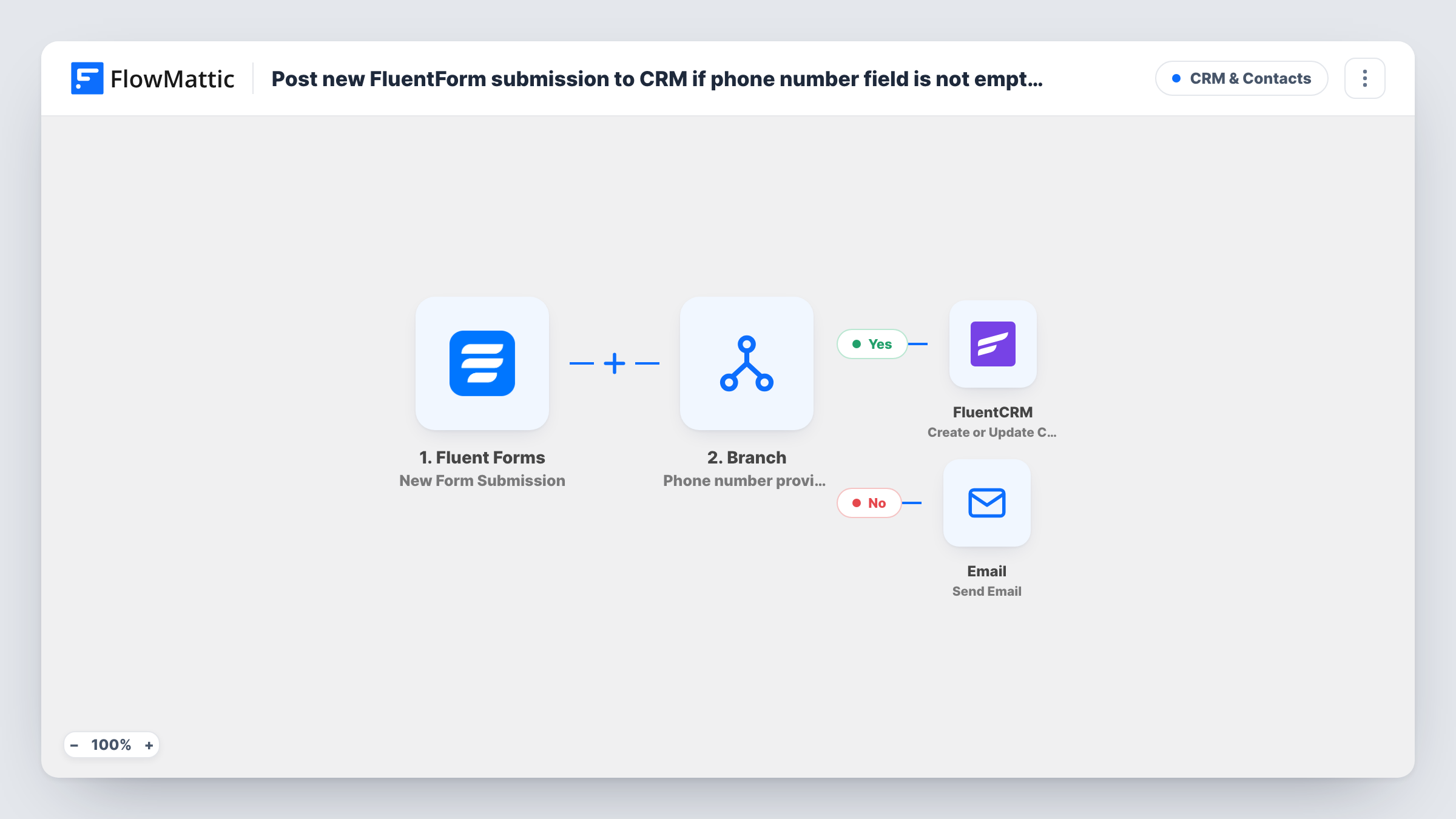
Each Fluent Forms submission is checked for a phone number. With one, the person is created or updated in FluentCRM. Without one, they get an email asking for their number instead.
 Fluent Forms
 Branch
 FluentCRM
 Email
4 steps Setup ~8 min Used on 2.0k sites Free to import
What this workflow does
A lead without a phone number is hard for a sales team to call. Saving it to the CRM anyway leaves an incomplete record, and making the field required can put people off. This workflow splits submissions on that one field: complete entries go to your CRM, and incomplete ones get a request for the missing number.
When someone submits a Fluent Forms form, FlowMattic passes the answers to a Branch step labelled Phone number provided?. It checks whether the form's phone field is not empty. On the Yes path, the person is created or updated as a contact in FluentCRM, matched by email address. On the No path, an Email step sends a message, through WordPress mail or your SMTP settings, to the address they gave.
Each submission takes exactly one path. People on the No path are not added to FluentCRM by this workflow, so a reply with their number has to be handled by you. Open Task History to see whether a given submission went to FluentCRM or to the email.
Callback requests for a sales team
Your form asks for a phone number but leaves it optional. Leads who gave one land in FluentCRM for a call, and the rest get an email asking how to reach them.
Service quotes that need a phone visit
A plumbing or repair business needs a number to arrange a visit. Missing numbers trigger a polite email so the job doesn't stall.
Keeping SMS-ready contacts in the CRM
If you text customers from FluentCRM, only submissions with a phone number become contacts, so the list you message holds numbers.
How this workflow runs
What happens at each step once the workflow is on, and what you need before you import it.
 Fluent Forms New Form Submission
Runs when a visitor submits your Fluent Forms form. Every answer, including the phone and email fields, is passed on to the Branch step and both paths.
- Branch Evaluate Condition
Checks whether the form's phone field is not empty. If it holds a value, the run takes the Yes path to FluentCRM. If it is blank, the run takes the No path to the email.
- FluentCRM Create or Update Contact
On the Yes path, creates a new FluentCRM contact or updates the existing one with the same email address. Map the email, name and phone fields from the form.
 Email Send Email
On the No path, sends an email through WordPress mail or your SMTP settings. Map the submitter's email as the recipient and write a message asking for their phone number.
What you need
- FlowMatticCore
- Fluent Forms PluginPlugin
- FluentCRM PluginPlugin
After importing, map your own data. To keep the template universal, not every step is pre-filled. Open each step in the builder and connect your accounts and fields (channels, lists, sheets, recipients) before you switch the workflow on.
Make it yours
Changes worth making after you import it.
- The condition reads the field the template calls phone. If your Fluent Forms field has a different name, pick it again in the Branch step after import.
- Add a link in the No path email to a short Fluent Forms form that asks only for the phone number, so people can send the number in a form instead of a free-text reply.
- Want everyone in FluentCRM? Add a second FluentCRM step on the No path too, and tag those contacts so you know their phone number is still missing.
Questions about this workflow
Are submissions without a phone number saved in FluentCRM?
Not by this workflow. They take the No path, which only sends the email. Fluent Forms still stores the entry, and you can add a FluentCRM step to the No path if you want them as contacts.
What counts as a phone number for the Branch?
Any value in the phone field. The condition is is not empty, so it doesn't check the format. A typed placeholder like n/a would still go the Yes path.
Will a repeat submitter with a phone number be duplicated in FluentCRM?
No. Create or Update Contact matches by email address, so the existing contact is updated with the new details instead of being added again.
Which mail service sends the request for a phone number?
The Email step uses WordPress's built-in mail function or custom SMTP settings you enter, depending on how you set up the step after import.
More CRM & Contacts workflows
Other ready-to-import templates from the same category.





Import this workflow into your WordPress site
Download the JSON, import it from the Workflows screen and connect your accounts. Every run stays on your server, with no per-task fees.
30-day money-back guarantee Unlimited workflows and runs Self-hosted