

Post RSS feed items to WordPress Feed Post
Each new item in an RSS feed you pick becomes a new post on your WordPress site, built from the item’s title, link and content, so you don’t copy feed entries across by hand.
 RSS Feed
 WordPress
2 steps Setup ~5 min Used on 1.6k sites Free to import
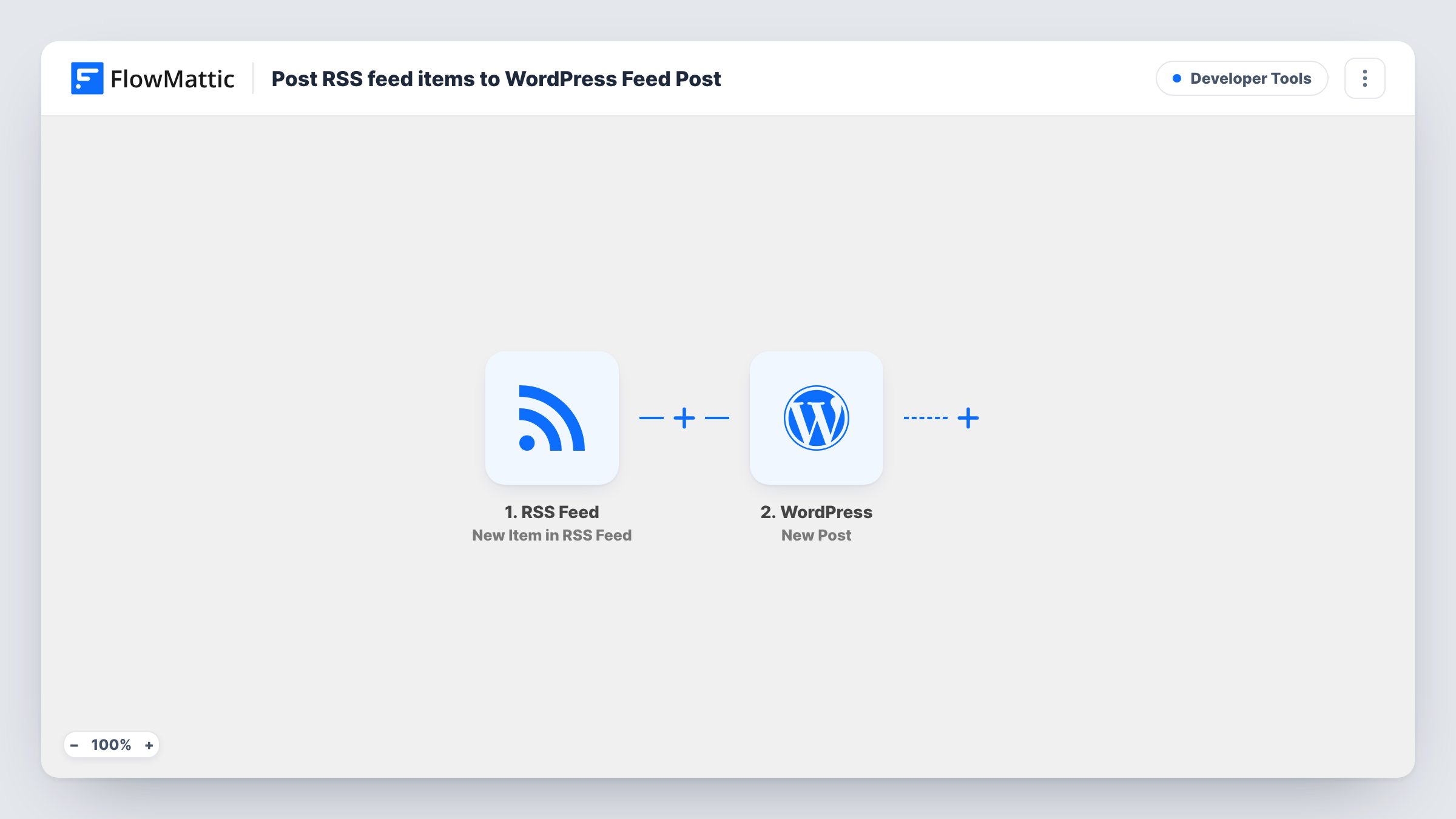
What this workflow does
Some sites carry a stream of items from elsewhere: your own podcast or YouTube feed, a sister site, or a partner's news. Copying each one into WordPress takes time and is easy to fall behind on. This workflow creates the post for you each time the feed updates.
FlowMattic's RSS Feed trigger keeps an eye on the feed address you give it, and each fresh item there kicks off one run. The item's fields, typically a title, link, date and summary or content, are passed to the WordPress New Post step, which creates a post on the site where FlowMattic runs. You choose what goes into the title and body.
Only items that appear after you turn the workflow on are posted. Because posts are created without review, check with a test run how the new post is set up before you switch the workflow on. If the feed belongs to someone else, make sure you are allowed to republish what you map into the post.
Podcast episodes on your own site
Each episode in your podcast's feed becomes a WordPress post with its title and a link, so your site lists every episode without extra work.
Mirroring a sister blog
A company runs two WordPress sites. New articles on one appear as posts on the other, built from the feed's title and summary with a link to the original.
Curated link posts
Map a partner's feed item into a short post with the headline and a link back, giving readers a running list of their updates.
How this workflow runs
What happens at each step once the workflow is on, and what you need before you import it.
 RSS Feed New Item in RSS Feed
Watches the RSS feed URL you enter and starts the workflow once per new item. The item's title, link and other feed fields are passed on for mapping.
- WordPress New Post
Creates a new post on your WordPress site from the feed item. Map the item's title to the post title and its content or summary to the body, then check a test post before going live.
What you need
- FlowMatticCore
After importing, map your own data. To keep the template universal, not every step is pre-filled. Open each step in the builder and connect your accounts and fields (channels, lists, sheets, recipients) before you switch the workflow on.
Make it yours
Changes worth making after you import it.
- Add a Filter after the RSS trigger so only items whose title or category contains a chosen word become posts.
- Put the feed item's link in the post body with a short line of text, so readers can reach the original source.
- Run one test with a live feed item, then open the new post in WordPress to check its status, author and formatting before you leave the workflow on.
Questions about this workflow
Will the whole back catalogue of the RSS feed be posted?
No. The trigger fires on new items, so only entries added to the feed after you turn the workflow on become WordPress posts.
Can new RSS posts wait as drafts for review?
Check the options in the New Post step after import and confirm with a test run. If you need a review step, FlowMattic's Human in the Loop can pause the run for approval before the post is created.
Does the post include images from the RSS feed?
Only what you map. If the feed includes image data or HTML content with images, you can map it into the post body. Feeds differ, so check the captured fields in a test.
Is it fine to republish another site's RSS content on WordPress?
That depends on the publisher's terms. Posting a title, short summary and link is a common approach, but get permission before copying full articles.
More Developer Tools workflows
Other ready-to-import templates from the same category.







Import this workflow into your WordPress site
Download the JSON, import it from the Workflows screen and connect your accounts. Every run stays on your server, with no per-task fees.
30-day money-back guarantee Unlimited workflows and runs Self-hosted