

Remove FluentCRM contact tag for unsubscribed subscriber in MailerLite
When a subscriber unsubscribes in MailerLite, this workflow removes the tag you choose from their FluentCRM contact, so your FluentCRM segments stop treating them as an active MailerLite reader.
 MailerLite
 FluentCRM
2 steps Setup ~5 min Used on 2.6k sites Free to import
What this workflow does
If you run MailerLite for newsletters and FluentCRM inside WordPress, an unsubscribe in one tool does not reach the other. A contact can stay tagged as a newsletter reader in FluentCRM long after they opted out, and any sequence or segment built on that tag keeps counting them. This workflow clears that tag for you.
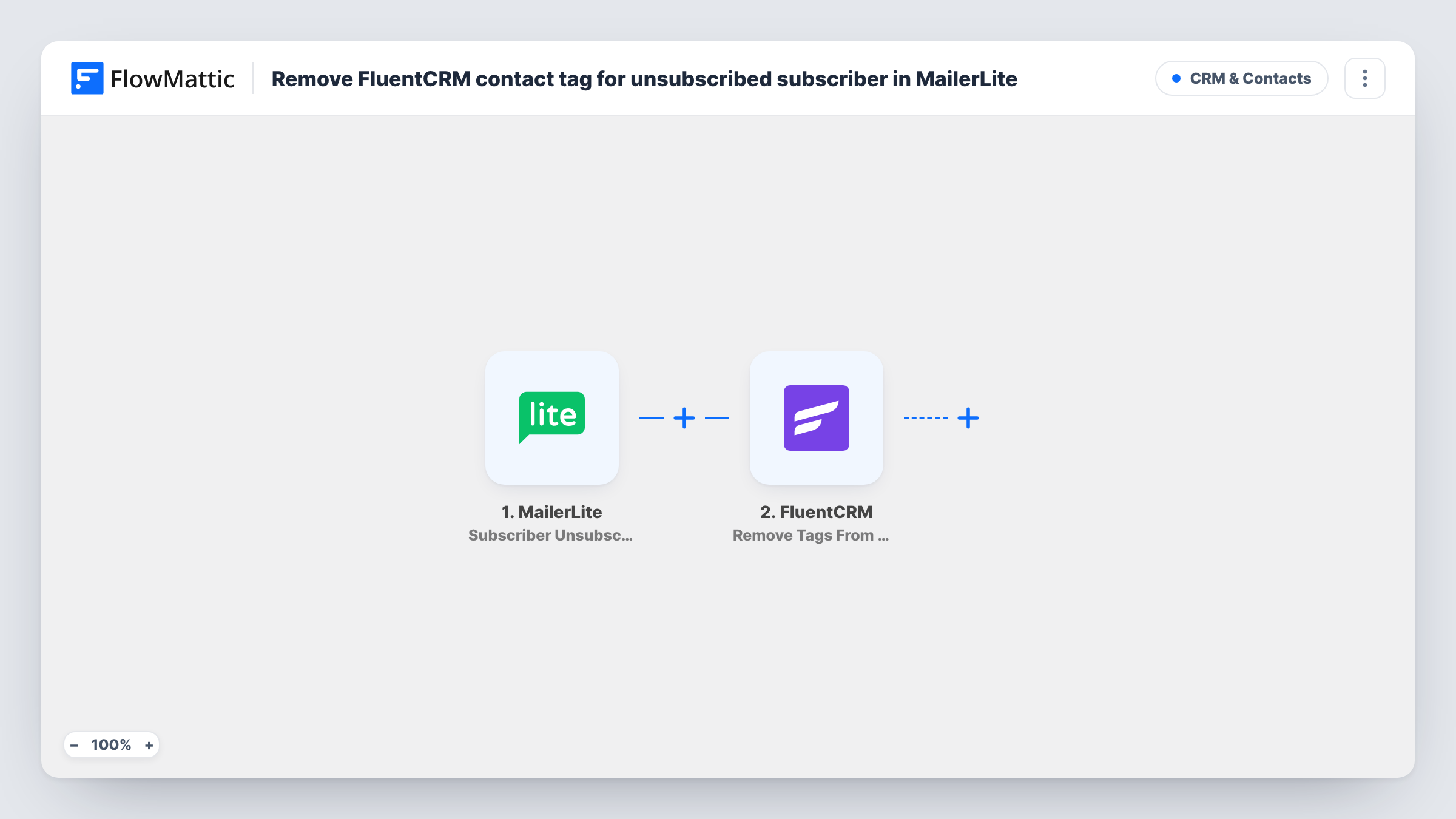
The MailerLite trigger fires when a subscriber becomes unsubscribed. FlowMattic passes that subscriber's details, including the email address, to FluentCRM. The Remove Tags From Contact action then takes the tag you set off the matching contact in your WordPress CRM.
The action works on a contact that already exists. If the unsubscribed address has no FluentCRM contact, there is nothing to change, and Task History shows the response for that run. The workflow does not delete the contact or change their FluentCRM subscription status; it only removes the tag.
Newsletter tag kept in step with MailerLite
You tag FluentCRM contacts as newsletter readers when they join your MailerLite list. When they leave the list, the tag comes off, and your FluentCRM reports show who still reads the newsletter.
Stop a FluentCRM automation that keys on a tag
A FluentCRM funnel or segment uses a MailerLite-reader tag. Removing it on unsubscribe keeps people who opted out of MailerLite from being picked up by that tag.
Cleaner audience counts for a membership site
Your WordPress site counts tagged contacts to see how many members follow the newsletter. Unsubscribes now lower that count without a manual cleanup.
How this workflow runs
What happens at each step once the workflow is on, and what you need before you import it.
 MailerLite Subscriber Unsubscribed
Runs when a subscriber in your connected MailerLite account becomes unsubscribed. The subscriber's details, such as the email address, are passed on for mapping.
- FluentCRM Remove Tags From Contact
Removes one or more tags from the existing FluentCRM contact that matches the subscriber. Map the MailerLite email so FluentCRM can find the contact, and set the tag to take off. Test with an address you know is in both tools.
What you need
- FlowMatticCore
- MailerLite AccountAccount
- FluentCRM PluginPlugin
After importing, map your own data. To keep the template universal, not every step is pre-filled. Open each step in the builder and connect your accounts and fields (channels, lists, sheets, recipients) before you switch the workflow on.
Make it yours
Changes worth making after you import it.
- Add a FluentCRM step after this one that adds an "unsubscribed from MailerLite" tag, so you can see who left the newsletter instead of only losing the old tag.
- Unsubscribe a test address that exists in both MailerLite and FluentCRM, then open Task History to confirm the right contact lost the tag.
- If you tag readers by MailerLite group, set the step to remove every one of those tags so none are left behind after an unsubscribe.
Questions about this workflow
Does this unsubscribe the contact in FluentCRM too?
No. It only removes the tag you set. The contact stays in FluentCRM with the same subscription status. Add another FluentCRM step if you also want to change that.
What if the MailerLite subscriber isn't a FluentCRM contact?
The action works on existing contacts only, so nothing is created or changed for that address. Task History shows the response FluentCRM gave for that run.
Will past MailerLite unsubscribes be cleaned up?
No. Only unsubscribes that happen after you turn the workflow on start a run. Older ones need a one-time cleanup in FluentCRM.
Does it remove every tag from the FluentCRM contact?
No. It removes the tag or tags you set in the step. Any other tags on that contact stay in place.
More CRM & Contacts workflows
Other ready-to-import templates from the same category.





Import this workflow into your WordPress site
Download the JSON, import it from the Workflows screen and connect your accounts. Every run stays on your server, with no per-task fees.
30-day money-back guarantee Unlimited workflows and runs Self-hosted